


OBS Studio Essentials - Master class
Category: Tutorials
- views: 113
- date: 30 June 2024
- posted by: AD-TEAM
OBS Studio Essentials - Master class
Last updated 6/2024
Duration: 45m | .MP4 1280x720, 30 fps(r) | AAC, 44100 Hz, 2ch | 432 MB
Genre: eLearning | Language: English
OBS Studio Essentials: A Complete Guide to Professional Live Streaming and Video Production
What you'll learn
Setup and Configuration: How to install OBS Studio and configure settings for optimal performance and compatibility with various streaming platforms.
Interface Navigation: Familiarization with the OBS Studio interface, including layout customization and understanding the different panels and tools available.
Audio/Video Sources: How to add and manage audio and video sources, including capturing from webcams, microphones, desktop screens, and media files.
Scenes and Transitions: Creating and organizing scenes to switch seamlessly between different setups, along with adding transitions for professional-looking swi
Streaming and Recording: Configuring streaming settings and recording options, including bitrate, resolution, and output formats, for high-quality broadcasts an
Advanced Features: Exploring advanced features such as chroma keying (green screen), audio mixing, filters, and effects to elevate the production quality.
Best Practices and Tips: Learning best practices for engaging viewers, managing chat interactions, and maximizing the impact of live streams and recorded conten
Requirements
Basic Computer Skills: Students should have a fundamental understanding of how to navigate and operate a computer, including tasks such as installing software, navigating file systems, and adjusting system settings.
Operating System Compatibility: OBS Studio is available for Windows, macOS, and Linux. Students should ensure that their computer meets the system requirements for their chosen operating system.
Description
The Open Board Software (OBS) course is designed to provide participants with a comprehensive understanding of OBS, a popular open-source software used for live streaming and recording. Throughout the course, participants will learn the fundamentals of setting up OBS, configuring audio and video sources, creating scenes, and optimizing settings for various streaming platforms.
Here's a breakdown of the course content:
1. Introduction to OBS:
- Overview of OBS and its features
- Understanding the interface and layout
2. Setting up OBS:
- Installation process for Windows, macOS, and Linux
- Basic configuration and preferences
3. Configuring Audio and Video Sources:
- Adding webcams, microphones, and audio sources
- Adjusting audio levels and filters
- Optimizing video settings for quality and performance
4. Creating Scenes:
- Understanding scenes and sources
- Building custom scenes for different streaming scenarios
- Transition effects and scene management
5. Advanced Features:
- Using plugins to extend OBS functionality
- Integrating OBS with other software and services
- Tips and tricks for optimizing performance and stream quality
6. Streaming with OBS:
- Setting up streaming profiles for platforms like Twitch, YouTube, and Facebook Live
- Going live and managing streams
- Troubleshooting common issues
7. Recording with OBS:
- Configuring recording settings
- Capturing gameplay, tutorials, and other content
- Editing and post-processing recorded videos
8. Best Practices and Tips:
- Tips for engaging and professional-looking streams
- Avoiding common mistakes and pitfalls
- Staying updated with OBS developments and community resources
Who this course is for:
Beginners: Individuals who are new to live streaming and video production and want to learn how to use OBS Studio to start their streaming journey.
Content Creators: YouTubers, Twitch streamers, podcasters, and other online content creators who want to enhance the quality of their productions and engage with their audience more effectively.
Gamers: Gamers who wish to stream their gameplay on platforms like Twitch, YouTube Gaming, or Facebook Gaming and want to learn how to set up professional-looking streams using OBS Studio.
Educators: Teachers, trainers, and instructors who want to incorporate live streaming into their teaching methods or create online tutorials and instructional videos.
Small Business Owners: Entrepreneurs, marketers, and small business owners who want to leverage live streaming for product demonstrations, webinars, virtual events, and marketing campaigns.
Freelancers and Professionals: Freelancers, consultants, and professionals in fields such as graphic design, video editing, and digital marketing who want to add live streaming and video production skills to their repertoire.
More Info
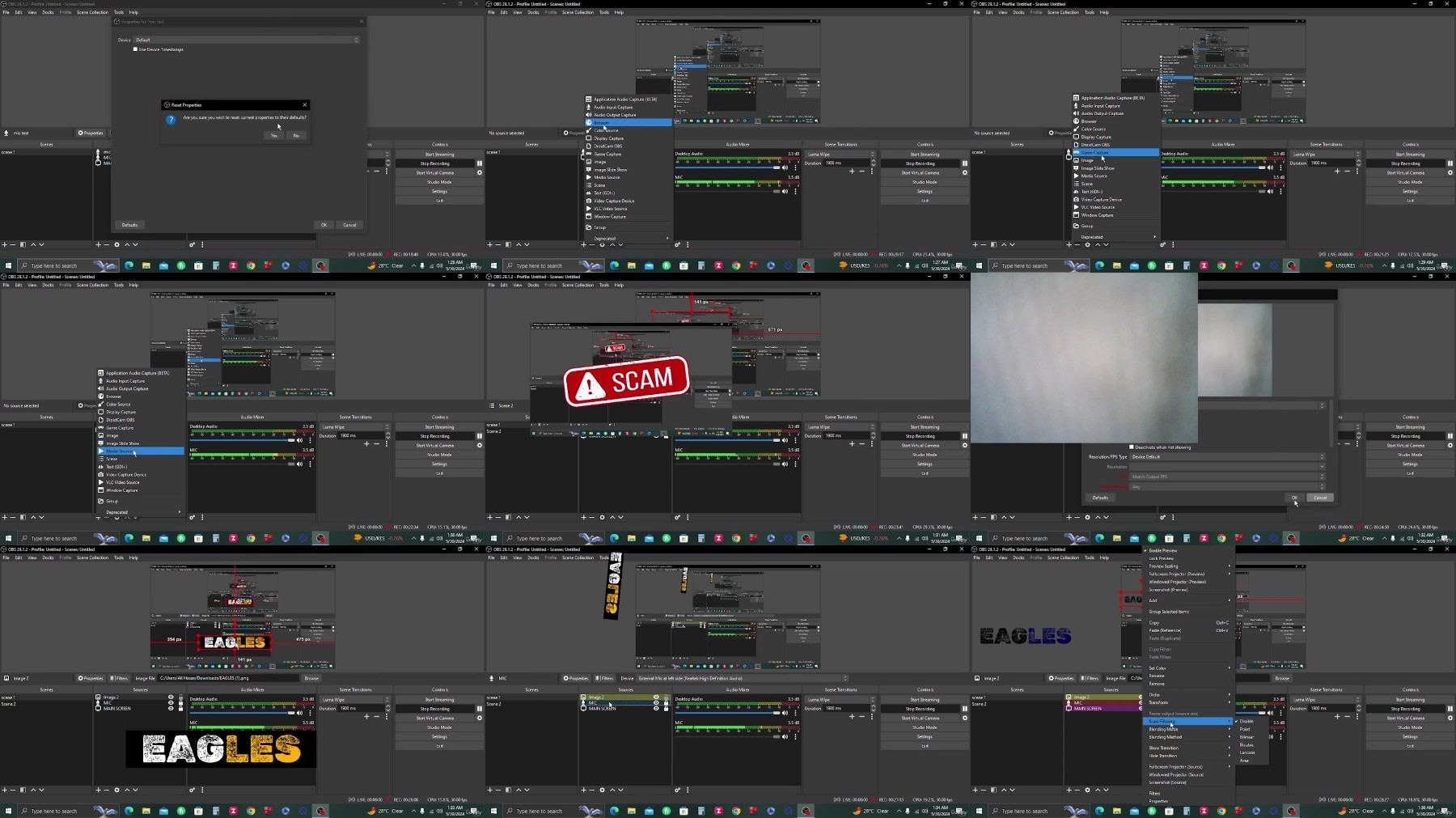
What you'll learn
Setup and Configuration: How to install OBS Studio and configure settings for optimal performance and compatibility with various streaming platforms.
Interface Navigation: Familiarization with the OBS Studio interface, including layout customization and understanding the different panels and tools available.
Audio/Video Sources: How to add and manage audio and video sources, including capturing from webcams, microphones, desktop screens, and media files.
Scenes and Transitions: Creating and organizing scenes to switch seamlessly between different setups, along with adding transitions for professional-looking swi
Streaming and Recording: Configuring streaming settings and recording options, including bitrate, resolution, and output formats, for high-quality broadcasts an
Advanced Features: Exploring advanced features such as chroma keying (green screen), audio mixing, filters, and effects to elevate the production quality.
Best Practices and Tips: Learning best practices for engaging viewers, managing chat interactions, and maximizing the impact of live streams and recorded conten
Requirements
Basic Computer Skills: Students should have a fundamental understanding of how to navigate and operate a computer, including tasks such as installing software, navigating file systems, and adjusting system settings.
Operating System Compatibility: OBS Studio is available for Windows, macOS, and Linux. Students should ensure that their computer meets the system requirements for their chosen operating system.
Description
The Open Board Software (OBS) course is designed to provide participants with a comprehensive understanding of OBS, a popular open-source software used for live streaming and recording. Throughout the course, participants will learn the fundamentals of setting up OBS, configuring audio and video sources, creating scenes, and optimizing settings for various streaming platforms.
Here's a breakdown of the course content:
1. Introduction to OBS:
- Overview of OBS and its features
- Understanding the interface and layout
2. Setting up OBS:
- Installation process for Windows, macOS, and Linux
- Basic configuration and preferences
3. Configuring Audio and Video Sources:
- Adding webcams, microphones, and audio sources
- Adjusting audio levels and filters
- Optimizing video settings for quality and performance
4. Creating Scenes:
- Understanding scenes and sources
- Building custom scenes for different streaming scenarios
- Transition effects and scene management
5. Advanced Features:
- Using plugins to extend OBS functionality
- Integrating OBS with other software and services
- Tips and tricks for optimizing performance and stream quality
6. Streaming with OBS:
- Setting up streaming profiles for platforms like Twitch, YouTube, and Facebook Live
- Going live and managing streams
- Troubleshooting common issues
7. Recording with OBS:
- Configuring recording settings
- Capturing gameplay, tutorials, and other content
- Editing and post-processing recorded videos
8. Best Practices and Tips:
- Tips for engaging and professional-looking streams
- Avoiding common mistakes and pitfalls
- Staying updated with OBS developments and community resources
Who this course is for:
Beginners: Individuals who are new to live streaming and video production and want to learn how to use OBS Studio to start their streaming journey.
Content Creators: YouTubers, Twitch streamers, podcasters, and other online content creators who want to enhance the quality of their productions and engage with their audience more effectively.
Gamers: Gamers who wish to stream their gameplay on platforms like Twitch, YouTube Gaming, or Facebook Gaming and want to learn how to set up professional-looking streams using OBS Studio.
Educators: Teachers, trainers, and instructors who want to incorporate live streaming into their teaching methods or create online tutorials and instructional videos.
Small Business Owners: Entrepreneurs, marketers, and small business owners who want to leverage live streaming for product demonstrations, webinars, virtual events, and marketing campaigns.
Freelancers and Professionals: Freelancers, consultants, and professionals in fields such as graphic design, video editing, and digital marketing who want to add live streaming and video production skills to their repertoire.
More Info
We need your support!
Make a donation to help us stay online

Bitcoin (BTC)
bc1q08g9d22cxkawsjlf8etuek2pc9n2a3hs4cdrld

Bitcoin Cash (BCH)
qqvwexzhvgauxq2apgc4j0ewvcak6hh6lsnzmvtkem

Ethereum (ETH)
0xb55513D2c91A6e3c497621644ec99e206CDaf239

Litecoin (LTC)
ltc1qt6g2trfv9tjs4qj68sqc4uf0ukvc9jpnsyt59u

USDT (ERC20)
0xb55513D2c91A6e3c497621644ec99e206CDaf239

USDT (TRC20)
TYdPNrz7v1P9riWBWZ317oBgJueheGjATm
Information |
|||
 |
Users of GUESTS are not allowed to comment this publication. | ||