


Project Management: Using Smartsheet With Power Bi Reporting
Category: Tutorials
- views: 160
- date: 29 June 2024
- posted by: AD-TEAM

Project Management: Using Smartsheet With Power Bi Reporting
Published 6/2024
MP4 | Video: h264, 1920x1080 | Audio: AAC, 44.1 KHz
Language: English | Size: 496.87 MB | Duration: 0h 55m
Advancing Project Management Data Analysis
What you'll learn
Fundamentals of project management data in Smartsheet
Integrate Smartsheet data into Power BI
Create Power BI Reports and Dashboards
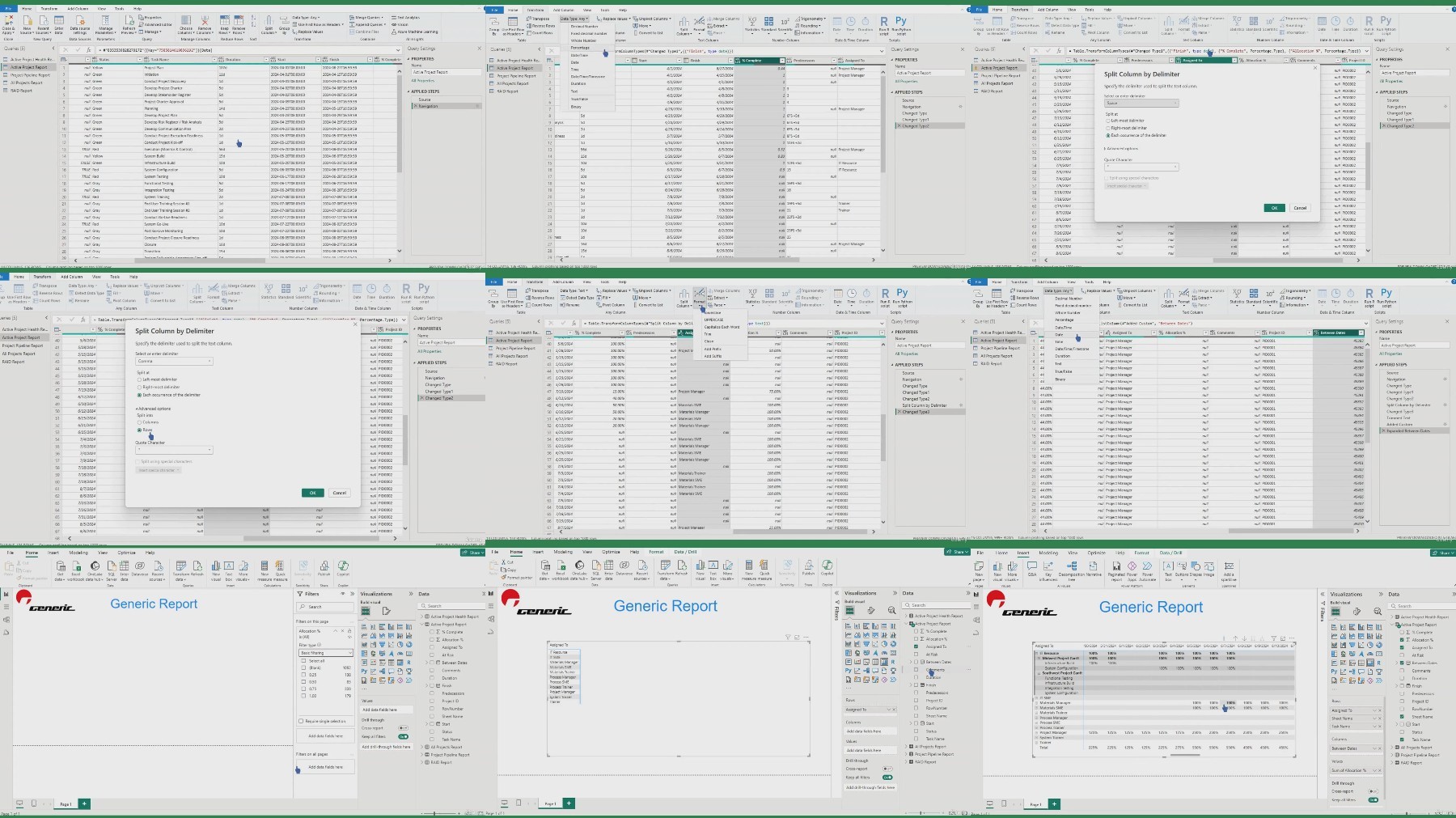
Use cases for resource management, risk management, project pipeline management and project health management
Requirements
Basic understand of Smartsheet.
Description
Unlock the power of seamless project management and data visualization with our fundamental virtual on-demand course. This course is designed to equip project managers with the essential skills needed to effectively use Smartsheet for project management, while leveraging the robust reporting capabilities of Power BI for insightful data analysis.Course Highlights:Introduction to Smartsheet:Understand the fundamentals of Smartsheet, including its essential features and basic functionalities.Learn how to create, organize, and manage projects documentation and reports within Smartsheet.Power BI Integration:Discover the step-by-step process to integrate Smartsheet with Power BI for enhanced data visualization and reporting.Learn how to connect Smartsheet data to Power BI, create a data model, and build interactive dashboards.Reporting and Analytics with Power BI:Master the art of creating dynamic reports and dashboards in Power BI that provide actionable insights into your projects.Learn to use Power BI's features like creating interactive visuals to present data effectively.Practical Use Cases:Resource Allocation Reporting:Create real-time project tracking dashboards in Power BI that pull data from Smartsheet, allowing project managers to monitor the resource allocation across teams to proactive control resource management.Project Health Reporting:Develop portfolio level reporting to visualize project health across all projects being managed via the project plans in Smartsheet.Project Pipeline Reporting:Proactively visualize the project pipeline for your organization to enhance project management engagement and planning.Project Risk Reporting:Design visualizations to effectively monitor the identified risks and risk exposure to the project portfolio or programs.Who Should Enroll:This course is ideal for project managers, team leads, and anyone involved in project planning and execution who wants to enhance their project management skills and data analysis capabilities using Smartsheet and Power BI.Course Format:On-Demand Video Lessons: Access high-quality video lessons at your own pace, anytime, anywhere.Downloadable Resources: Get access to downloadable resources, templates, and guides for future reference.Enroll today to transform your project management approach and leverage the full potential of Smartsheet and Power BI for effective project management, reporting, and decision-making.
Overview
Section 1: Introduction
Lecture 1 Introduction
Section 2: Workspaces
Lecture 2 Project Documentation Templates & Active Projects Workspaces
Lecture 3 Archived Projects Workspace
Lecture 4 Project Pipeline Workspace
Lecture 5 Power BI Reports Workspace
Section 3: Project Management Documentation in Smartsheet
Lecture 6 Introduction for Project Documentation Design
Lecture 7 Project Intake
Lecture 8 Project Intake Forms
Lecture 9 Project Plan
Lecture 10 RAID Register
Lecture 11 Smarthsheet Reports for Power BI
Lecture 12 Active Projects Report in Smartsheet
Lecture 13 Project Pipeline Report in Smartsheet
Lecture 14 Active Project Health Report - Sheet Summary Report in Smartsheet
Lecture 15 RAID Report in Smartsheet
Lecture 16 All Projects Report in Smartsheet
Section 4: Getting Started with Power BI
Lecture 17 Importing Smartsheet Project Reports into Power BI
Lecture 18 Potential Power BI Import Error for Smartsheet Sheet Summary Reports
Lecture 19 Alternative Reporting for Power BI Sheet Summary Report Error
Lecture 20 Using Power BI
Lecture 21 3 Key Power BI Views
Lecture 22 Table View in Power BI
Lecture 23 Model View in Power BI
Lecture 24 Power Query Editor in Power BI
Lecture 25 Fundamentals of Visualization
Section 5: Smartsheet & Power BI Use Cases
Lecture 26 Use Case Prerequisites
Lecture 27 Resource Allocation Use Case
Lecture 28 Project Health Reporting Use Case
Lecture 29 Project Pipeline Reporting Use Case
Lecture 30 Project Risk Reporting Use Case
Project managers and data analysts
What you'll learn
Fundamentals of project management data in Smartsheet
Integrate Smartsheet data into Power BI
Create Power BI Reports and Dashboards
Use cases for resource management, risk management, project pipeline management and project health management
Requirements
Basic understand of Smartsheet.
Description
Unlock the power of seamless project management and data visualization with our fundamental virtual on-demand course. This course is designed to equip project managers with the essential skills needed to effectively use Smartsheet for project management, while leveraging the robust reporting capabilities of Power BI for insightful data analysis.Course Highlights:Introduction to Smartsheet:Understand the fundamentals of Smartsheet, including its essential features and basic functionalities.Learn how to create, organize, and manage projects documentation and reports within Smartsheet.Power BI Integration:Discover the step-by-step process to integrate Smartsheet with Power BI for enhanced data visualization and reporting.Learn how to connect Smartsheet data to Power BI, create a data model, and build interactive dashboards.Reporting and Analytics with Power BI:Master the art of creating dynamic reports and dashboards in Power BI that provide actionable insights into your projects.Learn to use Power BI's features like creating interactive visuals to present data effectively.Practical Use Cases:Resource Allocation Reporting:Create real-time project tracking dashboards in Power BI that pull data from Smartsheet, allowing project managers to monitor the resource allocation across teams to proactive control resource management.Project Health Reporting:Develop portfolio level reporting to visualize project health across all projects being managed via the project plans in Smartsheet.Project Pipeline Reporting:Proactively visualize the project pipeline for your organization to enhance project management engagement and planning.Project Risk Reporting:Design visualizations to effectively monitor the identified risks and risk exposure to the project portfolio or programs.Who Should Enroll:This course is ideal for project managers, team leads, and anyone involved in project planning and execution who wants to enhance their project management skills and data analysis capabilities using Smartsheet and Power BI.Course Format:On-Demand Video Lessons: Access high-quality video lessons at your own pace, anytime, anywhere.Downloadable Resources: Get access to downloadable resources, templates, and guides for future reference.Enroll today to transform your project management approach and leverage the full potential of Smartsheet and Power BI for effective project management, reporting, and decision-making.
Overview
Section 1: Introduction
Lecture 1 Introduction
Section 2: Workspaces
Lecture 2 Project Documentation Templates & Active Projects Workspaces
Lecture 3 Archived Projects Workspace
Lecture 4 Project Pipeline Workspace
Lecture 5 Power BI Reports Workspace
Section 3: Project Management Documentation in Smartsheet
Lecture 6 Introduction for Project Documentation Design
Lecture 7 Project Intake
Lecture 8 Project Intake Forms
Lecture 9 Project Plan
Lecture 10 RAID Register
Lecture 11 Smarthsheet Reports for Power BI
Lecture 12 Active Projects Report in Smartsheet
Lecture 13 Project Pipeline Report in Smartsheet
Lecture 14 Active Project Health Report - Sheet Summary Report in Smartsheet
Lecture 15 RAID Report in Smartsheet
Lecture 16 All Projects Report in Smartsheet
Section 4: Getting Started with Power BI
Lecture 17 Importing Smartsheet Project Reports into Power BI
Lecture 18 Potential Power BI Import Error for Smartsheet Sheet Summary Reports
Lecture 19 Alternative Reporting for Power BI Sheet Summary Report Error
Lecture 20 Using Power BI
Lecture 21 3 Key Power BI Views
Lecture 22 Table View in Power BI
Lecture 23 Model View in Power BI
Lecture 24 Power Query Editor in Power BI
Lecture 25 Fundamentals of Visualization
Section 5: Smartsheet & Power BI Use Cases
Lecture 26 Use Case Prerequisites
Lecture 27 Resource Allocation Use Case
Lecture 28 Project Health Reporting Use Case
Lecture 29 Project Pipeline Reporting Use Case
Lecture 30 Project Risk Reporting Use Case
Project managers and data analysts
We need your support!
Make a donation to help us stay online

Bitcoin (BTC)
bc1q08g9d22cxkawsjlf8etuek2pc9n2a3hs4cdrld

Bitcoin Cash (BCH)
qqvwexzhvgauxq2apgc4j0ewvcak6hh6lsnzmvtkem

Ethereum (ETH)
0xb55513D2c91A6e3c497621644ec99e206CDaf239

Litecoin (LTC)
ltc1qt6g2trfv9tjs4qj68sqc4uf0ukvc9jpnsyt59u

USDT (ERC20)
0xb55513D2c91A6e3c497621644ec99e206CDaf239

USDT (TRC20)
TYdPNrz7v1P9riWBWZ317oBgJueheGjATm
Information |
|||
 |
Users of GUESTS are not allowed to comment this publication. | ||