


Dark Alley, Full Blender Cinematic Workflow + 300 Assets
Category: Tutorials
- views: 289
- date: 29 June 2024
- posted by: AD-TEAM
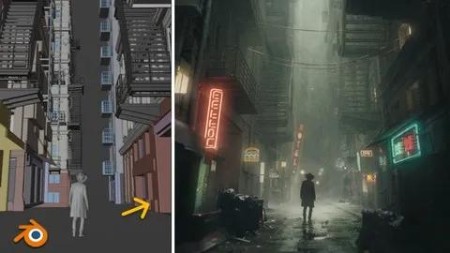
Dark Alley, Full Blender Cinematic Workflow + 300 Assets
Published 6/2024
MP4 | Video: h264, 1920x1080 | Audio: AAC, 44.1 KHz
Language: English | Size: 5.63 GB | Duration: 4h 9m
In this 4-hour-long tutorial, we will create cinematic art from the introduction completely in a blender
What you'll learn
I will introduce you to the free 3d program Blender
I will introduce you to modeling, texturing, lighting, rendering and more
We will create a art from the introduction from start to finish
I'll show you how to create a dark, cinematic, mist atmosphere in Blender
Requirements
Free software Blender. No previous experience is necessary.
Description
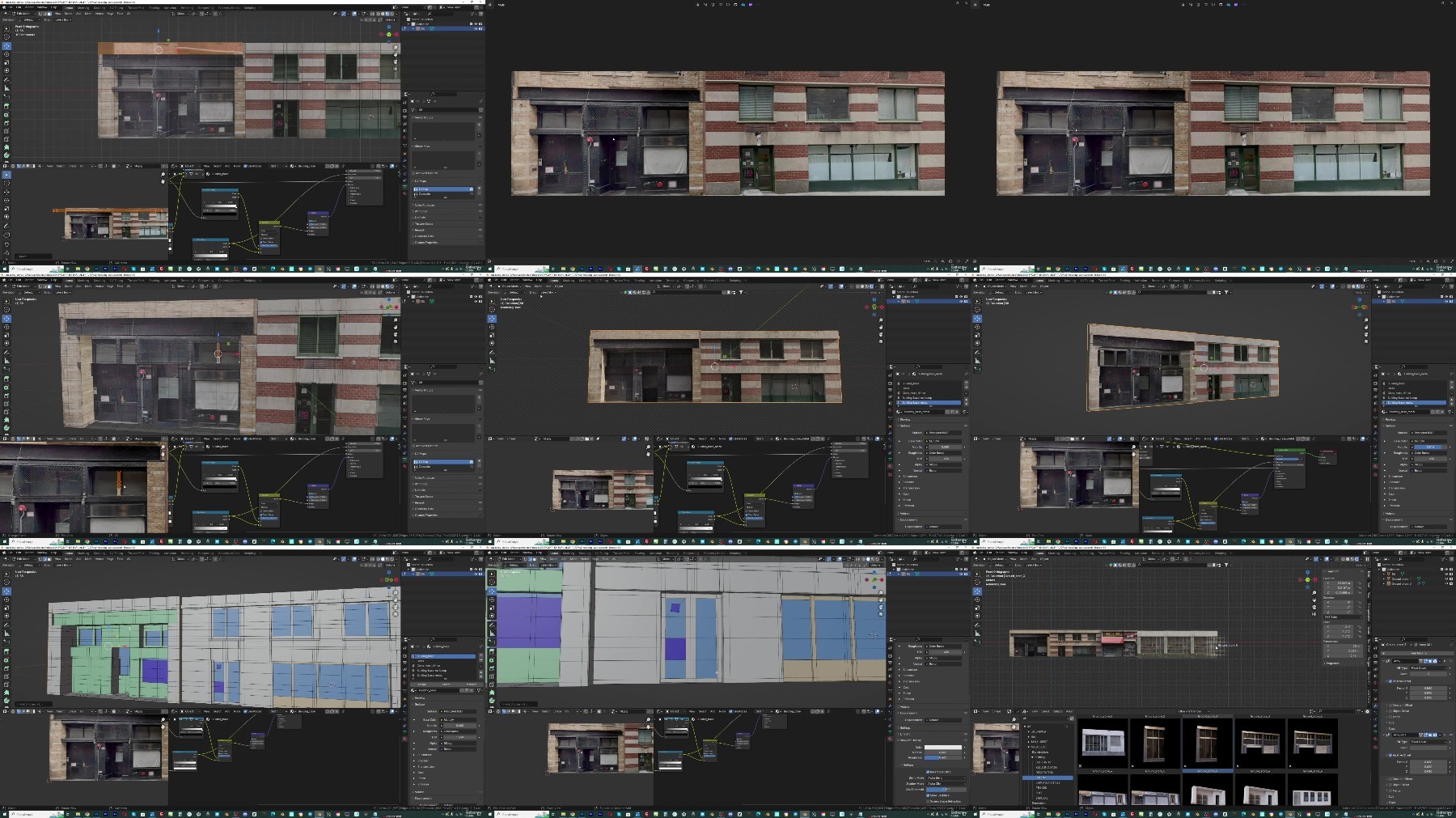
In this 4-hour-long tutorial, we will create cinematic art from the introduction completely in a blender from start to finish. This is the workflow that I have learned in the last 6 years of using Blender.What does this course contain?The course contains a 4-hour long step-by-step tutorial and several asset packages that you can see below.Considering that a good part of the scene falls on buildings, and for the buildings I use my Editing Buildings Asset Pack, I decided to divide the tutorial into two parts:In the first 7 lessons lasting about 1 hour and 20 minutes, I talk about how I created the Building asset package. Although I will share the asset pack with you, I think the tutorial has much more value if you learn the process of creating assets, rather than just inserting them into the scene.From lesson 8, the creation of the Dark Alley scene begins. In the following 16 lessons lasting about 3 hours, we create this scene step-by-step. The post-processing part was done in After Effects but also in Blender Compositor.I recorded the After Effects part because it's part of my normal workflow, after that I transferred everything to the Blender compositor for users who only use Blender so that only Blender is enough to follow the tutorial.In addition to the Building asset package, I will share with you the neon sign asset package as well as the smaller garbage and ground package and the final blender file where everything is together.ASSETS INCLUDEDEditing Buildings Asset PackA buildings asset pack is an asset pack that contains in one place everything you will ever need when it comes to building buildings, city blocks, or an entire city.The pack contains 50 high-detailed buildings, but the 50 buildings are only a small part of this pack. With 162 modular assets, you can build any type of building in minutes.Neon Signs Asset PackPackage of 70 neon signs ready for Asset browser and quick use.Ground photo scans8 ground photo scans, always useful for adding pebbles to the ground or imperfections.Trash-garbage photo scansA few pieces of photo-scanned trash that creates a lot of detail on the groundThe entire process of creating a scene is recorded step-by-step, so the tutorial is easy to follow even for beginners.The tutorial is separated into 24 parts with an average duration of 10 minutes to make it easier to follow.
Overview
Section 1: Introduction
Lecture 1 Preparing the textures
Lecture 2 Asset modeling
Lecture 3 Fixing UV
Lecture 4 Materials improvement
Lecture 5 UV and materials
Lecture 6 Continuation of modeling
Lecture 7 Asset two, fast modeling
Lecture 8 Dark alley scene - Introduction
Lecture 9 Buildings asset package import
Lecture 10 Scene blocking
Lecture 11 Ground, cables and details
Lecture 12 Neon signs and decoration
Lecture 13 Asphalt
Lecture 14 Puddles, pebbles, garbage
Lecture 15 Import assets from Sketcfub
Lecture 16 Lighting, passes and rendering
Lecture 17 Post-processing introduction
Lecture 18 Smoke in post-processing
Lecture 19 Shadow and ground
Lecture 20 Emission and glow
Lecture 21 Details in the sky
Lecture 22 Boke effect
Lecture 23 Post in Blender Compositor 1
Lecture 24 Post in Blender Compositor 2
For blender beginners as well as more advanced users.
https://rapidgator.net/file/0571701650cda6bbb29913f30f98e7c7/Dark.Alley.Full.Blender.Cinematic.Workflow.300.assets.part1.rar
https://rapidgator.net/file/6cb3a41795a8c32fece4c03f753dd802/Dark.Alley.Full.Blender.Cinematic.Workflow.300.assets.part2.rar
https://rapidgator.net/file/55a5c858c6005f1474d8bb231b6981c4/Dark.Alley.Full.Blender.Cinematic.Workflow.300.assets.part3.rar
https://rapidgator.net/file/60b8a6b86448969a0dbdb5493ad2b2bc/Dark.Alley.Full.Blender.Cinematic.Workflow.300.assets.part4.rar
https://filestore.me/ad33t40jvmbk/Dark.Alley.Full.Blender.Cinematic.Workflow.300.assets.part1.rar
https://filestore.me/0q27y3c0nc93/Dark.Alley.Full.Blender.Cinematic.Workflow.300.assets.part2.rar
https://filestore.me/jrpjh5o9nuti/Dark.Alley.Full.Blender.Cinematic.Workflow.300.assets.part3.rar
https://filestore.me/dh8ctyw1ydz0/Dark.Alley.Full.Blender.Cinematic.Workflow.300.assets.part4.rar
What you'll learn
I will introduce you to the free 3d program Blender
I will introduce you to modeling, texturing, lighting, rendering and more
We will create a art from the introduction from start to finish
I'll show you how to create a dark, cinematic, mist atmosphere in Blender
Requirements
Free software Blender. No previous experience is necessary.
Description
In this 4-hour-long tutorial, we will create cinematic art from the introduction completely in a blender from start to finish. This is the workflow that I have learned in the last 6 years of using Blender.What does this course contain?The course contains a 4-hour long step-by-step tutorial and several asset packages that you can see below.Considering that a good part of the scene falls on buildings, and for the buildings I use my Editing Buildings Asset Pack, I decided to divide the tutorial into two parts:In the first 7 lessons lasting about 1 hour and 20 minutes, I talk about how I created the Building asset package. Although I will share the asset pack with you, I think the tutorial has much more value if you learn the process of creating assets, rather than just inserting them into the scene.From lesson 8, the creation of the Dark Alley scene begins. In the following 16 lessons lasting about 3 hours, we create this scene step-by-step. The post-processing part was done in After Effects but also in Blender Compositor.I recorded the After Effects part because it's part of my normal workflow, after that I transferred everything to the Blender compositor for users who only use Blender so that only Blender is enough to follow the tutorial.In addition to the Building asset package, I will share with you the neon sign asset package as well as the smaller garbage and ground package and the final blender file where everything is together.ASSETS INCLUDEDEditing Buildings Asset PackA buildings asset pack is an asset pack that contains in one place everything you will ever need when it comes to building buildings, city blocks, or an entire city.The pack contains 50 high-detailed buildings, but the 50 buildings are only a small part of this pack. With 162 modular assets, you can build any type of building in minutes.Neon Signs Asset PackPackage of 70 neon signs ready for Asset browser and quick use.Ground photo scans8 ground photo scans, always useful for adding pebbles to the ground or imperfections.Trash-garbage photo scansA few pieces of photo-scanned trash that creates a lot of detail on the groundThe entire process of creating a scene is recorded step-by-step, so the tutorial is easy to follow even for beginners.The tutorial is separated into 24 parts with an average duration of 10 minutes to make it easier to follow.
Overview
Section 1: Introduction
Lecture 1 Preparing the textures
Lecture 2 Asset modeling
Lecture 3 Fixing UV
Lecture 4 Materials improvement
Lecture 5 UV and materials
Lecture 6 Continuation of modeling
Lecture 7 Asset two, fast modeling
Lecture 8 Dark alley scene - Introduction
Lecture 9 Buildings asset package import
Lecture 10 Scene blocking
Lecture 11 Ground, cables and details
Lecture 12 Neon signs and decoration
Lecture 13 Asphalt
Lecture 14 Puddles, pebbles, garbage
Lecture 15 Import assets from Sketcfub
Lecture 16 Lighting, passes and rendering
Lecture 17 Post-processing introduction
Lecture 18 Smoke in post-processing
Lecture 19 Shadow and ground
Lecture 20 Emission and glow
Lecture 21 Details in the sky
Lecture 22 Boke effect
Lecture 23 Post in Blender Compositor 1
Lecture 24 Post in Blender Compositor 2
For blender beginners as well as more advanced users.
https://rapidgator.net/file/0571701650cda6bbb29913f30f98e7c7/Dark.Alley.Full.Blender.Cinematic.Workflow.300.assets.part1.rar
https://rapidgator.net/file/6cb3a41795a8c32fece4c03f753dd802/Dark.Alley.Full.Blender.Cinematic.Workflow.300.assets.part2.rar
https://rapidgator.net/file/55a5c858c6005f1474d8bb231b6981c4/Dark.Alley.Full.Blender.Cinematic.Workflow.300.assets.part3.rar
https://rapidgator.net/file/60b8a6b86448969a0dbdb5493ad2b2bc/Dark.Alley.Full.Blender.Cinematic.Workflow.300.assets.part4.rar
https://filestore.me/ad33t40jvmbk/Dark.Alley.Full.Blender.Cinematic.Workflow.300.assets.part1.rar
https://filestore.me/0q27y3c0nc93/Dark.Alley.Full.Blender.Cinematic.Workflow.300.assets.part2.rar
https://filestore.me/jrpjh5o9nuti/Dark.Alley.Full.Blender.Cinematic.Workflow.300.assets.part3.rar
https://filestore.me/dh8ctyw1ydz0/Dark.Alley.Full.Blender.Cinematic.Workflow.300.assets.part4.rar
We need your support!
Make a donation to help us stay online

Bitcoin (BTC)
bc1q08g9d22cxkawsjlf8etuek2pc9n2a3hs4cdrld

Bitcoin Cash (BCH)
qqvwexzhvgauxq2apgc4j0ewvcak6hh6lsnzmvtkem

Ethereum (ETH)
0xb55513D2c91A6e3c497621644ec99e206CDaf239

Litecoin (LTC)
ltc1qt6g2trfv9tjs4qj68sqc4uf0ukvc9jpnsyt59u

USDT (ERC20)
0xb55513D2c91A6e3c497621644ec99e206CDaf239

USDT (TRC20)
TYdPNrz7v1P9riWBWZ317oBgJueheGjATm
Information |
|||
 |
Users of GUESTS are not allowed to comment this publication. | ||