


Mastering WDS On Server 2022 (100% LABS) HANDS ON EXP
Category: Tutorials
- views: 312
- date: 24 May 2024
- posted by: voska89
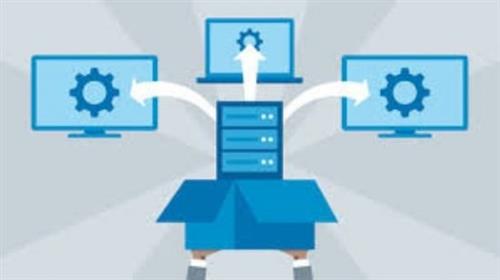
Free Download Mastering WDS On Server 2022 (100% LABS) HANDS ON EXP
Published 5/2024
MP4 | Video: h264, 1280x720 | Audio: AAC, 44.1 KHz, 2 Ch
Language: English | Duration: 3h 20m | Size: 1.3 GB
Learn How To Configure WDS On Server 2022 . Deploy (W11,W2019,W2022) Using Unicast/Multicast. Deploy a Capture Image W10
What you'll learn
Setup WDS From Scratch.
Create and Configure a Boot and Capture Image
Configure The Boot Image to Deploy Just The OS (Client and Server) over the Network To PXE Client PCs.
Configure The Capture Image To create an Image Of Windows (Client and Server) With Custom Applications and Roles and Than Deploy The Image Over The network.
Understand The Difference between A Unicast and a Multicast Image and Deploy Both Types.
Configure a Client Server Network (AD) With The Configuration of DNS.
Install and Configure a DHCP Server To Issue IP Addresses To PXE Clients.
Requirements
Basic Understanding Of a Server OS.
A Computer With at Least 16 GB Of RAM.
Basic Understanding Of A Client Server Network (Domain).
Description
About This Class
Are You Tired of installing Windows 11/10 Or Servers one at time because i was before. I mastered how it should be done. You Will not just learn you will actually deploy Operating Systems to multiple machines at the same time over the network. You will also learn How to Deploy an actual custom Image that has an OS with actual applications to Multiple Machines Over The Network.
Why This Class
This Short Course Will be the same as You worked as a Network Administrator For a Company For at least 2 Years. This Class Will be The same as You were Setting Up The WDS Server In a Real Environment.
What Will You Gain From This Class
This course will teach you and enhance your skills in better understating by actually doing it as we were in the same classroom utilizing WDS On Windows Server 2022.
In This Course you will not just learn you will actually do it yourself as if you were in an actual company and here are the key topics that you will gain from this class.
1) Install and Configure a WDS Server.
2) Create a Boot and Capture Image
3) Deploy Windows 11 and Windows Server 2019/2022 Over The Network Using Unicast/Multicast Method.
4) Create a Custom Image with Applications and Use SYSPREP than deploy To Other Systems.
5) Configure a DHCP Server
6) Install and Configure AD
7) Setup DNS and the Appropriate Zone with The right Resource Records.
8) Create a Raid 5 For The WDS Server.
Who is This Class For
1) Network /System Administrators.
2) IT Support Techs.
3) Help Desk Analyst.
4) Any One Who wants to get themselves in The IT Field.
Who this course is for
Network Administrators
Anyone Who Wants to Know The Proper Method Of Installing OS To Multiple PCs Over The Network.
Help Desk Techs
IT Support Specialist
Homepage
https://www.udemy.com/course/mastering-wds-on-server-2022-100-labs-hands-on-exp/DOWNLOAD LINK
Rapidgator
fxgut.Mastering.WDS.On.Server.2022.100.LABS.HANDS.ON.EXP.part1.rar.html
fxgut.Mastering.WDS.On.Server.2022.100.LABS.HANDS.ON.EXP.part2.rar.html
Uploadgig
fxgut.Mastering.WDS.On.Server.2022.100.LABS.HANDS.ON.EXP.part2.rar
fxgut.Mastering.WDS.On.Server.2022.100.LABS.HANDS.ON.EXP.part1.rar
Fikper
fxgut.Mastering.WDS.On.Server.2022.100.LABS.HANDS.ON.EXP.part1.rar.html
fxgut.Mastering.WDS.On.Server.2022.100.LABS.HANDS.ON.EXP.part2.rar.html
No Password - Links are Interchangeable
We need your support!
Make a donation to help us stay online

Bitcoin (BTC)
bc1q08g9d22cxkawsjlf8etuek2pc9n2a3hs4cdrld

Bitcoin Cash (BCH)
qqvwexzhvgauxq2apgc4j0ewvcak6hh6lsnzmvtkem

Ethereum (ETH)
0xb55513D2c91A6e3c497621644ec99e206CDaf239

Litecoin (LTC)
ltc1qt6g2trfv9tjs4qj68sqc4uf0ukvc9jpnsyt59u

USDT (ERC20)
0xb55513D2c91A6e3c497621644ec99e206CDaf239

USDT (TRC20)
TYdPNrz7v1P9riWBWZ317oBgJueheGjATm
Information |
|||
 |
Users of GUESTS are not allowed to comment this publication. | ||