


Bim Clash Detection With Autodesk Revit, NavisWorks, Dynamo
Category: Tutorials
- views: 167
- date: 24 April 2024
- posted by: AD-TEAM
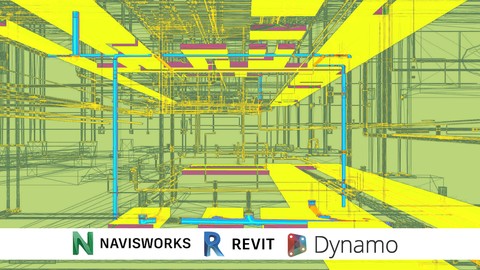
Bim Clash Detection With Autodesk Revit, Navisworks, Dynamo
Last updated 2/2018
MP4 | Video: h264, 1280x720 | Audio: AAC, 44.1 KHz
Language: English
| Size: 1.11 GB[/center]
| Duration: 2h 9m
Learn several ways to review and coordinate Revit Models for Clash Detection.
What you'll learn
Coordinate Revit Models and use Clash Detection in Revit to Review some Clashes
Coordinate Several Types of files on a single model on Navisworks and review the Clash Detection
Use Dynamo to read the XML file or the Excel File and create Spheres on Clash point for further revision.
Use Dynamo to create filters, views and annotation to elements with a clash detection story
Use Dynamo for Clash Detection on the go, or by Manual Selection.
Requirements
A Computer to accomplish the recommended exercises
Need to install a trial of Autodesk Revit 2018 , Navisworks Manage 2018 and Dynamo 1.3 on the Computer
Need to know how to manage Construction Models in Revit, on a basic level
Description
This course it's designed to teach you with deeper detail how the create clash detections, report them and send them back using several tools from the Autodesk Suite.
BIM it's on a deep expansion for the AEC (Architecture, Engineering and Construction) Industry so each time more and more projects are developed over this methodology changing the quality standards for construction and design.
Clash detection it's the fastest and clearest way to find a return of investment with a BIM Implementation, because it would help to prevent problems in communication and coordination.
It really doesn´t matter at what stage of the project you implemented with a BIM Modeling solution it will always find spots where information is uncoordinated, and preventing those problems would improve efficiency in time and cost.
If you do Clash Detection on Design Phases clarity would help you deploy projects fasters, while on Construction Phases Certainty would transform the project results.
The Course is splitted in nine section, each one with different inputs and outputs so you can choose which processes adapts best with your necessities.
The course has one single exercise to be follow up and several activities to practice the learned lessons.
The materials include the scripts saw on the course plus the Custom Nodes created specifically for it.
Are you tired of taking courses that go to fast with a lot of content? Don't worry go at your own pace, jump between sections for certain topics, the access is for lifetime.
Also, we have a direct response for any topic listed, so we can improve the content.
Be the first to know of future courses regarding BIM, take advantage of all the opportunities that may appear and use it to improve your work performance and get better job positions.
Overview
Section 1: Introduction to Clash Detection
Lecture 1 Introduction
Section 2: BIM Files and Coordination Points
Lecture 2 Coordinate Systems Base Point and Survey Point
Lecture 3 Exporting Files to NWC and Changing Coordinates
Lecture 4 Exporting Files with Shared Positioning Systems and Coordination Models
Lecture 5 Other Types of Files
Section 3: BIM Standard Detection Process with Revit
Lecture 6 Setting Files to be Properly Used and Exported
Lecture 7 Clash Detection on Revit with Report done with HTML
Section 4: Detection and Report Navisworks
Lecture 8 Overview to Navisworks Tools for Clash Detection
Lecture 9 Using Navisworks Clash Detective
Lecture 10 Clash Detection Managment
Lecture 11 Group Asignment Reports and Outputs
Section 5: Detection and Report Revit
Lecture 12 Using SwitchBack Tool
Lecture 13 Using ID and Select by ID of Revit
Section 6: Dynamo Basics
Lecture 14 Opening Dynamo from Revit
Lecture 15 Data types
Lecture 16 Function Types
Lecture 17 Dynamo General Work Process
Lecture 18 LIsts
Lecture 19 Lacing
Lecture 20 Function Over Lists
Lecture 21 Recomendation on how to learn functions
Lecture 22 Work with Strings
Section 7: Extraction and Display in Revit with Dynamo
Lecture 23 Using XML Report for Clash Points
Lecture 24 Insertion of Generic Model as Clash Points Model
Lecture 25 Using XML for CLash Overrides
Lecture 26 Using Revit HTML for CLash Override
Section 8: Review of Remaining Clashes
Lecture 27 Extraction of New Models and Clash Update
Lecture 28 Exercise Review
Builders, Engineers, Constructors, and Architects that need or want to review Clash Detection on Navisworks or on Dynamo to solve clash problems and to report back possible solutions.,Constructors, Engineers and Architects that had taken the Navisworks course but want to get deeper on clash detection.

Free search engine download: Udemy - BIM Clash Detection with Autodesk Revit, Navisworks, Dynamo 2018-2
We need your support!
Make a donation to help us stay online

Bitcoin (BTC)
bc1q08g9d22cxkawsjlf8etuek2pc9n2a3hs4cdrld

Bitcoin Cash (BCH)
qqvwexzhvgauxq2apgc4j0ewvcak6hh6lsnzmvtkem

Ethereum (ETH)
0xb55513D2c91A6e3c497621644ec99e206CDaf239

Litecoin (LTC)
ltc1qt6g2trfv9tjs4qj68sqc4uf0ukvc9jpnsyt59u

USDT (ERC20)
0xb55513D2c91A6e3c497621644ec99e206CDaf239

USDT (TRC20)
TYdPNrz7v1P9riWBWZ317oBgJueheGjATm
Information |
|||
 |
Users of GUESTS are not allowed to comment this publication. | ||