


Basic Video Editing With Cap Cut And Ai Tools For Everyone
Category: Tutorials
- views: 201
- date: 3 April 2024
- posted by: AD-TEAM

Basic Video Editing With Cap Cut And Ai Tools For Everyone
Published 4/2024
MP4 | Video: h264, 1920x1080 | Audio: AAC, 44.1 KHz
Language: English
| Size: 1.42 GB[/center]
| Duration: 1h 20m
Create stunning videos with Cap Cut and AI Tools | Reels | TikTok | Shorts | Any format of video
What you'll learn
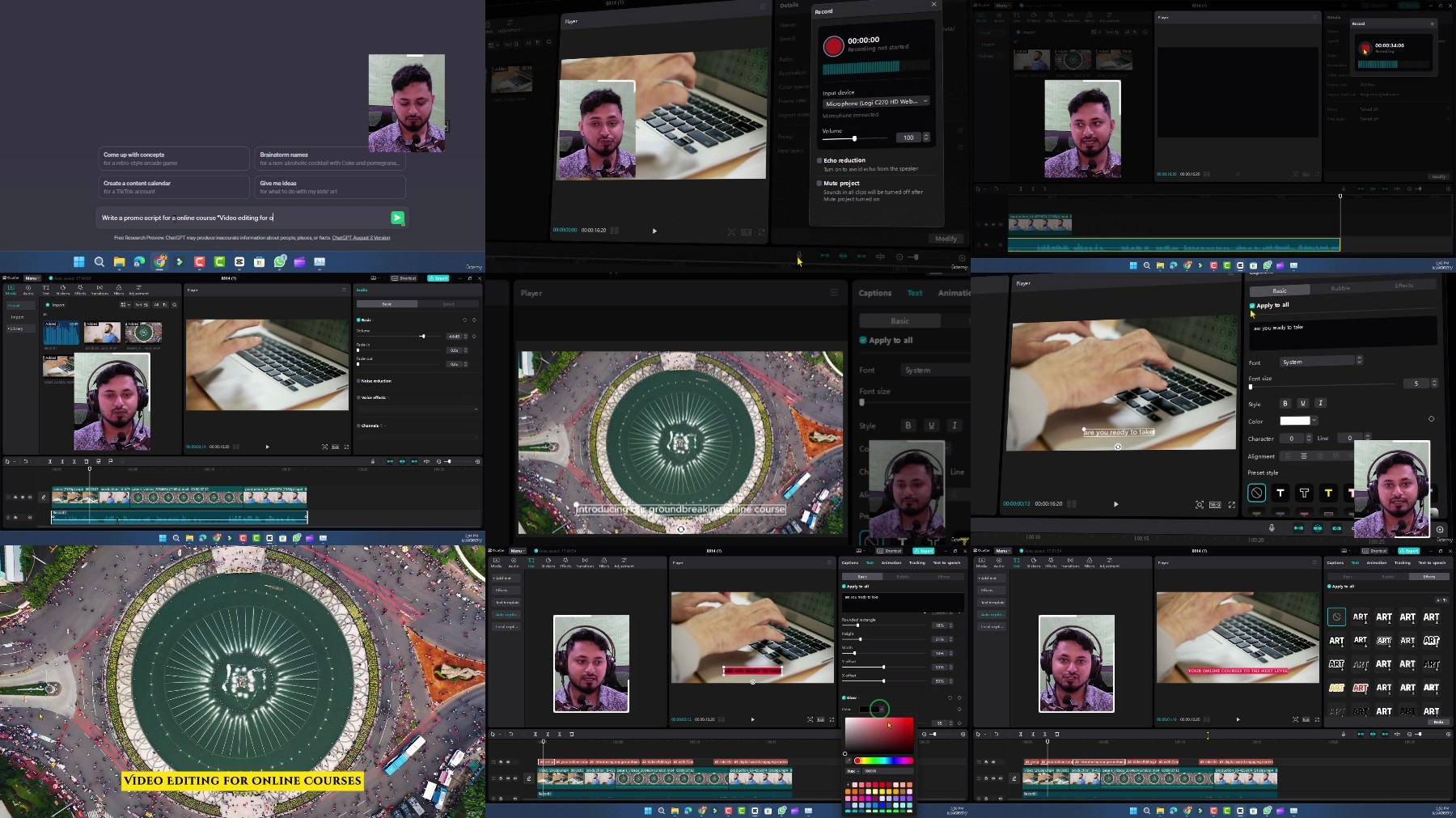
You will learn different easy way of recording you and your screen
How to remove filler words from the video or the audio
How to separate audio from the video
How to trim unnecessary part or dead space from the video
How to make presentation or zoom recording video interactive
How to generate captions of video and represent in popular YouTube or TikTok style
Advance green screen removing techniques and Adding new background
How to remove background noise with AI tools
You will also learn 4 easy methods to record yourself, your screen and sometimes both
You can edit your zoom recording videos and convert them into course or tutorials
You can make interactive e-learning content, promotional video, interactive YouTube video and so much more
Requirements
No prior experience is required. Everything will be shown in the course.
Description
Transform your raw footage into captivating videos with CapCut! This beginner-friendly course is your one-stop shop for mastering CapCut and making interesting and interactive videos that will hook your audience. Most importantly it's a FREE video editing app taking the world by storm.No prior experience is needed! We'll walk you through everything step-by-step, from downloading the software and navigating the interface to creating professional-looking videos with:Master the Essentials:Conquer the CapCut interface and import your footage.Learn essential editing techniques like trimming, adding, and ordering clips.Transform your videos with scripting, voiceover recording, and captivating captions.Eliminate unwanted noise using AI tools and enhance audio quality.Become a Pro:Go beyond the basics by separating face cam and screen recordings for maximum impact.Real-world projects: Learn to adjust your audio and lecture content for polished presentations.Turn boring content into captivating stories with advanced editing techniques.Green screen magic: Remove backgrounds and add stunning new visuals to your videos.Boost interactivity: Integrate face cam with PowerPoints for dynamic presentations.Bonus!For Windows 11 users, discover a secret weapon for screen recording.Focus keywords:CapCut, Video Editing, Free Video Editing App, Beginner Video Editing, Engaging Content, Video Editing for YouTube, Video Editing for TikTok, Green Screen, Noise Reduction, Screen Recording, Face Cam, Audio Editing, Video Editing for Presentations, CapCut TutorialEnroll now and elevate your video creation game today!
Overview
Section 1: Introduction
Lecture 1 Le'ts Download the Free Software
Lecture 2 Interface of Cap Cut and Importing a footage
Lecture 3 Changing Aspect Ratio
Lecture 4 Trimming, Adding and Ordering the Footage
Lecture 5 Creating a Video with Scripting, Voice over and Captions
Lecture 6 Noise Reduction and Extractions
Lecture 7 Noise Reductions with AI Tools
Lecture 8 Text to speech capcut buildin Features
Lecture 9 Text to speech AI Narakeet (The Best One)
Lecture 10 Three Methods to record yourself and your screen
Lecture 11 Separating Face Cam and Screen Recording and Making the Video Internactive
Lecture 12 Real Project: Adjusting your audio recording and your lecture content
Lecture 13 Real Project: Making Boring Content Engaging
Lecture 14 Removing Background, Green Screen and Adding a New One
Lecture 15 Making a video more interactive with Face cam and PowerPoints
Lecture 16 Bonus Lesson for Windows 11 User: Secret weapon to record screen
Lecture 17 Conclusion
Teachers,Educators,Small business owner,Content Creators,YouTuber or any social media content creator
https://rapidgator.net/file/9b63bb277025a8b4cfefc166e95204bf/Basic_Video_Editing_with_Cap_Cut_and_AI_Tools_for_Everyone.z01
https://rapidgator.net/file/f7c64a6cb2392515ce6fae2cb65599fc/Basic_Video_Editing_with_Cap_Cut_and_AI_Tools_for_Everyone.zip
https://voltupload.com/icxs7dbhlvbh/Basic_Video_Editing_with_Cap_Cut_and_AI_Tools_for_Everyone.z01
https://voltupload.com/z5bizrql96rj/Basic_Video_Editing_with_Cap_Cut_and_AI_Tools_for_Everyone.zip
Free search engine download: Basic Video Editing with Cap Cut and AI Tools for Everyone
We need your support!
Make a donation to help us stay online

Bitcoin (BTC)
bc1q08g9d22cxkawsjlf8etuek2pc9n2a3hs4cdrld

Bitcoin Cash (BCH)
qqvwexzhvgauxq2apgc4j0ewvcak6hh6lsnzmvtkem

Ethereum (ETH)
0xb55513D2c91A6e3c497621644ec99e206CDaf239

Litecoin (LTC)
ltc1qt6g2trfv9tjs4qj68sqc4uf0ukvc9jpnsyt59u

USDT (ERC20)
0xb55513D2c91A6e3c497621644ec99e206CDaf239

USDT (TRC20)
TYdPNrz7v1P9riWBWZ317oBgJueheGjATm
Information |
|||
 |
Users of GUESTS are not allowed to comment this publication. | ||