


QuickBooks Pro Mastery: A Guide to Accounting Software
Category: Tutorials
- views: 176
- date: 2 April 2024
- posted by: AD-TEAM

QuickBooks Pro Mastery: A Guide to Accounting Software
Published 4/2024
Duration: 7h49m | .MP4 1280x720, 30 fps(r) | AAC, 44100 Hz, 2ch | 3.46 GB
Genre: eLearning | Language: English [/center]
Learn to efficiently manage finances with QuickBooks Pro through comprehensive instruction and practical exercises.
What you'll learn
Introduction to QuickBooks Pro and its basic functionalities. How to navigate the QuickBooks interface and manage customers, income, and expenses.
Creating and managing invoices, sales receipts, statements, and payments. Inventory management and employee details.
Banking options and multi-currency transactions. Setting up QuickBooks and performing easy setup interviews.
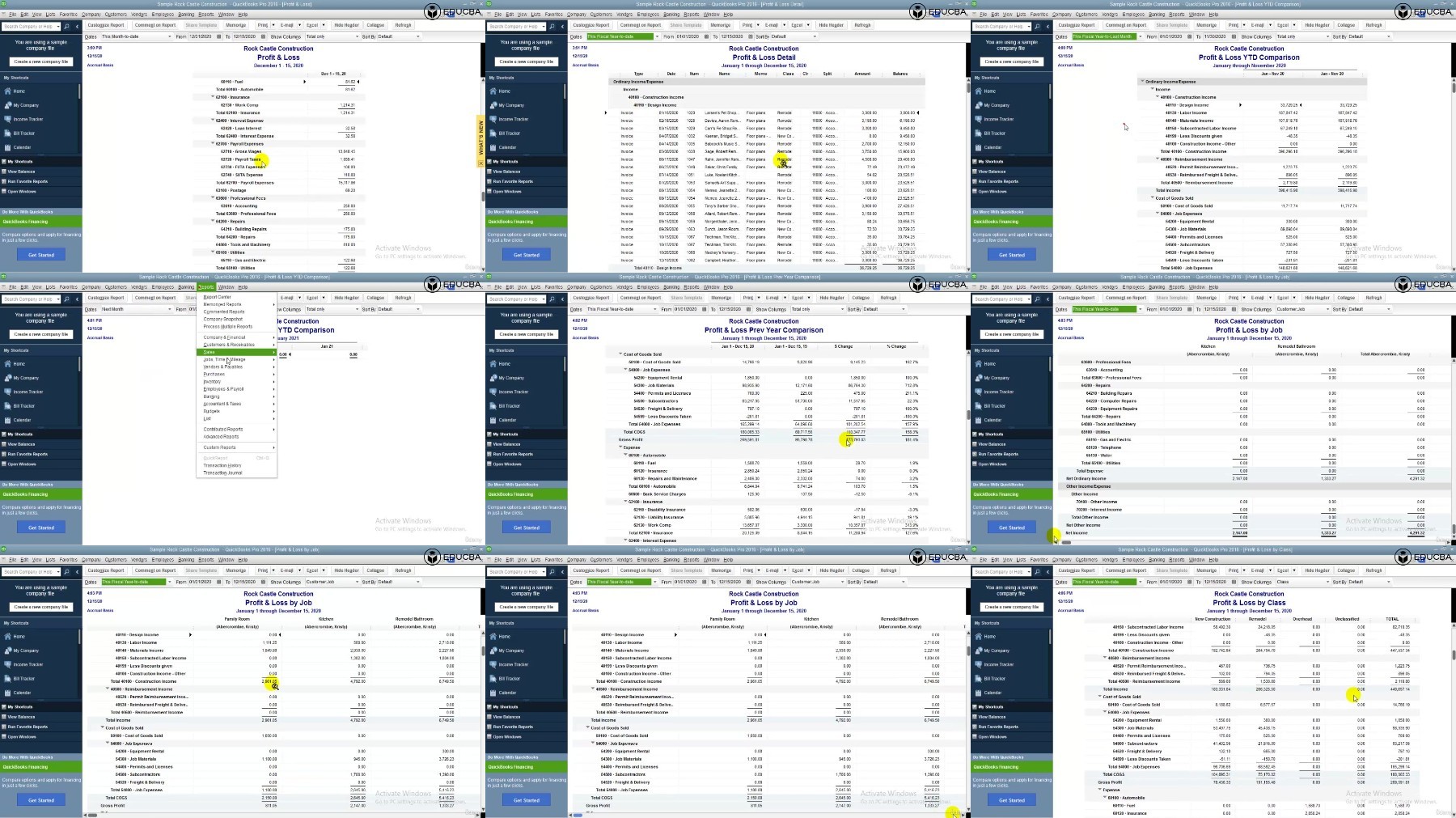
Generating various financial reports, including balance sheets, profit and loss statements, and cash flow reports.
Advanced accounting techniques such as journal entries, reconciliation, and budget forecasting.
Analyzing financial data effectively and making informed business decisions using QuickBooks Pro.
Requirements
Basic understanding of accounting principles and terminology.
Familiarity with computer operations and software usage.
Access to QuickBooks Pro software (recommended but not mandatory).
Willingness to learn and actively participate in hands-on exercises and demonstrations.
Description
Welcome to the comprehensive course on "QuickBooks Pro"!
QuickBooks Pro is a powerful accounting software used by businesses worldwide to manage their finances efficiently. Whether you're a small business owner, accountant, or aspiring finance professional, mastering QuickBooks Pro is essential for maintaining accurate financial records and making informed business decisions.
Section 1: QuickBooks Pro (Module #1) - Getting Started with QuickBooks Pro
In this section, students will embark on their journey with QuickBooks Pro, a leading accounting software. Beginning with an introduction to QuickBooks in Lecture 1, students will familiarize themselves with the interface and basic functionalities. They will then proceed to explore various features such as the Customer Centre, Income Bar, and Invoice Creation in Lectures 2 through 4. Through practical demonstrations, students will learn how to manage invoices, sales receipts, statements, and payments effectively. Additionally, they will delve into inventory management, employee details, and banking options, gaining comprehensive insights into the core functionalities of QuickBooks Pro.
Section 2: QuickBooks Pro (Module #2) - Journal Entry and Reconciliation using QuickBooks
In this module, students will deepen their understanding of accounting processes by learning how to create journal entries in QuickBooks Pro. Through Lectures 42 and 43, students will master the art of recording financial transactions accurately. Furthermore, they will explore the concept of reconciliation and understand its significance in maintaining accurate financial records.
Section 3: QuickBooks Pro (Module #3) - Accounting using QuickBooks Pro
This module focuses on advanced accounting techniques and reporting features available in QuickBooks Pro. Students will learn to generate various financial reports, including balance sheets, profit and loss statements, and cash flow reports. Lectures 45 to 66 cover a wide range of reports tailored to different aspects of accounting, such as taxes, payroll, sales, and inventory. By the end of this section, students will have the skills to analyze financial data effectively and make informed business decisions using QuickBooks Pro.
Throughout the course, you'll follow along with practical demonstrations and hands-on exercises to reinforce your learning. By the end of this course, you'll have the skills and confidence to effectively manage your finances using QuickBooks Pro and take your business to the next level. Let's get started!
Who this course is for:
Small business owners who want to manage their finances more effectively using QuickBooks Pro.
Accounting professionals seeking to enhance their skills and proficiency with QuickBooks Pro.
Individuals aspiring to work in finance or accounting roles and looking to gain practical experience with accounting software.
Anyone interested in learning QuickBooks Pro for personal finance management or career advancement opportunities.
More Info
https://rapidgator.net/file/e68e37887265fca9e2314a8b99e47944/QuickBooks_Pro_Mastery_A_Guide_to_Accounting_Software.z01
https://rapidgator.net/file/d707961c244f6145fbc37e9f647b9685/QuickBooks_Pro_Mastery_A_Guide_to_Accounting_Software.z02
https://rapidgator.net/file/da6c2dcde02139534a5a81789f330dd8/QuickBooks_Pro_Mastery_A_Guide_to_Accounting_Software.z03
https://rapidgator.net/file/ee4012512526f7379e4a8b84aa8c36ac/QuickBooks_Pro_Mastery_A_Guide_to_Accounting_Software.zip
https://voltupload.com/xzj85mi5tbl7/QuickBooks_Pro_Mastery_A_Guide_to_Accounting_Software.z01
https://voltupload.com/ny0uhh7bqudj/QuickBooks_Pro_Mastery_A_Guide_to_Accounting_Software.z02
https://voltupload.com/g4k9a1oeu9le/QuickBooks_Pro_Mastery_A_Guide_to_Accounting_Software.z03
https://voltupload.com/o9n08at72933/QuickBooks_Pro_Mastery_A_Guide_to_Accounting_Software.zip
Free search engine download: QuickBooks Pro Mastery A Guide to Accounting Software
We need your support!
Make a donation to help us stay online

Bitcoin (BTC)
bc1q08g9d22cxkawsjlf8etuek2pc9n2a3hs4cdrld

Bitcoin Cash (BCH)
qqvwexzhvgauxq2apgc4j0ewvcak6hh6lsnzmvtkem

Ethereum (ETH)
0xb55513D2c91A6e3c497621644ec99e206CDaf239

Litecoin (LTC)
ltc1qt6g2trfv9tjs4qj68sqc4uf0ukvc9jpnsyt59u

USDT (ERC20)
0xb55513D2c91A6e3c497621644ec99e206CDaf239

USDT (TRC20)
TYdPNrz7v1P9riWBWZ317oBgJueheGjATm
Information |
|||
 |
Users of GUESTS are not allowed to comment this publication. | ||