


A quick way to build a realistic scene in Blender
Category: Tutorials
- views: 135
- date: 10 October 2023
- posted by: mitsumi
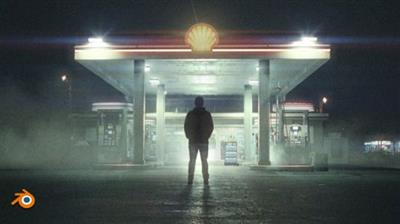
A quick way to build a realistic scene in Blender
Published 10/2023
MP4 | Video: h264, 1280x720 | Audio: AAC, 44.1 KHz, 2 Ch
Language: English | Duration: 2h 7m | Size: 1.7 GB
Extend photo with 3d, 2h step-by-step tutorial
What you'll learn
I will introduce you to the free 3d program Blender
I will introduce you to modeling, texturing, lighting, rendering, post-processing and more
I will show you how to create a cinematic scene in the best way
I'll show you how to get a realistic scene in blender more easily
I will teach you how to properly extend image in Blender
Requirements
Free software Blender. No previous experience is necessary.
Description
Creating a fully CGI scene is fun but also a time-consuming job and requires a lot of skills to make everything look realistic. From modeling or finding models, texturing, lighting, post-processing, etc. But what if we already have a photo or video that we just want to extend with some elements?
In this tutorial, we will talk about exactly that. How to extend a photo with 3D elements in a free program blender.
We'll talk about how to import an image and camera into a blender with the correct perspective.
How to set lighting, shadows, and reflection to match the photo.
How to enrich the visual boring and low-resolution textures.
Where to find and how to add overlays that will make the scene more cinematic.
We will talk about post-processing color grading and much more.
At the end of this tutorial, you will be able to extend any photo with any 3d elements and get more realistic renders in a faster way.
All resources and links are included + final .blend file
No previous blender experience is required for this tutorial. The tutorial is step-by-step and is also intended for beginners.
Part 1 - Inspiration and preparation (7 min)
Part 2 - F-spy (14 min)
Part 3 - Blender, camera, and character import (7 min)
Part 4 - Combining background image and render (5 min)
Part 5 - Gas station modeling (15 min)
Part 6 - Creating lighting and shadows (15 min)
Part 7 - UV Project modifier (6 min)
Part 8 - Color matching (5 min)
Part 9 - Improving textures (6 min)
Part 10 - Creating reflections on the ground (12 min)
Part 11 - Adding details (9 min)
Part 12 - Overlays (11 min)
Part 13 - Post-processing - Part 1 (9 min)
Part 14 - Post-processing - Part 2 (12 min
Who this course is for
For blender beginners as well as more advanced users.
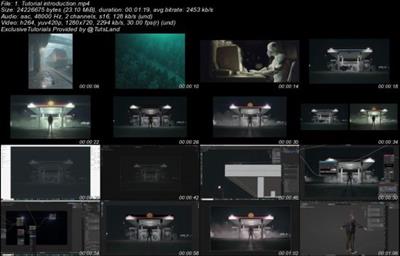
Screenshot
Download link
rapidgator.net:
https://rapidgator.net/file/6f07aa4b128d9a535d666b7935da28cd/zijlx.A.quick.way.to.build.a.realistic.scene.in.Blender.part1.rar.html
https://rapidgator.net/file/7a6efdd23011d4696ee0692a2785a7f8/zijlx.A.quick.way.to.build.a.realistic.scene.in.Blender.part2.rar.html
uploadgig.com:
https://uploadgig.com/file/download/a0E85112b5c441c0/zijlx.A.quick.way.to.build.a.realistic.scene.in.Blender.part1.rar
https://uploadgig.com/file/download/Ad2E32c2Fb54d80a/zijlx.A.quick.way.to.build.a.realistic.scene.in.Blender.part2.rar
nitroflare.com:
https://nitroflare.com/view/49D6F7439AD1BF4/zijlx.A.quick.way.to.build.a.realistic.scene.in.Blender.part1.rar
https://nitroflare.com/view/AA6523D85C956C3/zijlx.A.quick.way.to.build.a.realistic.scene.in.Blender.part2.rar
We need your support!
Make a donation to help us stay online

Bitcoin (BTC)
bc1q08g9d22cxkawsjlf8etuek2pc9n2a3hs4cdrld

Bitcoin Cash (BCH)
qqvwexzhvgauxq2apgc4j0ewvcak6hh6lsnzmvtkem

Ethereum (ETH)
0xb55513D2c91A6e3c497621644ec99e206CDaf239

Litecoin (LTC)
ltc1qt6g2trfv9tjs4qj68sqc4uf0ukvc9jpnsyt59u

USDT (ERC20)
0xb55513D2c91A6e3c497621644ec99e206CDaf239

USDT (TRC20)
TYdPNrz7v1P9riWBWZ317oBgJueheGjATm
Information |
|||
 |
Users of GUESTS are not allowed to comment this publication. | ||