


Passive Income : Create A Digital Planner To Sell On Etsy
Category: Tutorials
- views: 152
- date: 9 October 2023
- posted by: oaxino

Passive Income : Create A Digital Planner To Sell On Etsy
MP4 | Video: h264, 1280x720 | Audio: AAC, 44.1 KHz
Language: English (US) | Size: 671.55 MB | Duration: 0h 56m
Free planner included, exciting tutorial on creating your own digital planner, using only keynotes! Make extra income!
MP4 | Video: h264, 1280x720 | Audio: AAC, 44.1 KHz
Language: English (US) | Size: 671.55 MB | Duration: 0h 56m
Free planner included, exciting tutorial on creating your own digital planner, using only keynotes! Make extra income!
What you'll learn
Learn how to create your own digital planner from scratch using no templates
Become an expert in using keynote
Learn how to import planners into your PDF reader
Learn where to get commercial images
Creating planners to sell on Etsy as passive income
Requirements
This course is for anyone interested in creating digital planners
Simple tutorial which anyone can join
Description
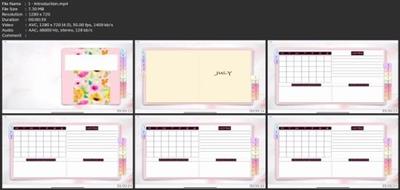
Welcome All,I'm Janna, by day analyst, by night digital designer.I first came across digital planning a while ago and was intrigued how they are made, all the functionalities and found it difficult to find videos on how to create a digital planner from scratch. Digital Planning has changed my life and I love how customisable they are and how personal you can make them!I've created this video to share how I have created digital planners using keynotes from scratch without using any templates on an iPad.Planners can be created for your own personal use and to sell as passive income on sites such as Etsy. Digital downloads are a perfect way to make extra income this year. For this project you will need an iPad, a stylus as well as a PDF reader (I use GoodNotes) but any PDF reader will work well with this.This class will feature the following topics:How To Create A Background & Cover - includes stitching effect, designs and background How To Create Clickable Tabs - colours tabs and clickable links How To Create A Monthly Planning Template - creating lined pages, calendar and tables How To Create A Flipping Page Motion Effect How To Create Ring Binders For Your PlannerHow To Export & Use Projects Into GoodNotesThe digital planner we create together in this course will be available to you at the end of the course to start your digital planning journey, this planner isn't to be resold or distributed, it's for their personal use only.I would love to see what designs everyone creates, please share your projects with me!I hope you find this tutorial useful and thank you for taking the time to attend my class.Please view my other classes around digital designing**Music from bensound**
Who this course is for
People who like planners,People wanting to create a passive income business,Graphic designers wanting to utilise their skills,Sellers for platforms like Etsy
Screenshots
Download link
rapidgator.net:
uploadgig.com:
nitroflare.com:
We need your support!
Make a donation to help us stay online

Bitcoin (BTC)
bc1q08g9d22cxkawsjlf8etuek2pc9n2a3hs4cdrld

Bitcoin Cash (BCH)
qqvwexzhvgauxq2apgc4j0ewvcak6hh6lsnzmvtkem

Ethereum (ETH)
0xb55513D2c91A6e3c497621644ec99e206CDaf239

Litecoin (LTC)
ltc1qt6g2trfv9tjs4qj68sqc4uf0ukvc9jpnsyt59u

USDT (ERC20)
0xb55513D2c91A6e3c497621644ec99e206CDaf239

USDT (TRC20)
TYdPNrz7v1P9riWBWZ317oBgJueheGjATm
Information |
|||
 |
Users of GUESTS are not allowed to comment this publication. | ||