


Little Adventurer – Learn to make a 3D action game with Godot
Category: Tutorials
- views: 221
- date: 22 September 2023
- posted by: voska89
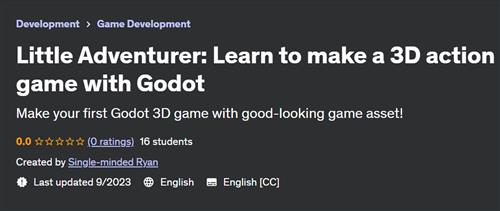
Free Download Little Adventurer – Learn to make a 3D action game with Godot
Last updated 9/2023
Created by Single-minded Ryan
MP4 | Video: h264, 1280x720 | Audio: AAC, 44.1 KHz, 2 Ch
Genre: eLearning | Language: English | Duration: 106 Lectures ( 5h 30m ) | Size: 3.68 GB
Make your first Godot 3D game with good-looking game asset!
What you'll learn
Learn to make a good-looking 3D action game with Godot
Learn how to code in GDScript
Learn how to design game levels
Learn how to create and control animations in Godot
Learn how to control VFX
Learn how to use Godot's AI navigation system
Learn how to create game UI in Godot
Requirements
It would be great if you have beginner-level programming experience
Description
Hello, I'm Single-minded Ryan.In this course, we are going to make a 3D action game with Godot. In the game you will control Andie, our little adventurer, to explore an ancient world. You'll need to defeat the enemies and collect enough coins to enable the portal at the end stage to finish the game.Godot is a beginner-friendly and highly efficient game engine, its refined and intuitive workflow can save us a lot of time and effort, and I also believe Godot can achieve high-quality game graphics.My goal is to create a visual-oriented course to show you the potential of Godot.I want to combine the intuitive workflow with production-level graphics, to immerse you in the experience where you feel like you are making a real game from scratch.This course comes with a production-level game asset package, including high-quality characters with high-resolution textures, materials, animations, environment models, a pre-constructed level, and a bundle of VFX. (sound & music not included at the moment)Along the course, you are going to learn everything you need to make your own game, from how to code in GDScript, how to control the characters, create enemy AI, control the animations and VFX, design the game level, create the game UI, all the way to how to compile your game to EXE files.I will try to focus on every detail, but at the same time, it would be great if you have some basic experience with some programming language. You don't necessarily need to know anything about GDScript, but it helps if you understand some general programming ideas such as how variables and functions work.By the end of this course, you will have a 3D action game that you can show off to your friends.Please enroll today, I'm looking forward to seeing you in the course.At the end of this course, you will be able to do things like:Customize Godot's settings for your game and your workflowCode in GDScript, which is Godot's built-in programming languageCode basic character movement, attack, and dodge abilitiesCreate an attack combo systemUse Godot's input systemControl animations with AnimationPlayer nodeHow to communicate from the animations to the scriptCreate animations to move and rotate objectsControl material effect with GDScript and animationControl VFX via GDScriptCreate Enemy AI with Godot's Navigation SystemControl Enemy's behaviors like spawn and deadUse a state pattern to control the Player and the Enemy's statusCreate a health & damage systemCreate a health pick-upCreate a coin-collecting systemCreate a Game logic managerDesign the Game LevelCreate 3D text UIHow to load and reset game scenesCreate a main menu and game menu with the Godot UI systemHow to create buttons and control button functions with GDScriptHow to export the game project into EXE filesPlease NOTE that this course DOES NOT contain any sound and music assets at the moment.
Who this course is for
Beginners who wants to make good-looking games with Godot
Homepage
https://www.udemy.com/course/littleadventurerandiegodot/DOWNLOAD LINK
Rapidgator
oqqvd.Little.Adventurer.Learn.to.make.a.3D.action.game.with.Godot.part1.rar.html
oqqvd.Little.Adventurer.Learn.to.make.a.3D.action.game.with.Godot.part2.rar.html
oqqvd.Little.Adventurer.Learn.to.make.a.3D.action.game.with.Godot.part3.rar.html
oqqvd.Little.Adventurer.Learn.to.make.a.3D.action.game.with.Godot.part4.rar.html
NitroFlare
oqqvd.Little.Adventurer.Learn.to.make.a.3D.action.game.with.Godot.part1.rar
oqqvd.Little.Adventurer.Learn.to.make.a.3D.action.game.with.Godot.part2.rar
oqqvd.Little.Adventurer.Learn.to.make.a.3D.action.game.with.Godot.part3.rar
oqqvd.Little.Adventurer.Learn.to.make.a.3D.action.game.with.Godot.part4.rar
Fikper
oqqvd.Little.Adventurer.Learn.to.make.a.3D.action.game.with.Godot.part1.rar.html
oqqvd.Little.Adventurer.Learn.to.make.a.3D.action.game.with.Godot.part2.rar.html
oqqvd.Little.Adventurer.Learn.to.make.a.3D.action.game.with.Godot.part3.rar.html
oqqvd.Little.Adventurer.Learn.to.make.a.3D.action.game.with.Godot.part4.rar.html
No Password - Links are Interchangeable
We need your support!
Make a donation to help us stay online

Bitcoin (BTC)
bc1q08g9d22cxkawsjlf8etuek2pc9n2a3hs4cdrld

Bitcoin Cash (BCH)
qqvwexzhvgauxq2apgc4j0ewvcak6hh6lsnzmvtkem

Ethereum (ETH)
0xb55513D2c91A6e3c497621644ec99e206CDaf239

Litecoin (LTC)
ltc1qt6g2trfv9tjs4qj68sqc4uf0ukvc9jpnsyt59u

USDT (ERC20)
0xb55513D2c91A6e3c497621644ec99e206CDaf239

USDT (TRC20)
TYdPNrz7v1P9riWBWZ317oBgJueheGjATm
Information |
|||
 |
Users of GUESTS are not allowed to comment this publication. | ||