


Solidworks CAD Basics & Siemens NX CAD CAM & Post Builder
Category: Tutorials
- views: 242
- date: 11 July 2023
- posted by: voska89
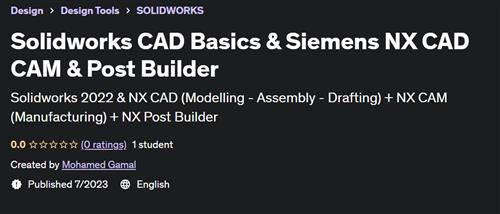
Free Download Solidworks CAD Basics & Siemens NX CAD CAM & Post Builder
Published 7/2023
Created by Mohamed Gamal
MP4 | Video: h264, 1280x720 | Audio: AAC, 44.1 KHz, 2 Ch
Genre: eLearning | Language: English | Duration: 100 Lectures ( 10h 53m ) | Size: 6.12 GB
Solidworks 2022 & NX CAD (Modelling - Assembly - Drafting) + NX CAM (Manufacturing) + NX Post Builder
What you'll learn
After this course you will be CAD CAM Professional user (NX & Solidworks)
You will be professional user in NX CAM.
You will be able to use NX Post Builder to customize G Code
You will be able to use NX CAD for 3D parts & Surfaces.
You will be able to use Solidworks for 3D parts
You will be able to use Solidworks for Assembly & Drafting
You will learn how to use NX CAM for Milling, Turning, Drilling and Wire EDM Operations
You will learn how to Use NX CAM for 3 Axis and Multi Axis Operations
Requirements
No Experience needed
No CAM Experience needed, you will learn everything without any background
CNC Concept Background
Description
-Course Main Contents (4 Courses!):Course 1: Solidworks 2022 (Modelling - Assembly - Drafting) Essentials Course 2: NX CAD (Modelling - Assembly - Drafting)Course 3: NX CAM (Milling - Turning - Wire EDM) Course 4: NX Post BuilderCourse Description:After this course, you will be able to use the NX CAD / CAM & Post Builder to do Modelling & Machining for any Part and to use NX CAM with any CNC Machines.After this course, you will be able to use the Solidworks CAD (Modelling - Assembly - Drafting).After this course, you will be able to create G code for Milling, Turning and Wire EDM operations (3 Axis & Multi Axis).You will be professional user in NX CAM. CAD CAM Package Contents: 1- Introduction2- NX CAM Milling (3Axis, 4 & 5 Axis)3- NX CAM Turning4- NX CAM Drilling5- NX CAM Wire EDM6- NX CAM Millturn7- NX Post Builder8- NX CAM Projects9- NX CAD Sketching10- NX CAD Modelling11- NX Synchronous Modelling12- NX Surface Creation Basics 13- NX Assembly Overview14- NX Drafting Overview15- Solidworks CAD Sketching16- Solidworks CAD Modelling17- Solidworks Assembly Overview18- Solidworks Drafting OverviewNotes:You will download all parts that we used during the course and more parts for practice.The implementation of this course is in NX 11 & Solidworks 2022 but you will be able to implement using any version.You will have full technical support.
Who this course is for
Mechanical Production Engineers
Technical Person
CAD CAM Engineer
Mechanical Students
Manufacturing Engineers
Homepage
https://www.udemy.com/course/solidworks-cad-basics-siemens-nx-cad-cam-post-builder/DOWNLOAD LINK
Rapidgator-->Click Link PeepLink Below Here Contains Rapidgator
http://peeplink.in/d3b3b97baffa
Uploadgig
xgnpt.Solidworks.CAD.Basics..Siemens.NX.CAD.CAM..Post.Builder.part3.rar
xgnpt.Solidworks.CAD.Basics..Siemens.NX.CAD.CAM..Post.Builder.part1.rar
xgnpt.Solidworks.CAD.Basics..Siemens.NX.CAD.CAM..Post.Builder.part2.rar
xgnpt.Solidworks.CAD.Basics..Siemens.NX.CAD.CAM..Post.Builder.part7.rar
xgnpt.Solidworks.CAD.Basics..Siemens.NX.CAD.CAM..Post.Builder.part4.rar
xgnpt.Solidworks.CAD.Basics..Siemens.NX.CAD.CAM..Post.Builder.part6.rar
xgnpt.Solidworks.CAD.Basics..Siemens.NX.CAD.CAM..Post.Builder.part5.rar
NitroFlare
xgnpt.Solidworks.CAD.Basics..Siemens.NX.CAD.CAM..Post.Builder.part6.rar
xgnpt.Solidworks.CAD.Basics..Siemens.NX.CAD.CAM..Post.Builder.part2.rar
xgnpt.Solidworks.CAD.Basics..Siemens.NX.CAD.CAM..Post.Builder.part3.rar
xgnpt.Solidworks.CAD.Basics..Siemens.NX.CAD.CAM..Post.Builder.part7.rar
xgnpt.Solidworks.CAD.Basics..Siemens.NX.CAD.CAM..Post.Builder.part1.rar
xgnpt.Solidworks.CAD.Basics..Siemens.NX.CAD.CAM..Post.Builder.part4.rar
xgnpt.Solidworks.CAD.Basics..Siemens.NX.CAD.CAM..Post.Builder.part5.rar
No Password - Links are Interchangeable
We need your support!
Make a donation to help us stay online

Bitcoin (BTC)
bc1q08g9d22cxkawsjlf8etuek2pc9n2a3hs4cdrld

Bitcoin Cash (BCH)
qqvwexzhvgauxq2apgc4j0ewvcak6hh6lsnzmvtkem

Ethereum (ETH)
0xb55513D2c91A6e3c497621644ec99e206CDaf239

Litecoin (LTC)
ltc1qt6g2trfv9tjs4qj68sqc4uf0ukvc9jpnsyt59u

USDT (ERC20)
0xb55513D2c91A6e3c497621644ec99e206CDaf239

USDT (TRC20)
TYdPNrz7v1P9riWBWZ317oBgJueheGjATm
Information |
|||
 |
Users of GUESTS are not allowed to comment this publication. | ||