


VMWare Workstation (Start Your Career in Virtualization)
Category: Tutorials
- views: 182
- date: 29 May 2023
- posted by: mitsumi
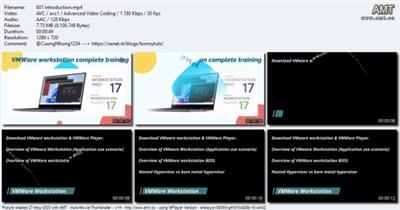
VMWare Workstation (Start Your Career in Virtualization)
Last updated 4/2023
Created by Nihal Singh
MP4 | Video: h264, 1280x720 | Audio: AAC, 44.1 KHz, 2 Ch
Genre: eLearning | Language: English + srt | Duration: 11 Lectures ( 1h 16m ) | Size: 557 MB
VMWare Workstation Crash course (First steps in Virtualization)
What you'll learn
Overview of VMware Workstation 17
Overview of VMWare workstation BIOS
Difference between VMware Player & VMWare workstation.
Create, Revert, Delete, and Manage Snapshots
Create, Clone, Convert, Remove, and Manage Virtual Machines
Create a Windows 11 Virtual Machine
Create a Linux Virtual Machine
Attach the additional hard disks to existing VMs
Hardware Customization after OS installation
VMWare workstation Networking Overview.
Create Virtual Machine Backups
How to fix the Disk issues in the VMWare workstation
Extend C: Drive space without OS rebuild.
VMWare Workstation file extensions.
Requirements
We would explain everything from start. No coding knowledge required.
Better to have own PC to build the LAB to apply same practice which you learn from training.
Description
VMWare Workstation 17.When you want to become an IT specialist, you have to start with the basics, how they work, what is the use of Virtualization why we use it.The instructors' experiences sum up to more than 12 years in total in this field, so you will get all the necessary information that helps you to start your career in the Virtualization world.We structured the course from the basics of VMWare Workstation Lab.We have covered all the topics in this course that help you to Understand Virtualization, but yes you should need to practice it.As more than 70% of the course contents are practical demonstrations, we highly encourage you to have a test PC to apply and practice to maximize your learning experience outcomes.please let me know if you want me to upload more videos that you think should be part of this course, I will happy to upload them.Are you ready to get into this world? Do you want to land your next Job in Virtualization? Here is your key to that, enroll now in this course, and let's begin the journey.All the best! Join now! and please please provide your feedback rating that really matters to us.
Who this course is for
Fresher/Service Desk Engineer/Desktop support Engineer/who all wants to make career in virtualization.
Download link
rapidgator.net:
uploadgig.com:
nitroflare.com:
1dl.net:
We need your support!
Make a donation to help us stay online

Bitcoin (BTC)
bc1q08g9d22cxkawsjlf8etuek2pc9n2a3hs4cdrld

Bitcoin Cash (BCH)
qqvwexzhvgauxq2apgc4j0ewvcak6hh6lsnzmvtkem

Ethereum (ETH)
0xb55513D2c91A6e3c497621644ec99e206CDaf239

Litecoin (LTC)
ltc1qt6g2trfv9tjs4qj68sqc4uf0ukvc9jpnsyt59u

USDT (ERC20)
0xb55513D2c91A6e3c497621644ec99e206CDaf239

USDT (TRC20)
TYdPNrz7v1P9riWBWZ317oBgJueheGjATm
Information |
|||
 |
Users of GUESTS are not allowed to comment this publication. | ||