


Procreate - Create Dual Colour Pattern Brushes + Projects
Category: Tutorials
- views: 191
- date: 9 May 2023
- posted by: mitsumi
Procreate - Create Dual Colour Pattern Brushes + Projects
Published 5/2023
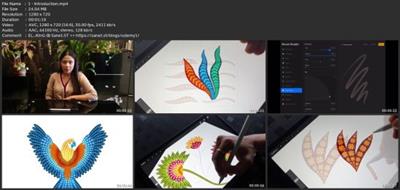
MP4 | Video: h264, 1280x720 | Audio: AAC, 44.1 KHz
Language: English | Size: 825.27 MB | Duration: 0h 54m
Learn To Create 4 Dual Colour Pattern Brushes & 2 Projects In Procreate
Published 5/2023
MP4 | Video: h264, 1280x720 | Audio: AAC, 44.1 KHz
Language: English | Size: 825.27 MB | Duration: 0h 54m
Learn To Create 4 Dual Colour Pattern Brushes & 2 Projects In Procreate
What you'll learn
Create & Customise brushes in Procreate
Create Patterns & Illustration using these brushes
Create illustrations using these brushes
Techniques you can apply while creating any brush of your choice!
Requirements
An iPad, The drawing app, Procreate, An Apple Pencil
Description
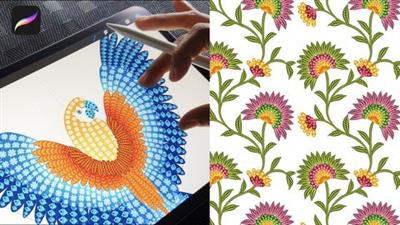
This is a beginner-friendly class, so even if you're new to Procreate, you're going to be able to follow along just fine and create beautiful brushes and illustrations using these brushes.We'll create 4 pattern brushes in the class & 2 projects:1. Macaw Illustration 2. Floral PatternI have sketches for both the projects in the resource section of this class, you can download them and follow along.The brushes & illustrations made by these brushes can be used in many ways, following are few examples:Surface Pattern DesignsArt PrintsStickersCreating PatternsPersonal ProjectsSelling brushes on online platforms like Marketplace, Gumroad or Own websiteIn this class you'll learn how to:Create & Customise brushes in ProcreateCreate patterns using these brushesCreate illustrations using these brushesTechniques you can apply while creating any brush of your choice!Who this class is for:Intermediate Level: Anyone who knows the basics of ProcreateResources available to download:SketchesColour paletteYou'll need:An iPadThe drawing app, ProcreateAn Apple PencilMy drawing tools:11-inch iPad Pro (2nd Gen)Apple Pencil (2nd Gen)Procreate, Drawing App (5.3.1)By the end of this class, you'll have created a professional-quality brushes & illustrations that you can use to upload to print-on-demand sites or license out to earn income with your art.
Overview
Section 1: Introduction
Lecture 1 Introduction
Lecture 2 Dual Brush Explanation
Lecture 3 Pattern Brush 1 - Daisy Flower
Lecture 4 Pattern Brush 2 - Leaf Shape
Lecture 5 Pattern Brush 3 - Geomatric
Lecture 6 Pattern Brush 4 - Triangle Shape
Lecture 7 Macaw Illustration
Lecture 8 Floral Pattern
Intermediate Level: Anyone who knows the basics of Procreate
Download link
rapidgator.net:
uploadgig.com:
nitroflare.com:
1dl.net:
We need your support!
Make a donation to help us stay online

Bitcoin (BTC)
bc1q08g9d22cxkawsjlf8etuek2pc9n2a3hs4cdrld

Bitcoin Cash (BCH)
qqvwexzhvgauxq2apgc4j0ewvcak6hh6lsnzmvtkem

Ethereum (ETH)
0xb55513D2c91A6e3c497621644ec99e206CDaf239

Litecoin (LTC)
ltc1qt6g2trfv9tjs4qj68sqc4uf0ukvc9jpnsyt59u

USDT (ERC20)
0xb55513D2c91A6e3c497621644ec99e206CDaf239

USDT (TRC20)
TYdPNrz7v1P9riWBWZ317oBgJueheGjATm
Information |
|||
 |
Users of GUESTS are not allowed to comment this publication. | ||