


Sketchup Pro Tips For Using Layout , Autocad And More
Category: Tutorials
- views: 129
- date: 21 March 2023
- posted by: mitsumi
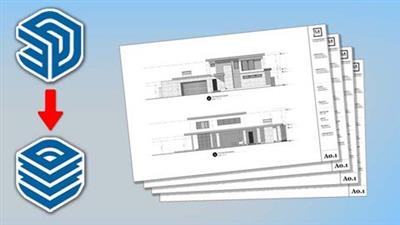
Sketchup Pro Tips For Using Layout , Autocad And More
Last updated 11/2017
MP4 | Video: h264, 1280x720 | Audio: AAC, 44.1 KHz
Language: English | Size: 245.87 MB | Duration: 0h 42m
Pro tips for material editing , creating High Res images, exporting Models, working in Layout to AutoCAD and more
Last updated 11/2017
MP4 | Video: h264, 1280x720 | Audio: AAC, 44.1 KHz
Language: English | Size: 245.87 MB | Duration: 0h 42m
Pro tips for material editing , creating High Res images, exporting Models, working in Layout to AutoCAD and more
What you'll learn
Learn how the pros use SketchUp to create Construction Documents with Layout, Autocad and more! Many usefull tips to for architectural plans
Exporting Your SKetchUp model into Layout
Exporting Your SketchUp model into a DWG CAD file
How to create a animation video with SketchUp
Requirements
Students should have a good understanding of Sketchup fundamentals
Description
This course is designed for students who have a basic knowledge of SketchUp. Students should be intermediate to advanced in SketchUp proficiency. Building on your existing experience we will take your skills even further with the Pro Tips Topics. I have been using SketchUp for many years and have found some simple yet very useful techniques that can help you use your SketchUp models for construction documents, presentations and more. In this course if have summed up the top uses I have found for SketchUp. We will go over several practical applications of SketchUp in Todays professional architectural world. Students should have access to : SketchUp online, SketchUp Pro, Layout and Autocad to fully follow along in this course. Course Topics include:Adding and creating materials in SketchUpAdding texture to curved surfacesEditing SketchUp Styles and how to export .jpg images in SketchUpHow to export a SketchUp 3D model in to a Autocad .dwg fileHow to create a (scene) tab in SketchUp and how to create a animation video. We will also discuss how to adjust the animation settingsHow to add a fog effect in SketchUpHow to import your SketchUp model into Layout to create scaled elevationshow to export your Layout document pages. As your instructor I will always be available to answer any questions you may have along the way.
Overview
Section 1: Introduction
Lecture 1 Introduction
Lecture 2 Adding and creating new materials
Lecture 3 Adding texture to curved surfaces
Lecture 4 Editing styles and exporting images
Lecture 5 Exporting model into autocad
Lecture 6 Creating scenes and animation videos
Lecture 7 Adding a Fog effect
Lecture 8 Creating elevations in Layout
Lecture 9 Exporting CD's in Layout
Sketchup Users who want to learn how to use models in Architectural Construction documents
rapidgator.net:
uploadgig.com:
nitroflare.com:
1dl.net:
We need your support!
Make a donation to help us stay online

Bitcoin (BTC)
bc1q08g9d22cxkawsjlf8etuek2pc9n2a3hs4cdrld

Bitcoin Cash (BCH)
qqvwexzhvgauxq2apgc4j0ewvcak6hh6lsnzmvtkem

Ethereum (ETH)
0xb55513D2c91A6e3c497621644ec99e206CDaf239

Litecoin (LTC)
ltc1qt6g2trfv9tjs4qj68sqc4uf0ukvc9jpnsyt59u

USDT (ERC20)
0xb55513D2c91A6e3c497621644ec99e206CDaf239

USDT (TRC20)
TYdPNrz7v1P9riWBWZ317oBgJueheGjATm
Information |
|||
 |
Users of GUESTS are not allowed to comment this publication. | ||