


Psychedelic Music Production Workshop With Cubase
Category: Tutorials
- views: 127
- date: 14 March 2023
- posted by: oaxino
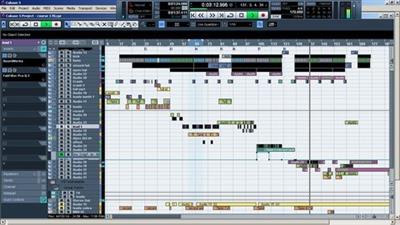
Psychedelic Music Production Workshop With Cubase
Last updated 7/2020
MP4 | Video: h264, 1152x720 | Audio: AAC, 44.1 KHz
Language: English | Size: 1.03 GB | Duration: 4h 11m
Create a Psytrance track from A to Z
Last updated 7/2020
MP4 | Video: h264, 1152x720 | Audio: AAC, 44.1 KHz
Language: English | Size: 1.03 GB | Duration: 4h 11m
Create a Psytrance track from A to Z
What you'll learn
Have the building of a psychedelic track with Cubase
Create, open a new project. Choose BPM. Create Short cuts (key commands). Import samples.
Organize structure of the track. Use quantize. Kick in audio. Bass in midi.
Effects in inserts: Equalization of Bass.
Install V.S.T Use V.S.T Instruments: Synth 1 synthetizer: Sound design in midi: Create audio sample (Record midi).
Record automation on Synth. Assign LFO. Equalization synth. Bounce (export) midi files in audio files.
Use of synth 1 syntheziser (explaination of oscillator, FM, Frequencies, LFO, Pitch, sound design)
Construction of a break in a track.
Create an FX with one effect audio sample. Reverse an audio sample.
Zebra 2 syntheziser sound design (assignation of LFO), write midi pattern + arpeggios..
Use of Turnado FX vst.
Use of reverb.
Construction of a break with kicks/timestretch a loop sample.
How to record voices with microphone.
Hit Hat and percussions + Equalizations.
Bonus: Record voice and create Fx with it.
Bonus: Serum VST Experimentation.
Requirements
Cubase Steinberg
Monitors or Headphone.
Synth 1 vst (free)
Fab Filter Equalizer or any Equalizer knowned
Zebra Vst (in option)
Turnado Fx Vst (in option)
Description
Write a Psychedelic Track Wih Cubase from A to Z:Level 1 part 1 included
Main structure of a track in Cubase.
Create, open a new project. Choose BPM. Create Short cuts (key commands). Import samples.
Organize structure of the track. Use quantize. Kick in audio. Bass in midi. Effects in inserts: Equalization of Bass. Closed Hat. Equlization closed hat. Open hat.
Install V.S.T Use V.S.T Instruments: Synth 1 synthetizer: Sound design in midi: Create audio sample (Record midi).
Differents types of filters.
Record automation on Synth.
Assign LFO. Equalization synth.
Bounce (export) midi files in audio files. Create short cut (key commands).
Use of synth 1 syntheziser (explaination of oscillator, FM, Frequencies, LFO, Pitch, sound design). Mixe of a track finished. Pitch envelop process.
Construction of a break in a track.
Level 1 part 2 included
Use of effects on audio sample. Create an FX with one effect audio sample. Reverse an audio sample.
Zebra 2 syntheziser sound design (assignation of LFO), Create a patch (including 3 Twisted Kala Patches), write midi pattern + arpeggios..
Turnado FX. Analyse of a project of a finished track (arrangement, progression, place of percussions – snares, crash - , leads) .
Use of reverb. Analyse of stereo of a track with Paz analyser (antiphase, reduce stereo with S1 Imager).
Presentation of binaural VST, analyse of stereo.
Use of gate effect.
Construction of a break with kicks/timestretch a loop sample.
Remind about equalization of different sounds and percus. Mix of leads in a track. Write different midi patterns of Bass. Construction of a break with kick and Turnado effect VST.
How to record voices with microphone.
Overview
Section 1: Write a Psychedelic track with Cubase from A to Z
Lecture 1 Twisted Kala Psychedelic Music Production Workshop
Lecture 2 2 - Kick, Bass and Percussions
Lecture 3 Samples
Lecture 4 3: Effects insert: Equalization of Bass
Lecture 5 4: Closed Hat. Structure of a track
Lecture 6 5: Progression of percussions
Lecture 7 6: Install VST, Sound Design Synth 1VST., Record Midi, Create Audio sample.
Lecture 8 7:Sound Process (Synth 1 synthesizer), bounce Audio, key command, pitch envelopp
Lecture 9 8: Sound Design Zebra Vst., Create FX, Use Effects, Analyse of stereo.
Lecture 10 9: Sound design Zebra2 Vst, percussions, Built a break, record voice
Section 2: Bonus.
Lecture 11 Record Voice and create sample FX with it.
Lecture 12 Experimentation with Serum VST
beginners producers with Cubase,Advanced producers want to discover Cubase and some new ways to produce.,Producers who want write psychedelic music.
Download link
rapidgator.net:
https://rapidgator.net/file/367201d5b7a100c650ced4f3de2cf8ec/dhbvo.Psychedelic.Music.Production.Workshop.With.Cubase.part1.rar.html
https://rapidgator.net/file/f3fc53c207cb4fe114c814830e7dd098/dhbvo.Psychedelic.Music.Production.Workshop.With.Cubase.part2.rar.html
uploadgig.com:
https://uploadgig.com/file/download/3EAA2B5bd271bca5/dhbvo.Psychedelic.Music.Production.Workshop.With.Cubase.part1.rar
https://uploadgig.com/file/download/Df3C5c50a7b76fc4/dhbvo.Psychedelic.Music.Production.Workshop.With.Cubase.part2.rar
nitroflare.com:
https://nitroflare.com/view/E79E40889BD85B0/dhbvo.Psychedelic.Music.Production.Workshop.With.Cubase.part1.rar
https://nitroflare.com/view/E97F6BE9C8B069A/dhbvo.Psychedelic.Music.Production.Workshop.With.Cubase.part2.rar
ddownload.com:
https://ddownload.com/8kw02842ese5/dhbvo.Psychedelic.Music.Production.Workshop.With.Cubase.part1.rar
https://ddownload.com/md9ycsakz8ho/dhbvo.Psychedelic.Music.Production.Workshop.With.Cubase.part2.rar
We need your support!
Make a donation to help us stay online

Bitcoin (BTC)
bc1q08g9d22cxkawsjlf8etuek2pc9n2a3hs4cdrld

Bitcoin Cash (BCH)
qqvwexzhvgauxq2apgc4j0ewvcak6hh6lsnzmvtkem

Ethereum (ETH)
0xb55513D2c91A6e3c497621644ec99e206CDaf239

Litecoin (LTC)
ltc1qt6g2trfv9tjs4qj68sqc4uf0ukvc9jpnsyt59u

USDT (ERC20)
0xb55513D2c91A6e3c497621644ec99e206CDaf239

USDT (TRC20)
TYdPNrz7v1P9riWBWZ317oBgJueheGjATm
Information |
|||
 |
Users of GUESTS are not allowed to comment this publication. | ||