


How To Create Ambient Relaxing Music - Course For Beginners
Category: Tutorials
- views: 96
- date: 5 March 2023
- posted by: voska89
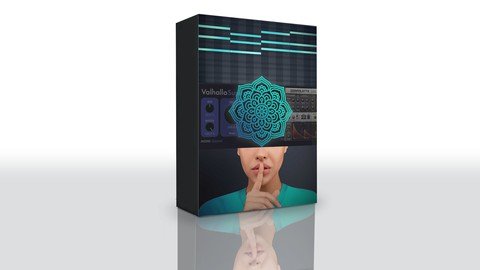
Free Download How To Create Ambient Relaxing Music - Course For Beginners
Published 3/2023
MP4 | Video: h264, 1280x720 | Audio: AAC, 44.1 KHz
Language: English | Size: 2.65 GB | Duration: 0h 52m
The secret to creating light relaxation music
Free Download What you'll learn
1. You will get the minimum necessary to create simple and beautiful tracks
2. You will take the first easy step in music production to gain invaluable experience with virtual instruments and plugins
3. You will understand and see the structure of the track, intro, drop, breakdown, outro, chords, melody, and arpeggio.
4. You will learn from which musical virtual instruments and effects relaxation music is created. synth, piano,
5. You will learn how to install VST instruments and VST plugins.
6. You will learn how to install presets and libraries.
Requirements
Does not require knowledge of musical theory. You do not need a powerful PC or laptop. Not need a powerful Video card. Only 8 GB of free disk space and 8 - 16Gb RAM is enough.
Warning!!! Important Read!!! 1-This course will not teach you mastering and mixing!!! 2-This course does not include the cost of the Ableton live11 license (only 90 days for free use)!!! Next, you must purchase a license yourself!!! 3-Tracks that are provided in this course cannot be used for commercial use!!! Only for educational purposes)
Description
The total duration of the course is 1 hour 12 minutes. For convenience, it is divided into 11 short video tutorials.Video titles:1. Install Abletone Live 11.2. Install Spitfire LABS.3. Installation of U-he Zebralette.4. Installation of Valhalla Supermassive.5. Installation of the Sonatina flute.6. How to add presets to VSTi.7. How to add a folder to the sidebar.8. Recreational SEA project.9. Recreation project NIGHT.10. Recreation center BIRD. Project.11. Your first attempt at creating your own track.- All you have to do is follow four simple steps.1 DAW installation (Ableton 11).2 installation of VSTi and libraries.3 Add my presets.4 Watch my video tutorials.- The course includes1 Free Vst plugins and download links.2 Video tutorials and links to videos.3 3 music tracks with project files.4 All midi files.5 main project presets + bonus presets.6 unique nature background sounds (ocean, garden birds, stream, fire, rain, winter wind, crickets).1. You will get the minimum necessary to create simple and beautiful tracks.2. You will take the first simple step in creating music to gain invaluable experience with virtual instruments and plug-ins.3. You will understand and see the track structure, intro, drop, breakdown, outro, chords, melody, and arpeggio.4. You will learn which musical virtual instruments and effects are used to create relaxing music. synthesizer, piano.5. You will learn how to install VST tools and VST plugins.6. You will learn how to install presets and libraries.Does not require knowledge of musical theory. You don't need a powerful PC or laptop. You don't need a powerful video card. All you need is 8 GB of free disk space and 8 - 16 GB of RAM.The course is designed for both beginners and experienced DAW users who want to master the genre of relaxing music. The course is universal and not tied to a specific DAW. Easily opens in any sequencer. ABBTON 11, FL STUDIO, REAPER, etc...
Overview
Section 1: Installing DAW - Abletone Live 11
Lecture 1 01 Installing Abletone Live 11
Section 2: Installing VST instruments and VST plugins
Lecture 2 Installing VST instruments and VST plugins
Section 3: How to add presets to VSTi
Lecture 3 How to add presets to VSTi
Section 4: How to add a folders to the sidebar
Lecture 4 How to add a folders to the sidebar
Section 5: Restoring three projects SEA, NIGHT, and BIRD.
Lecture 5 Restoring three projects SEA, NIGHT, and BIRD.
Section 6: Your first attempt at creating your own track
Lecture 6 Your first attempt at creating your own track
The course is designed for both absolute beginners and experienced DAW users who want to explore the relaxation music genre. The course is universal and not tied to a specific DAW. It is easy to open in any sequencer. ABLETON 11, FL STUDIO, REAPER, etc...
Homepage
https://www.udemy.com/course/how-to-create-ambient-relaxing-music-course-for-beginners/DOWNLOAD LINK
Rapidgator
qcaaj.How.To.Create.Ambient.Relaxing.Music..Course.For.Beginners.part1.rar.html
qcaaj.How.To.Create.Ambient.Relaxing.Music..Course.For.Beginners.part2.rar.html
qcaaj.How.To.Create.Ambient.Relaxing.Music..Course.For.Beginners.part3.rar.html
Uploadgig
qcaaj.How.To.Create.Ambient.Relaxing.Music..Course.For.Beginners.part1.rar
qcaaj.How.To.Create.Ambient.Relaxing.Music..Course.For.Beginners.part2.rar
qcaaj.How.To.Create.Ambient.Relaxing.Music..Course.For.Beginners.part3.rar
NitroFlare
qcaaj.How.To.Create.Ambient.Relaxing.Music..Course.For.Beginners.part1.rar
qcaaj.How.To.Create.Ambient.Relaxing.Music..Course.For.Beginners.part2.rar
qcaaj.How.To.Create.Ambient.Relaxing.Music..Course.For.Beginners.part3.rar
Links are Interchangeable - No Password - Single Extraction
We need your support!
Make a donation to help us stay online

Bitcoin (BTC)
bc1q08g9d22cxkawsjlf8etuek2pc9n2a3hs4cdrld

Bitcoin Cash (BCH)
qqvwexzhvgauxq2apgc4j0ewvcak6hh6lsnzmvtkem

Ethereum (ETH)
0xb55513D2c91A6e3c497621644ec99e206CDaf239

Litecoin (LTC)
ltc1qt6g2trfv9tjs4qj68sqc4uf0ukvc9jpnsyt59u

USDT (ERC20)
0xb55513D2c91A6e3c497621644ec99e206CDaf239

USDT (TRC20)
TYdPNrz7v1P9riWBWZ317oBgJueheGjATm
Information |
|||
 |
Users of GUESTS are not allowed to comment this publication. | ||