


Camtasia for Windows Essential Training (2023)
Category: Tutorials
- views: 188
- date: 21 February 2023
- posted by: voska89
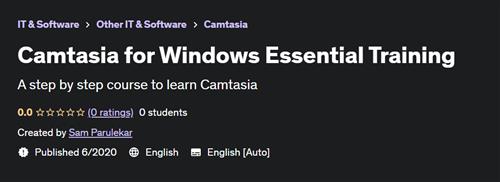
A step by step course to learn Camtasia
Published 6/2020
Created by Sam Parulekar
MP4 | Video: h264, 1280x720 | Audio: AAC, 44.1 KHz, 2 Ch
Genre: eLearning | Language: English | Duration: 23 Lectures ( 1h 49m ) | Size: 848 MB
What you'll learn
Why use Camtasia?
Recording, editing, and sharing your first screencast
Choosing and calibrating a microphone
Choosing the area of the screen you want to record
Recording mobile devices
Handling mistakes
Editing audio and video in Camtasia
Creating a Zoom-n-Pan animation
Using the PowerPoint add-in
Creating and editing captions
Creating interactive quizzes
Exporting and sharing movies
Requirements
You'll need the latest copy of Camtasia and a computer capable of running it.
A PC with 8GB RAM, 16 GB Recommended
Windows 64 bit version, although older version of Windows will also do
A microphone and good set of headphones
Description
Camtasia is a software suite, created and published by TechSmith, for creating and recording video tutorials and presentations directly via screencast, or via a direct recording plug-in to Microsoft PowerPoint. Audio or other multimedia recordings may be recorded at the same time or added separately from another source.Camtasia consists of two major components:Camtasia Recorder - a separate tool for capturing screen audio and videoCamtasia Video Editor - the component for which the entire product is named, which is now a multimedia authoring tool with a "timeline" interface for managing multiple clips in a stacked track form.This training is a complete elearning and screencast creation suite that allows you to capture and edit video, create interactive learning experiences, and publish elearning assets that are SCORM compliant. In this course, Sam Parulekar takes you through the essentials of creating compelling video content with this go-to tool Camtasia. He steps through how to create software-based training and slides-based training, as well as edit video footage and audio. Learn how to record voice narration; stylize your content with animations, effects, and transitions; and add captions to make your content more accessible. Plus, Sam shows how to create interactive assessments, share your content with the world, and more—all in a single application interface
Who this course is for
Educators, E-Learning Developers, Video Editors
Homepage
https://www.udemy.com/course/camtasia-for-windows-essential-training/DOWNLOAD LINK
Links are Interchangeable - No Password - Single Extraction
We need your support!
Make a donation to help us stay online

Bitcoin (BTC)
bc1q08g9d22cxkawsjlf8etuek2pc9n2a3hs4cdrld

Bitcoin Cash (BCH)
qqvwexzhvgauxq2apgc4j0ewvcak6hh6lsnzmvtkem

Ethereum (ETH)
0xb55513D2c91A6e3c497621644ec99e206CDaf239

Litecoin (LTC)
ltc1qt6g2trfv9tjs4qj68sqc4uf0ukvc9jpnsyt59u

USDT (ERC20)
0xb55513D2c91A6e3c497621644ec99e206CDaf239

USDT (TRC20)
TYdPNrz7v1P9riWBWZ317oBgJueheGjATm
Information |
|||
 |
Users of GUESTS are not allowed to comment this publication. | ||