


Practicing AutoCAD
Category: Tutorials
- views: 80
- date: 12 February 2023
- posted by: voska89
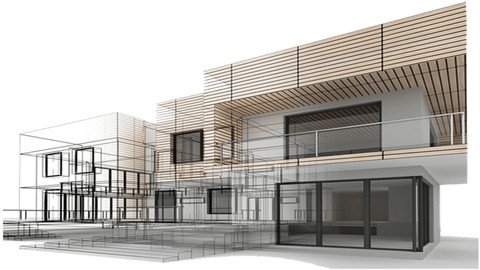
Last updated 12/2021
MP4 | Video: h264, 1280x720 | Audio: AAC, 44.1 KHz
Language: English | Size: 349.73 MB | Duration: 2h 14m
Essential AutoCAD tools for Architectural Projects
What you'll learn
A concise but comprehensive Guide for Learning AutoCAD for Architectural drawings
A specific AutoCAD course for specific learners
Requirements
Preferably with Architecture or Design background, but not a must.
Be able to understand Architectural layouts
Description
A Complete Guide covering the most used AutoCAD's 2D & 3D Commands and Tools + Bonus: Rendering in AutoCAD — All Versions CompatibilityWant to master AutoCAD for your design career but don't have enough time? You need to learn just the essentials without those turnings and turnings, and in a new method? Then, this unique tutorial is what you demand.Clear, concise, and with illustrations, it will change your thinking about AutoCAD.With a special course dedicated to Architects and related specialization students, all the technical wording needed with a very easy and simple language to assimilate for all levels, without the boring stuff of others'.Grip your copy now and become an Expert today!My big e-Book of PRACTICING AutoCAD is designed to meet the needs of a wide range of computer users working with the world's most popular Computer-Aided Design software.The latest releases of the AutoCAD program provide an extraordinarily rich environment, with some elements that everyone uses, as well as features that may be essential to some users but of no interest to others.Therefore, while you read this e-book from beginning to end, all of you may not need to read every chapter. The table of contents will guide you to the subjects you're looking for.· Beginners. Even if you have only a little familiarity with computer language and its basic terminology, this book will start you working with AutoCAD. You will find step-by-step instructions for all the operations involved in getting started and in basic drafting, along with clear explanations of essential concepts and commands. You will need to start with the very beginning of this e-book, the first Section: Learning AutoCAD Basics — Introduction, which covers the basics.· Intermediate Users. You already know how to do routine tasks in AutoCAD. You are comfortable with AutoCAD and day-to-day basic drafting. You also know that there is always more to learn about working more efficiently, and you want to get up to speed on the new AutoCAD features. You may also want to start creating 3D models. If so, Chapter Six should be your target for Creating 3D Architectural Models.· Power and Advanced Users. It might be ridiculous pretending to cover advanced AutoCAD topics in this e-book. Programmers and Administrators' experts won't find what there're looking for unless some minimal and simple features. However, Section Seven: Learning AutoCAD Rendering provides some advanced features.Finally, this tutorial is for people using AutoCAD in any environment. Either, if you are in a small office or a home-office user, i.e. working with a stand-alone computer or a simple peer-to-peer network with no administrators or CAD Managers to rely on.If that is your case, you might find plenty of useful information about customizing AutoCAD for New Users Working in Companies and learn how to automate some tasks.Or you may be working with a larger company and simply want to gain a deeper understanding of advanced features in AutoCAD.
Overview
Section 1: Introduction and Foreword | What's inside the course?
Lecture 1 Introduction and Foreword
Lecture 2 Promo-Intro
Lecture 3 Who can benefit from this e-book?
Section 2: AutoCAD Theoretic Basics
Lecture 4 What's inside the e-Book | How this e-Book is Organized
Lecture 5 Learning AutoCAD Basics and Introduction
Section 3: AutoCAD Basics
Lecture 6 Practicing AutoCAD Basics
Lecture 7 How to Fix Image Scaling Issues in 3 Steps
Lecture 8 Intro to Dimensions
Lecture 9 Intro to Blocks
Lecture 10 Working with Layers
Section 4: Using the Layout feature in 2D drawings
Lecture 11 Understanding PAPER SPACE and MODEL SPACE
Section 5: Creating 3D Architectural Models
Lecture 12 Understanding the 3D Modeling
Lecture 13 Practicing 3D Architectural Modeling
Lecture 14 Constructing the Staircase | The UCS 3 Point tool
Section 6: Selected posts featuring AutoCAD
Lecture 15 Learning AutoCAD from Home
Lecture 16 10 AutoCAD Tips and Tricks for New Users Working in Companies
Section 7: Basics AutoCAD Rendering
Lecture 17 Rendering in AutoCAD | Applying Materials
Lecture 18 Using the Layout Tool for your Projects Presentation
Architecture, Engineering, and Designs' professionals and students
Homepage
https://www.udemy.com/course/practicing-autocad/DOWNLOAD LINK
Fikper
cwwil.Practicing.Autocad.rar.html
Rapidgator
cwwil.Practicing.Autocad.rar.html
Uploadgig
cwwil.Practicing.Autocad.rar
NitroFlare
cwwil.Practicing.Autocad.rar
Links are Interchangeable - No Password - Single Extraction
We need your support!
Make a donation to help us stay online

Bitcoin (BTC)
bc1q08g9d22cxkawsjlf8etuek2pc9n2a3hs4cdrld

Bitcoin Cash (BCH)
qqvwexzhvgauxq2apgc4j0ewvcak6hh6lsnzmvtkem

Ethereum (ETH)
0xb55513D2c91A6e3c497621644ec99e206CDaf239

Litecoin (LTC)
ltc1qt6g2trfv9tjs4qj68sqc4uf0ukvc9jpnsyt59u

USDT (ERC20)
0xb55513D2c91A6e3c497621644ec99e206CDaf239

USDT (TRC20)
TYdPNrz7v1P9riWBWZ317oBgJueheGjATm
Information |
|||
 |
Users of GUESTS are not allowed to comment this publication. | ||