


Learn And Master Video Editing With Kinemaster App
Category: Tutorials
- views: 104
- date: 3 February 2023
- posted by: voska89
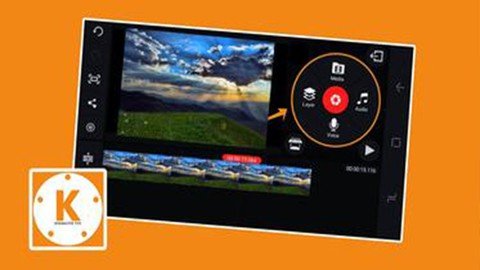
Published 2/2023
MP4 | Video: h264, 1280x720 | Audio: AAC, 44.1 KHz
Language: English | Size: 738.53 MB | Duration: 0h 59m
Professional Video Course for YouTube Business and Freelancing
Professional Video Course for YouTube Business and Freelancing
What you'll learn
Intro and User Interface of the Kinemaster App
Basic Editing with Kinemaster Pro App
Seamless Multilayer Editing
Dealing with Music and Voice Overs
Simple Keyframe Animation
Adding Phone Case for Tutorial Videos
Removing Green Screen FX Chroma Keying
Requirements
Just Your Phone
Description
Looking to become a pro at video editing? Look no further than our Kinemaster video editing course!(Kinemaster Pro App attached as Bonus!)With our comprehensive training, you'll learn everything you need to know to use Kinemaster like a pro. From basic edits to advanced effects, our course covers it all.Our experienced instructors will guide you step-by-step through the process, providing helpful tips and tricks along the way. Plus, with lifetime access to the course materials, you can review and practice at your own pace.Here are some benefits of using the Kinemaster app for video editing:Intuitive and user-friendly interface: Kinemaster is designed to be easy to use, even for those who are new to video editing.Wide range of editing tools: Kinemaster offers a variety of editing tools, including trimming, splicing, and adding text and effects.Compatibility with multiple devices: Kinemaster is available for both Android and iOS devices, making it accessible to a wide range of users.High-quality output: Kinemaster allows you to produce professional-quality videos with its high-resolution output options.Collaboration features: Kinemaster has built-in collaboration features, allowing you to work with team members in real-time on a single project.Frequent updates: The Kinemaster team is constantly working to improve the app and add new features, ensuring that users always have access to the latest and greatest tools.Don't just take our word for it – try it for yourself and see.Sign up now and start creating professional-quality videos in no time.
Overview
Section 1: Introduction and Basics
Lecture 1 Kinemaster Interface
Lecture 2 Basic Editing for Beginners
Section 2: Advance Level Editing
Lecture 3 Using Audio and Voice Overs
Lecture 4 Multi-layer Editing in Kinemaster
Lecture 5 Keyframe Animation
Lecture 6 Remove Green Background From Video (Chroma Key)
Lecture 7 Adding Phone Frame to Video
YouTube creators,Freelancers
https://www.udemy.com/course/kinemaster-mastery/
DOWNLOAD LINK
Links are Interchangeable - No Password - Single Extraction
We need your support!
Make a donation to help us stay online

Bitcoin (BTC)
bc1q08g9d22cxkawsjlf8etuek2pc9n2a3hs4cdrld

Bitcoin Cash (BCH)
qqvwexzhvgauxq2apgc4j0ewvcak6hh6lsnzmvtkem

Ethereum (ETH)
0xb55513D2c91A6e3c497621644ec99e206CDaf239

Litecoin (LTC)
ltc1qt6g2trfv9tjs4qj68sqc4uf0ukvc9jpnsyt59u

USDT (ERC20)
0xb55513D2c91A6e3c497621644ec99e206CDaf239

USDT (TRC20)
TYdPNrz7v1P9riWBWZ317oBgJueheGjATm
Information |
|||
 |
Users of GUESTS are not allowed to comment this publication. | ||