


Sketchup For Kitchen Designers
Category: Tutorials
- views: 182
- date: 30 January 2023
- posted by: voska89
Last updated 6/2021
MP4 | Video: h264, 1280x720 | Audio: AAC, 44.1 KHz
Language: English | Size: 2.24 GB | Duration: 4h 0m
Create professional kitchen designs starting from scratch
What you'll learn
kitchen design with Sketch Up
Requirements
no
Description
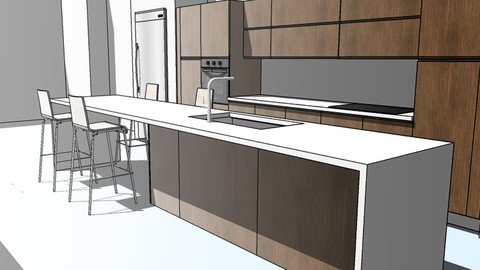
SketchUp is a great tool for quickly visualizing a kitchen design . In the first partof this course I will show you how to develop a floor plan quickly, using an importedimage file and scaling it to a real life size. Then we will build a simplearchitectural layout using a number of SketchUp tools to build the walls, insert doorsand windows, create and use materials, and apply special effects such as styles andshadows.Later we will learn in detail how to create an organize collections of kitchencabinets and how to create kitchen layouts effortless scenes for use in clientpresentations.In the second part of this course the student will learn how to link SketchUp withLayOut to transform your 3D model and generate high-quality plans, sections, andelevations for use with planning and construction. This course, which focuses onlinking the scenes created in the first series with this SketchUp Pro companionsoftware, starts with a demonstration of how to navigate the LayOut interface and setup a document. Then, learn how to work with the drawing tools in LayOut.Learning objectivesDrawing floor plans in SketchUpImporting and Scaling images files to use as referencesSelecting the right template and toolsCreating and organizing componentsApplying materials to componentsCreating Kitchen lay outsLinking your model with Sketch Up Lay OutScaling and Adding details in Sketch Up Lay OutExporting your drawing as an image
Overview
Section 1: Introduction
Lecture 1 Introduction
Lecture 2 102- workflow
Section 2: 200- creating collections
Lecture 3 201- the box
Lecture 4 202- the door
Lecture 5 203- single base
Lecture 6 204-sink base
Lecture 7 205-2 drawer unit
Lecture 8 206-wall cabinets
Lecture 9 207- wall cabinet 2
Lecture 10 208- wall cabinet3
Lecture 11 209-countertop
Lecture 12 210-fillers
Lecture 13 211-pantry
Lecture 14 212-oven
Lecture 15 213-toekick
Lecture 16 214-creating collections
Section 3: 300-case study
Lecture 17 301-importing and rezising images
Lecture 18 302-modeling walls
Lecture 19 303-wall unit
Lecture 20 304-wall2
Lecture 21 305-the island
Lecture 22 306-panels
Section 4: 400-layout
Lecture 23 401-perspective scenes
Lecture 24 402-creating views plan views
Lecture 25 403-starting sketchup layout
Lecture 26 404-final details
architect, students, designers, interior designers
Homepage
https://www.udemy.com/course/sketchup-for-kitchen-designers/DOWNLOAD LINK
Fikper
qfxhz.Sketchup.For.Kitchen.Designers.part1.rar.html
qfxhz.Sketchup.For.Kitchen.Designers.part2.rar.html
qfxhz.Sketchup.For.Kitchen.Designers.part3.rar.html
Rapidgator
qfxhz.Sketchup.For.Kitchen.Designers.part1.rar.html
qfxhz.Sketchup.For.Kitchen.Designers.part2.rar.html
qfxhz.Sketchup.For.Kitchen.Designers.part3.rar.html
Uploadgig
qfxhz.Sketchup.For.Kitchen.Designers.part1.rar
qfxhz.Sketchup.For.Kitchen.Designers.part2.rar
qfxhz.Sketchup.For.Kitchen.Designers.part3.rar
NitroFlare
qfxhz.Sketchup.For.Kitchen.Designers.part1.rar
qfxhz.Sketchup.For.Kitchen.Designers.part2.rar
qfxhz.Sketchup.For.Kitchen.Designers.part3.rar
Links are Interchangeable - No Password - Single Extraction
We need your support!
Make a donation to help us stay online

Bitcoin (BTC)
bc1q08g9d22cxkawsjlf8etuek2pc9n2a3hs4cdrld

Bitcoin Cash (BCH)
qqvwexzhvgauxq2apgc4j0ewvcak6hh6lsnzmvtkem

Ethereum (ETH)
0xb55513D2c91A6e3c497621644ec99e206CDaf239

Litecoin (LTC)
ltc1qt6g2trfv9tjs4qj68sqc4uf0ukvc9jpnsyt59u

USDT (ERC20)
0xb55513D2c91A6e3c497621644ec99e206CDaf239

USDT (TRC20)
TYdPNrz7v1P9riWBWZ317oBgJueheGjATm
Information |
|||
 |
Users of GUESTS are not allowed to comment this publication. | ||