


Advanced Mixing With Studio One
Category: Tutorials
- views: 208
- date: 27 January 2023
- posted by: voska89
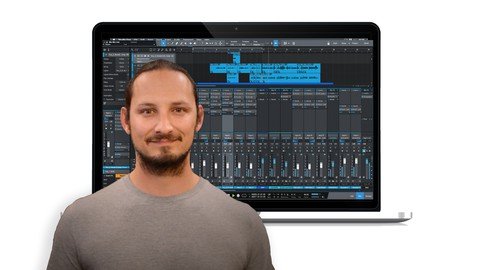
Last updated 1/2022
MP4 | Video: h264, 1280x720 | Audio: AAC, 44.1 KHz
Language: English | Size: 956.61 MB | Duration: 1h 56m
Learning new Mixing tips, tricks and techniques to advance your skills in Studio One
What you'll learn
How to advance your Studio One skills
New Editing, MIDI and Mixing techniques
Find New Ways to Create Interest in their Mixes
Improve your Mixing Skills
Requirements
Studio One Artist or Professional Software
A basic knowledge of the application
Description
Do you want to improve your mixing and take your productions further in Studio One?I thought I had a great mixing workflow, until I found out some new tips and techniques to take my mixing to the next level. And that is what I'm going to showing you in this course.In this course I'm going to show you some advanced tips, tricks and techniques to improve your mixing in Studio One. These steps will work across any genre or style.I'll also take you through on how to improve the routing and organization of your. How to understand compression better, ways to handle EQ, and even unique advanced features like splitting up the bands on your tracks for Multiband processing. That's just some of the things that will be covered.So, if you want to up skill your Studio one Skills, and improve your mixing in Studio )ne, then this is the perfect course for you! Learn the tips, tricks and techniques to improve your MIXING within Studio OneThis course will take you step-by-step on how to use the stock tools within Studio One to take your mixing to the next level.With easy-to-follow tutorials and a real-world example, you'll enjoy learning while taking action. WHAT WILL YOU LEARN?How to Work Organize your tracks into Folders, and assign them to Bus channels Using Different Types of Bus Compression How to properly understand How Compression Works Using Parallel Compression, and Multi Band Processing How to use EQ-ing on different types of instruments and tracks Clip-Based Editing over Automation Creating Hyper-Realism in your Productions WHY USE STUDIO ONE 5?Studio One is a packed with a ton of tools and features to use in your productionsUsing the included tools and features to take your Studio One songs to the next level WHY LEARN FROM US?This course will go through the steps on how you can improve your mixing within Studio One using its tools and featuresMy goal with the course is to give you tools within Studio One that help you better your mixes in your songs.I CAN'T WAIT TO SEE YOU IN THE COURSE! Cheers, Gary Hiebner
Overview
Section 1: Introduction
Lecture 1 Introduction
Lecture 2 Top Down vs Bottom Up Mixing
Lecture 3 Organizing Your Tracks
Lecture 4 Creating a SubMaster VCA Fader
Section 2: Compression and EQ
Lecture 5 Using a Master Bus Compressor on your Main Output
Lecture 6 How a Compressor Works
Lecture 7 Gain Staging Crash Course
Lecture 8 Using Parallel Drum Bus Compression
Section 3: Audio Editing and EQ-ing Techniques
Lecture 9 The Split Bass Technique
Lecture 10 Audio Editing Techniques for Mixing
Lecture 11 EQ-ing Guitars
Lecture 12 How to use Saturation
Lecture 13 Using Multi-Stage Compression
Section 4: Creating Interest in your Mixes
Lecture 14 Clip Based Editing vs Automation
Lecture 15 Hyper Realism in Mixing
Lecture 16 How to use Delay and Reverb Throw Effects
Lecture 17 What is Mid/Side Processing and How to use it
Section 5: Conclusion
Lecture 18 Conclusion
Lecture 19 BONUS Lecture: Congratulations :)
Studio One users who are looking at improving their skill set in the application
Homepage
https://www.udemy.com/course/advanced-mixing-with-studio-one/DOWNLOAD LINK
Links are Interchangeable - No Password - Single Extraction
We need your support!
Make a donation to help us stay online

Bitcoin (BTC)
bc1q08g9d22cxkawsjlf8etuek2pc9n2a3hs4cdrld

Bitcoin Cash (BCH)
qqvwexzhvgauxq2apgc4j0ewvcak6hh6lsnzmvtkem

Ethereum (ETH)
0xb55513D2c91A6e3c497621644ec99e206CDaf239

Litecoin (LTC)
ltc1qt6g2trfv9tjs4qj68sqc4uf0ukvc9jpnsyt59u

USDT (ERC20)
0xb55513D2c91A6e3c497621644ec99e206CDaf239

USDT (TRC20)
TYdPNrz7v1P9riWBWZ317oBgJueheGjATm
Information |
|||
 |
Users of GUESTS are not allowed to comment this publication. | ||