


How To Make Music To Film And Video In Studio One
Category: Tutorials
- views: 139
- date: 25 January 2023
- posted by: voska89
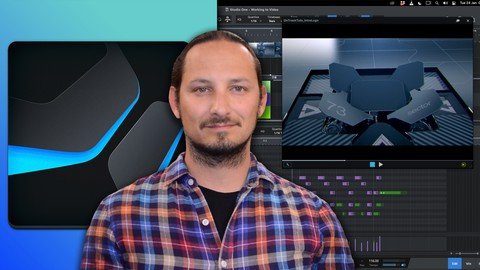
Published 1/2023
MP4 | Video: h264, 1280x720 | Audio: AAC, 44.1 KHz
Language: English | Size: 837.73 MB | Duration: 1h 25m
Learn how to Create, Write, and Compose Music to Film and Video in Studio One
What you'll learn
Learn How to Work to Video with Studio One
Learn How to Write Music to Video
Learn to Design Sounds and Use Sound Effects to Video
Learn How to use all the functions and features in Studio One when working to Video
Requirements
Studio One Artist or Professional Software, or Presonus Sphere
A basic knowledge on how a DAW (Digital Audio Workstation) works
A basic knowledge on how musical instruments work
A basic Knowledge on Video Formats
Description
Do you want to learn how to write and compose music to Video and Film in Studio One?In this course I will go through how our can import in Video, write music to the video, and build up sound design and sound effects. Enhancing this audio visual experience is a great skill to master and add to your Studio One skillset quiver. This course will help you take your songs and productions to the next level!I have been using Studio One for the last 10 years, and have explored every part and aspect of the application, and want to show you how YOU how you can use this DAW when working to Video and/or FilmSo, if sounds like something interesting that you want to learn, then this is the perfect course for you! Learn EVERYTHING you can know in Studio One when working with Video!This course will take you step-by-step on how to start off off with the application. From importing in the video file/s. Through to setting the tempo, writing your music and main motief and finalizing your music productions for the videoWith easy-to-follow tutorials and a real-world example to follow, you'll enjoy learning while taking action. WHAT WILL YOU LEARN?Video Formats that are supportedHow to Import and Edit Video FilesSketching out a Motief IdeaBuilding up your InstrumentationGetting Creative with Sound Design and Sound Effects to enhance your VideosExporting out your Audio to the Video Files WHY USE STUDIO ONE 5?Studio One is a packed with a ton of tools and features to use when working to video. And its ease of use and drag and drop functionality really make it easy to work to video. WHY LEARN FROM US?This course will go through the steps on how to get up and running in Studio One when working to video, plus show you all the features and functions in the application.My goal with the course is to give you the tools and tricks that you need within Studio One to use the application efficiently.I CAN'T WAIT TO SEE YOU IN THE COURSE! Cheers, Gary Hiebner
Overview
Section 1: Introduction
Lecture 1 Introduction
Lecture 2 What Video Formats are Supported
Lecture 3 Importing Video and Viewing the Video
Lecture 4 Finding the Tempo
Section 2: How to Start the Music
Lecture 5 Sketching Out a Motief Idea
Lecture 6 Vertically Expanding the Instrumentation
Lecture 7 Adding Layers and Ambience
Section 3: Sound Effects and Sound Design
Lecture 8 Adding Hits
Lecture 9 Adding Extra Explosion Sound Effects
Lecture 10 Whoosh Sound Effects with Spotting and Slip Editing
Lecture 11 Synthesizing Whoosh Sounds
Section 4: Working with Extra Videos and Cues
Lecture 12 Adding a 2nd Video to the Video Global Track
Lecture 13 Transitions Between Videos (Cue Changes)
Lecture 14 Adding Extra Layers and Making Edits
Section 5: Conclusion
Lecture 15 Exporting Out Your Video
Lecture 16 Conclusion
Lecture 17 BONUS SECTION
Music Producers and Songwriters who are wanting to use Studio one when Working to Video,Studio One users who want to see what is possible with Video in the application,Studio one users who want to improve their music production and learn a new skill for their toolkit
Homepage
https://www.udemy.com/course/how-to-make-music-to-film-and-video-in-studio-one/DOWNLOAD LINK
Links are Interchangeable - No Password - Single Extraction
We need your support!
Make a donation to help us stay online

Bitcoin (BTC)
bc1q08g9d22cxkawsjlf8etuek2pc9n2a3hs4cdrld

Bitcoin Cash (BCH)
qqvwexzhvgauxq2apgc4j0ewvcak6hh6lsnzmvtkem

Ethereum (ETH)
0xb55513D2c91A6e3c497621644ec99e206CDaf239

Litecoin (LTC)
ltc1qt6g2trfv9tjs4qj68sqc4uf0ukvc9jpnsyt59u

USDT (ERC20)
0xb55513D2c91A6e3c497621644ec99e206CDaf239

USDT (TRC20)
TYdPNrz7v1P9riWBWZ317oBgJueheGjATm
Information |
|||
 |
Users of GUESTS are not allowed to comment this publication. | ||