


Grasshopper & Gis & Excel Interoperability
Category: Tutorials
- views: 33
- date: 19 January 2023
- posted by: voska89
Published 1/2023
MP4 | Video: h264, 1280x720 | Audio: AAC, 44.1 KHz
Language: English | Size: 1.94 GB | Duration: 2h 58m
Rhino 7 downloadable course files
What you'll learn
Understand how to organize CAD files received from 3rd parties
Learn how to automatically add new layers in Rhino with a click of a button
Learn how to assign several geometries into new individual layers automatically with a click of a button
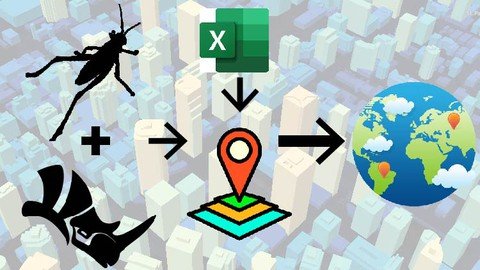
Extracting Areas from specific layers and integrating them into ExcelUnderstand the smart interoperability process between Grasshopper Excel GIS
Understand the smart interoperability process between Grasshopper Excel GIS
Requirements
A basic knowledge in Grasshopper and GIS software (ArcGIS or QGIS) is recommended, in order to quickly understand the relationships between the components
It's not necessary to be advanced in GIS, a basic knowledge about how GIS layers work, and understanding the difference between Polygons / Polyline / Points is sufficient
Description
Are you interested in gaining Parametric competency to push your GIS tasks to the next level?Are you ready to learn a very exciting and powerful tool that will make GIS exporting between CAD to GIS Software more controlled and easy to update?This course will provide you with the necessary knowledge and ability to use select plugins within Grasshopper, that would make the interoperability process between CAD Excel GIS a more simplified and easy workflow.Course content in details:- A quick Introduction about cadastral plans- Learn about important Geometry check and best practice check listUnderstand how to organize the CAD layers into proper layers with several smart parametric methods:- Learn how to automatically add new layers in Rhino with a click of a button- Learn how to assign several geometries into new individual layers automatically with a click of a button- Extracting Areas from specific layers and integrating them into Excel- Understand the smart interoperability process between Grasshopper Excel GISWe will apply the concept with several examples: Roads, Plots, Buildings and Locations, understanding the difference between Polylines, Polygons and Points in GIS.- 2 Exercises involving the preparation of data inside of Grasshopper, exporting a SHP file and adding data from Excel will give you the opportunity to test your skills learned.Whether you are an architect, urban planner, engineer, landscape architect, or a student of these fields, this course will be a great addition to your toolbox and will push your design abilities to a whole new level.Alright, if you want to learn how to use this amazing parametric platform, get on board and let's get started!We will be using QGIS as a free open-source GIS software from qgis(.)orgPlease make sure to install the following free plugins for Grasshopper from food4rhino(.)com:GhShpLunchBoxHumanElefrontA detailed step-by-step installation guide of the important plugins is provided, as well as the installation files.
Overview
Section 1: Introduction
Lecture 1 1- Installation
Lecture 2 2- Examples of Cadastral Maps
Lecture 3 3- Important Geometry Check
Lecture 4 4- Convert Splines to Polylines
Lecture 5 5- Organizing CAD Layers - Part 1
Lecture 6 6- Organizing CAD Layers - Part 2
Lecture 7 7- Exercise 1
Lecture 8 8- Exercise 1 Solution
Lecture 9 9- Roads SHP Export
Lecture 10 10- Spline Curve Test
Lecture 11 11- Plots SHP Export
Lecture 12 12- Buildings SHP Export
Lecture 13 13- Exercise 2
Lecture 14 14- Exercise 2 Solution
Disciplines including but not limited to: Architects, urban planners, engineers, landscape architects, or students from these fields
Homepage
https://www.udemy.com/course/grasshopper-gis-excel-interoperability/DOWNLOAD LINK
Fikper
xwnjf.Grasshopper..Gis..Excel.Interoperability.part1.rar.html
xwnjf.Grasshopper..Gis..Excel.Interoperability.part2.rar.html
Rapidgator
xwnjf.Grasshopper..Gis..Excel.Interoperability.part1.rar.html
xwnjf.Grasshopper..Gis..Excel.Interoperability.part2.rar.html
Uploadgig
xwnjf.Grasshopper..Gis..Excel.Interoperability.part1.rar
xwnjf.Grasshopper..Gis..Excel.Interoperability.part2.rar
NitroFlare
xwnjf.Grasshopper..Gis..Excel.Interoperability.part1.rar
xwnjf.Grasshopper..Gis..Excel.Interoperability.part2.rar
Links are Interchangeable - No Password - Single Extraction
We need your support!
Make a donation to help us stay online

Bitcoin (BTC)
bc1q08g9d22cxkawsjlf8etuek2pc9n2a3hs4cdrld

Bitcoin Cash (BCH)
qqvwexzhvgauxq2apgc4j0ewvcak6hh6lsnzmvtkem

Ethereum (ETH)
0xb55513D2c91A6e3c497621644ec99e206CDaf239

Litecoin (LTC)
ltc1qt6g2trfv9tjs4qj68sqc4uf0ukvc9jpnsyt59u

USDT (ERC20)
0xb55513D2c91A6e3c497621644ec99e206CDaf239

USDT (TRC20)
TYdPNrz7v1P9riWBWZ317oBgJueheGjATm
Information |
|||
 |
Users of GUESTS are not allowed to comment this publication. | ||