


Turn Sketches Into Vector Art in Adobe Illustrator on the iPad + SVG Cut File Guide
Category: Tutorials
- views: 126
- date: 19 January 2023
- posted by: voska89
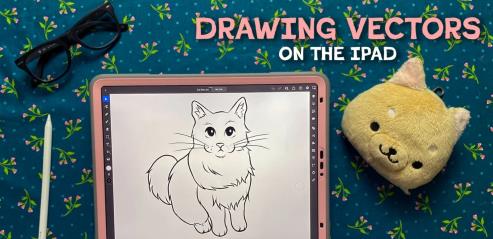
Turn Sketches Into Vector Art in Adobe Illustrator on the iPad + SVG Cut File Guide
Content Source:https://www.skillshare.com/en/classes/Turn-Sketches-Into-Vector-Art-in-Adobe-Illustrator-on-the-iPad-SVG-Cut-File-Guide/1204908907
Genre / Category:Drawing & Painting , Art
File Size :744MB
Vector art is a powerful design tool because it allows you to create infinitely scaleable art, not beholden to canvas size or resolution. Vectors are great for commercial design like die casting, engraving, vinyl cutting, embroidery, and more!
In this class, you will learn how to use Adobe Illustrator on the iPad to create commercial-ready SVGs using two methods: drawing directly in the app and vectorizing raster art in the app. I've provided supporting materials like example sketches, lineart, and lesson activities so you can follow along with my entire process. Also included, is a printable guide for using the vectorization tool in the app, including advice for optimizing quality for commercial use.
This class is for all skill levels, previous digital art experience is a plus but unnecessary. All you need for this class is an iPad, an Apple pencil, and access to Adobe Illustrator on the iPad. You can apply these techniques to other vector programs but this class is best for those wanting to get started with this app.
Lesson Overview:
Discover what makes up a vector and how to use itExplore the app and workflowLearn techniques for a traditional drawing approachCompare the methods of raster vs. vector lineworkUtilize the vectorization tool and explore the settingsFinalize vector art and prepare for commercial production use
Don't forget to the resources provided: SVG guide, example sketches, and lesson activity sheets in the project and resources section.
DOWNLOAD LINK
Links are Interchangeable - No Password - Single Extraction
We need your support!
Make a donation to help us stay online

Bitcoin (BTC)
bc1q08g9d22cxkawsjlf8etuek2pc9n2a3hs4cdrld

Bitcoin Cash (BCH)
qqvwexzhvgauxq2apgc4j0ewvcak6hh6lsnzmvtkem

Ethereum (ETH)
0xb55513D2c91A6e3c497621644ec99e206CDaf239

Litecoin (LTC)
ltc1qt6g2trfv9tjs4qj68sqc4uf0ukvc9jpnsyt59u

USDT (ERC20)
0xb55513D2c91A6e3c497621644ec99e206CDaf239

USDT (TRC20)
TYdPNrz7v1P9riWBWZ317oBgJueheGjATm
Information |
|||
 |
Users of GUESTS are not allowed to comment this publication. | ||