


Primavera P6 - Creating And Formatting Reports
Category: Tutorials
- views: 103
- date: 17 January 2023
- posted by: voska89
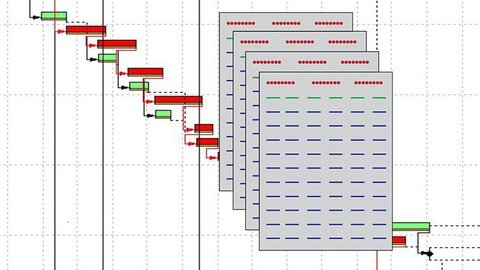
Last updated 10/2020
MP4 | Video: h264, 1280x720 | Audio: AAC, 44.1 KHz
Language: English | Size: 877.26 MB | Duration: 1h 30m
Learn for to Develop Professional Reports in Primavera P6
What you'll learn
1. Comprehensive Steps to Create and Format Reports in Primavera P6
2. Navigate the Reports Workspace
3. Using the Report Wizard
4. Exercise using The Report Wizard
5. Navigating the Report Editor
6. Work with Cells in the Report Editor
7. Format Data in the Report Editor
8. Batch Reporting
9. Import and Export Reports
10. Exercise – Create a Monthly Cost Report
11. Exercise Outcome
12. Bonus Learning Section
Requirements
Good Understanding in the use of Primavera P6
Primavera P6 Software (Trial version can be obtained from the Oracle E-delivery website)
Description
Welcome!This course covers the detailed steps for creating and formatting reports within Primavera P6. The course content applies all of the P6 releases from Version 8.3 onwards.If you are a Project Manager, Project Scheduler, Project Controller, Engineer, Cost Controller, Risk Analyst or anyone else who wishes to learn how to create professional looking reports in P6, then this course is for you. All relevant reference material will be available for download.By the end of the course you will be able to:1. Navigate and understand the P6 Report Workspace and Menus2. Create a Report using the Report Wizard3. Create or Edit a Report using the Report Editor4. Add Professional touches to Reports5. Set up Batch Reporting6. Import and Export your ReportsThroughout the course, we will work through exercises, to consolidate our knowledge. Answers to the exercises will be provided I encourage all students to complete the exercises before moving onto the next lesson.For those students who are interested, you'll find full details of my other comprehensive courses and eBooks in the Bonus Learning Section.
Overview
Section 1: Introduction
Lecture 1 Introduction
Lecture 2 2. Navigating the Reports Workspace
Lecture 3 3. Using the Report Wizard
Lecture 4 4. Practical Exercise – The Report Wizard
Lecture 5 5. Navigating the Report Editor
Lecture 6 6. Working with Cells in the Report Editor
Lecture 7 7. Formatting Data in the Report Editor
Lecture 8 8. Batch Reporting
Lecture 9 9. Importing and Exporting Reports
Lecture 10 10. Exercise – Develop a Monthly Cost Report
Lecture 11 11. Exercise Outcome
Project Managers, Engineers, Schedulers, Risk Analysts and Project Controls Personnel
Homepage
https://www.udemy.com/course/primavera-p6-creating-and-formatting-reports/DOWNLOAD LINK
Download from Fikper
https://fikper.com/UW5HhuLy2B/bulyp.Primavera.P6..Creating.And.Formatting.Reports.rar[/url].html

https://rapidgator.net/file/91252bed2cf9c4b13a84f62f8592a64a/bulyp.Primavera.P6..Creating.And.Formatting.Reports.rar.html

https://uploadgig.com/file/download/5f124c2446ec395D/bulyp.Primavera.P6..Creating.And.Formatting.Reports.rar

https://nitroflare.com/view/2D80EDDECC426B7/bulyp.Primavera.P6..Creating.And.Formatting.Reports.rar
Links are Interchangeable - No Password - Single Extraction
We need your support!
Make a donation to help us stay online

Bitcoin (BTC)
bc1q08g9d22cxkawsjlf8etuek2pc9n2a3hs4cdrld

Bitcoin Cash (BCH)
qqvwexzhvgauxq2apgc4j0ewvcak6hh6lsnzmvtkem

Ethereum (ETH)
0xb55513D2c91A6e3c497621644ec99e206CDaf239

Litecoin (LTC)
ltc1qt6g2trfv9tjs4qj68sqc4uf0ukvc9jpnsyt59u

USDT (ERC20)
0xb55513D2c91A6e3c497621644ec99e206CDaf239

USDT (TRC20)
TYdPNrz7v1P9riWBWZ317oBgJueheGjATm
Information |
|||
 |
Users of GUESTS are not allowed to comment this publication. | ||