


Cyanotypes - From Botanical Sunprint To Repeating Pattern In Procreate
Category: Tutorials
- views: 208
- date: 29 November 2022
- posted by: mitsumi
2022-11-29
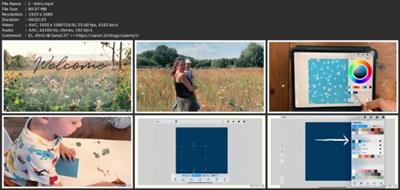
MP4 | Video: h264, 1920x1080 | Audio: AAC, 44.1 KHz
Language: English | Size: 1.15 GB | Duration: 1h 7m
Cyanotypes - From Botanical Sunprint To Repeating Pattern In Procreate
MP4 | Video: h264, 1920x1080 | Audio: AAC, 44.1 KHz
Language: English | Size: 1.15 GB | Duration: 1h 7m
Cyanotypes - From Botanical Sunprint To Repeating Pattern In Procreate
About This Class
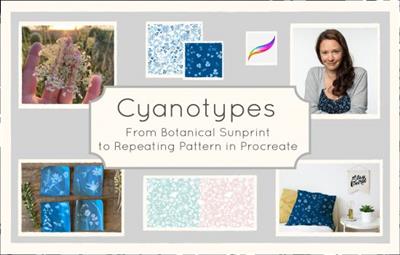
Your class project is to create at least one botanical sunprint using cyanotype paper and pressed leaves and flowers. With these motifs you then create your pattern block in Procreate.
Description
If you've ever wanted to create a beautiful repeating pattern in Procreate but are unsure about drawing digital motifs and/or prefer creating your artwork "the old fashioned way" - this class is for you!
We will get outside into nature and collect leaves and flowers to create our lovely sunprints. You can even take your kid along and share this wonderful experience of creating art directly from nature.
We will then hop onto the computer, digitize our prints and turn our gorgeous flower motifs into repeating patterns using a foolproof and pixel-perfect method in Procreate.
At the end of the class I will show you how create multiple colourways and how you can put your pattern onto a mockup to share your design on social media! Yay!
What you will learn in this class
How to create cyanotype prints using cyanotype paper & pressed leaves and flowers
Digitizing handmade prints and transferring them into the app "Procreate"
A foolproof method of creating a repeating pattern block in Procreate
Creating different colourways from your pattern block
Putting your design onto a Procreate mockup
This class is perfect for you if you love nature and are excited about trying out new art techniques. Also if - like me - you are a mum and want to incorporate your kid into your art making and design process. Of course this goes for dads, too!
You can take this class as a complete beginner in both cyanotypes and Procreate as I will explain every step of the way. BUT - it is helpful to have a basic understanding of how Procreate works so I would recommed taking a beginner class in Procreate before you start with this class. There are tons of great Procreate beginner classes here on Skillshare and you will find some of my recommendations in the resources section.
Materials
You will need a cyanotype print kit (link is in the resources section), an Apple iPad, a stylus and the app "Procreate". Also some pressed leaves and flowers and a water container. A scanner is recommended to scan your prints but of course you can also take photos.
In the resources section you will find a premade 8x8'' Procreate canvas for creating your pattern the easy way. You will also find a colour palette, a Procreate mockup which you can use to view and showcase your designs and a lot of helpful links to products and other Skillshare classes about Cyanotype Prints and Procreate.
Hope to see you in class!
Music for the class: "Communicator" by Reed Mathis
Project Guide
Your class project is to create at least one botanical sunprint using cyanotype paper and pressed leaves and flowers. With these motifs you then create your pattern block in Procreate.
Because process is key I would love to see not just your finished pattern block but also photos of the flowers and leaves you've collected, photos of the creation process of the cyanotypes and maybe the provided mockup with your pattern or a photo of the wallpaper/fabric you've ordered on Spoonflower.
For this photo collage I've used the free and super intuitive app "InShot".
Overview
Lesson 1:Intro
Lesson 2:Class Project
Lesson 3:Materials
Lesson 4:Create Your Cyanotypes
Lesson 5:Scan and Transfer to iPad
Lesson 6:Create Your Assets
Lesson 7:Prepare Your Canvas
Lesson 8: Create Pattern Tile
Lesson 9:Test your Pattern
Lesson 10:Different Colourways
Lesson 11:Bonus: Use a Mockup
Lesson 12:Thanks!
Download link
rapidgator.net:
https://rapidgator.net/file/4f367851f007a98754ac46a9b138d0f4/stevk.Cyanotypes..From.Botanical.Sunprint.To.Repeating.Pattern.In.Procreate.part1.rar.html
https://rapidgator.net/file/b01094ccfff6437dbc5a7ff0b35f1685/stevk.Cyanotypes..From.Botanical.Sunprint.To.Repeating.Pattern.In.Procreate.part2.rar.html
uploadgig.com:
https://uploadgig.com/file/download/2aF92f9368e2ccce/stevk.Cyanotypes..From.Botanical.Sunprint.To.Repeating.Pattern.In.Procreate.part1.rar
https://uploadgig.com/file/download/29c3aA8ccc2736AB/stevk.Cyanotypes..From.Botanical.Sunprint.To.Repeating.Pattern.In.Procreate.part2.rar
nitroflare.com:
https://nitroflare.com/view/8676C03ED8A42D3/stevk.Cyanotypes..From.Botanical.Sunprint.To.Repeating.Pattern.In.Procreate.part1.rar
https://nitroflare.com/view/0C150E393234AE9/stevk.Cyanotypes..From.Botanical.Sunprint.To.Repeating.Pattern.In.Procreate.part2.rar
1dl.net:
https://1dl.net/3dhnahkpfroi/stevk.Cyanotypes..From.Botanical.Sunprint.To.Repeating.Pattern.In.Procreate.part1.rar.html
https://1dl.net/j7lg5vohnam8/stevk.Cyanotypes..From.Botanical.Sunprint.To.Repeating.Pattern.In.Procreate.part2.rar.html
We need your support!
Make a donation to help us stay online

Bitcoin (BTC)
bc1q08g9d22cxkawsjlf8etuek2pc9n2a3hs4cdrld

Bitcoin Cash (BCH)
qqvwexzhvgauxq2apgc4j0ewvcak6hh6lsnzmvtkem

Ethereum (ETH)
0xb55513D2c91A6e3c497621644ec99e206CDaf239

Litecoin (LTC)
ltc1qt6g2trfv9tjs4qj68sqc4uf0ukvc9jpnsyt59u

USDT (ERC20)
0xb55513D2c91A6e3c497621644ec99e206CDaf239

USDT (TRC20)
TYdPNrz7v1P9riWBWZ317oBgJueheGjATm
Information |
|||
 |
Users of GUESTS are not allowed to comment this publication. | ||