


Beginners Guide Record & Edit Remote Video Podcasts
Category: Tutorials
- views: 232
- date: 28 September 2022
- posted by: mitsumi
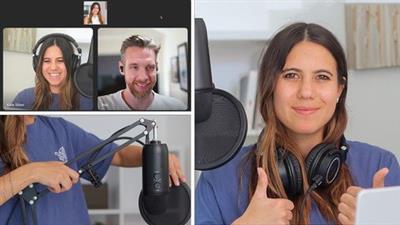
Published 9/2022
MP4 | Video: h264, 1280x720 | Audio: AAC, 44.1 KHz
Language: English | Size: 890.27 MB | Duration: 1h 10m
Record Remote Video Interview with Riverside & Edit with Adobe Premiere Pro
MP4 | Video: h264, 1280x720 | Audio: AAC, 44.1 KHz
Language: English | Size: 890.27 MB | Duration: 1h 10m
Record Remote Video Interview with Riverside & Edit with Adobe Premiere Pro
What you'll learn
Video Editing
Recording a Podcast
Adobe Premiere Pro
Recording with Riverside Fm
Filming Gear / Set Up
Editing Sound, Echo & Noise
Remote Video Interview
Shortcuts
Echo-Proofing Room
Audio
Plugging DSLR as Webcam
Adding Logo's
Exporting Separate Audio & Video Tracks
Cropping in Premiere Pro
Exporting MP4
Requirements
No experience needed! You will learn everything you need to know
Sign up with Riverside
Sign up with Adobe Premiere Pro
Description
Video Podcasts and Remote Interviews are booming all over the world!Learn how to Record and edit your own Remote Video Interview for your Podcast in this Beginners Course.I will give you my personal Recipe: Interview a Guest from anywhere in the world using Riverside and Edit the recording in Adobe Premiere Pro----------------------Why Riverside?Best Remote Video Recording SoftwareEasy to useHigh Quality recordings, separate Audio & Video Tracks to be downloadedFlows easily with Adobe Premiere ProConvert Layouts Sizes for different Social Media Platforms in no timeWhy Adobe Premiere Pro:Leading Video Editing Software Easy to useAdobe InterfaceIndustry StandardEasily edit Videos----------------------What you will learn:Getting Ready for Recording:What Gear to getEquipment ListEcho-Proofing RoomLightingAudioPlugging DSLR as WebcamDownloading SoftwaresPreparing your GuestRiverside TutorialRecording with RiversideGetting Yourself & Guest ReadyEditing in RiversideChoosing Existing LayoutsSplit ScreenAI Speaker ViewAdding Logo'sAdding BackgroundsExporting Separate Audio & Video TracksAdobe Premiere Pro TutorialImporting Tracks into Adobe Premiere ProRepairing Sound, Noise & EchoCutting TracksAdding Graphics / LogosAdding MusicDuplicating TracksShortcutsLevelling Audio GainColour CorrectionCropping / Resizing VideoCreate own Split ScreenExporting different VersionsMy goal is for you to feel confident with your Filming Setup, Riverside and Adobe Premiere Proand for you to learn all the skills necessary to create your own amazing Remote Video Interview Podcast.So let's get started!I am around to help so if you have any questions or feel stuck, drop me a line in 'Questions and Answers' and I will get back to you promptly. Happy learning!
Overview
Section 1: Introduction
Lecture 1 Why Video Podcasting?
Section 2: Getting Ready: Equipment, Gear, & Software
Lecture 2 Audio, Video & Software
Section 3: Why Riverside?
Lecture 3 Why Riverside?
Section 4: Riverside Tutorial
Lecture 4 Set Up Riverside & Record
Lecture 5 Riverside Roles Explained
Lecture 6 Riverside Magic Editor
Lecture 7 AI Speaker View Layout
Lecture 8 Exporting Separate Audio & Video files
Section 5: Adobe Premiere Pro Tutorial
Lecture 9 Downloading Adobe Premiere Pro
Lecture 10 Layout 1: Editing Sound & Graphics
Lecture 11 Layout 2&3: Split & AI View
Lecture 12 Layout 4: Create a Split Screen
Lecture 13 Exporting Episodes in Adobe Premiere Pro
Section 6: Well done!
Lecture 14 Well done!
Complete beginners,Those who have an Audio Podcast and want to add Video,Those who want to start a Video Podcast,Those who want to learn Video Editing
Download link
rapidgator.net:
uploadgig.com:
nitroflare.com:
1dl.net:
We need your support!
Make a donation to help us stay online

Bitcoin (BTC)
bc1q08g9d22cxkawsjlf8etuek2pc9n2a3hs4cdrld

Bitcoin Cash (BCH)
qqvwexzhvgauxq2apgc4j0ewvcak6hh6lsnzmvtkem

Ethereum (ETH)
0xb55513D2c91A6e3c497621644ec99e206CDaf239

Litecoin (LTC)
ltc1qt6g2trfv9tjs4qj68sqc4uf0ukvc9jpnsyt59u

USDT (ERC20)
0xb55513D2c91A6e3c497621644ec99e206CDaf239

USDT (TRC20)
TYdPNrz7v1P9riWBWZ317oBgJueheGjATm
Information |
|||
 |
Users of GUESTS are not allowed to comment this publication. | ||