


Enterprise Recording Fundamentals
Category: Tutorials
- views: 209
- date: 16 April 2022
- posted by: voska89
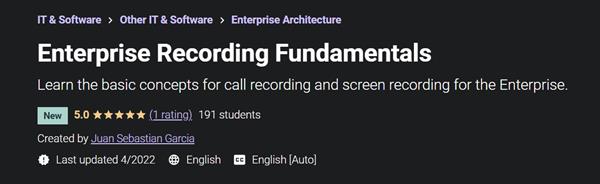
Instructors: Juan Sebastian Garcia
7 sections * 7 lectures * 39m total length
Video: MP4 1280x720 44 KHz | English + Sub
Updated 4/2022 | Size: 277 MB
Learn the basic concepts for call recording and screen recording for the Enterprise.
What you'll learn
Learn the basics of Call Recording
Understand the concept of Call Recording for your Enterprise
Learn the concepts of Audio and Signaling for call recording
Understand why recording is important for quality assurance
Requirements
Any IT
Description
Call recording software records telephone conversations over PSTN or VoIP in a digital audio file format. Call recording is distinct from call logging and tracking, which record details about the call but not the conversation; however, software may include both recording and logging functionality.
Call recording is becoming increasingly important, with technology changing and working habits becoming more mobile. Addressing mobile recording is now the subject of many financial regulators' recommendations. It is also increasingly important to business continuity planning, especially for pandemic planning.
Digital lines cannot be recorded unless the call recording system can capture and decode the proprietary digital signalling, which some modern systems can. Sometimes a method is supplied with a digital private branch exchange (PBX) that can process the proprietary signal (usually a conversion box) before being channeled to a computer for recording. Alternatively a hardware adapter can be used on a telephone handset as the digital signal is converted at that point to analogue.
VoIP Recording is usually restricted to streaming media recorders or software developed by the softphone or IP PBX creator. There are also solutions which use packet capture technology to passively record VoIP phone calls on the LAN.
Hardware is required to make the voice signal available to the computer equipment. Some of today's call recording software is sold as a turn-key solution with hardware.
A screencast is a digital recording of computer screen output, also known as a video screen capture or a screen recording, often containing audio narration. The term screencast compares with the related term screenshot; whereas screenshot generates a single picture of a computer screen, a screencast is essentially a movie of the changes over time that a user sees on a computer screen, that can be enhanced with audio narration and captions.
Screencasts can help demonstrate and teach the use of software features. Creating a screencast helps software developers show off their work. Educators may also use screencasts as another means of integrating technology into the curriculum. Students can record video and audio as they demonstrate the proper procedure to solve a problem on an interactive whiteboard.
Screencasts are useful tools for ordinary software users as well: They help filing report bugs in which the screencasts take the place of potentially unclear written explanations; they help showing others how a given task is accomplished in a specific software environment.
Organizers of seminars may choose to routinely record complete seminars and make them available to all attendees for future reference and/or sell these recordings to people who cannot afford the fee of the live seminar or do not have the time to attend it. This will generate an additional revenue stream for the organizers and makes the knowledge available to a broader audience.
This strategy of recording seminars is already widely used in fields where using a simple video camera or audio recorder is insufficient to make a useful recording of a seminar. Computer-related seminars need high quality and easily readable recordings of screen contents which is usually not achieved by a video camera that records the desktop.
Who this course is for:Any User
Homepage
https://www.udemy.com/course/enterprise-recording-fundamentals/S
DOWNLOAD LINK
https://hot4share.com/tmjx3i9y5p8l/l43um.E.R.F.rar.html
Download (Uploadgig)
https://uploadgig.com/file/download/f362C05aa5691f8a/l43um.E.R.F.rar
Download ( Rapidgator )
https://rapidgator.net/file/1ce2afee936f300989d243b6e93d560f/l43um.E.R.F.rar.html
Download ( NitroFlare )
https://nitro.download/view/D4857E24F3344F7/l43um.E.R.F.rar
Links are Interchangeable - No Password - Single Extraction
We need your support!
Make a donation to help us stay online

Bitcoin (BTC)
bc1q08g9d22cxkawsjlf8etuek2pc9n2a3hs4cdrld

Bitcoin Cash (BCH)
qqvwexzhvgauxq2apgc4j0ewvcak6hh6lsnzmvtkem

Ethereum (ETH)
0xb55513D2c91A6e3c497621644ec99e206CDaf239

Litecoin (LTC)
ltc1qt6g2trfv9tjs4qj68sqc4uf0ukvc9jpnsyt59u

USDT (ERC20)
0xb55513D2c91A6e3c497621644ec99e206CDaf239

USDT (TRC20)
TYdPNrz7v1P9riWBWZ317oBgJueheGjATm
Information |
|||
 |
Users of GUESTS are not allowed to comment this publication. | ||