


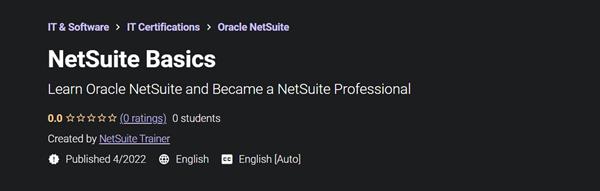
Udemy - NetSuite Basics
Category: Tutorials
- views: 283
- date: 6 April 2022
- posted by: voska89
MP4 | Video: h264, 1280x720 | Audio: AAC, 44.1 KHz, 2 Ch
Genre: eLearning | Language: English + srt | Duration: 5 lectures (1h 46m) | Size: 1.1 GB
Learn Oracle NetSuite and Became a NetSuite Professional
What you'll learn
Navigating the NetSuite Application and NetSuite Users and Roles
Understanding Customer Records and Understanding Vendor Records
Understanding Partners Records and Understanding Employees Records
Understanding Contacts Records
Requirements
Computer knowledge, Basic Accounting
What is NetSuite and History of NetSuite
Description
Highlights
The main objective of the course is to make aspirants understand the fundamentals of NetSuite, its capabilities, Navigating the NetSuite Application, NetSuite Users and Roles, Understanding Entity Records (Customer, Vendor, Partners, Employees, Contacts).
It will be beneficial for Functional Consultant, NetSuite Administrator, Finance Professional, Account Professional in understanding masters in NetSuite, Its Capability, Navigation and providing access in NetSuite. It will help NetSuite Technical Consultant and NetSuite developer in building their logic for scripts.
If you are Software Engineers, IT Professionals, Cloud Developer, ERP domain, Business Analyst and Fresher, this course will help you to become NetSuite Professional.
About Course
Topics Covered
Navigating the NetSuite Application
NetSuite Users and Roles
Understanding Customer Records
Understanding Vendor Records
Understanding Partners Records
Understanding Employees Records
Understanding Contacts Records
NetSuite Account Types
Production Account​
Release Preview Account​
Sandbox Account​
Development Account
Production Account​
The production (or live) account is where you do the daily work necessary to run your business. ​
Users access their production account by opening a browser window.
Sandbox Account​
A NetSuite sandbox is a safe and isolated account where you can develop new processes and applications. ​
The data in the sandbox is a copy of your production data. ​
The sandbox can be refreshed from production, bringing in new data and customizations​
Development Account​
The development account provides an improved experience for developing NetSuite customizations. ​
NetSuite development accounts never contain production data. ​
Development accounts prevents in-progress customizations from being overwritten by by refreshes.​
Using Create New Menu​
This menu includes links to create new instances of different types of records. Each link in the menu represents a type of record related to the record or transaction. ​
The Create New menu customizable , we can add any record link in menu by clicking on Personalize​
Who this course is for
If you are Software Engineers, IT Professionals, Cloud Developer, ERP domain, Business Analyst and Fresher, this course will help you to become NetSuite Professional.
Homepage
https://www.udemy.com/course/netsuite-basics/DOWNLOAD LINK
https://hot4share.com/4f4euen1yt7n/ztt51.NetSuite.Basics.rar.html
Download (Uploadgig)
https://uploadgig.com/file/download/8eaf793783cd6594/ztt51.NetSuite.Basics.rar
Download ( Rapidgator )
https://rapidgator.net/file/2a0be4216055befb42ea0b771eb107c2/ztt51.NetSuite.Basics.rar.html
Download ( NitroFlare )
https://nitro.download/view/3DE32273EC1B42A/ztt51.NetSuite.Basics.rar
Links are Interchangeable - No Password - Single Extraction
We need your support!
Make a donation to help us stay online

Bitcoin (BTC)
bc1q08g9d22cxkawsjlf8etuek2pc9n2a3hs4cdrld

Bitcoin Cash (BCH)
qqvwexzhvgauxq2apgc4j0ewvcak6hh6lsnzmvtkem

Ethereum (ETH)
0xb55513D2c91A6e3c497621644ec99e206CDaf239

Litecoin (LTC)
ltc1qt6g2trfv9tjs4qj68sqc4uf0ukvc9jpnsyt59u

USDT (ERC20)
0xb55513D2c91A6e3c497621644ec99e206CDaf239

USDT (TRC20)
TYdPNrz7v1P9riWBWZ317oBgJueheGjATm
Information |
|||
 |
Users of GUESTS are not allowed to comment this publication. | ||