


Category: Apps (SEO/Marketing/Design)
- views: 197
- date: 9 July 2026
- posted by: mitsumi
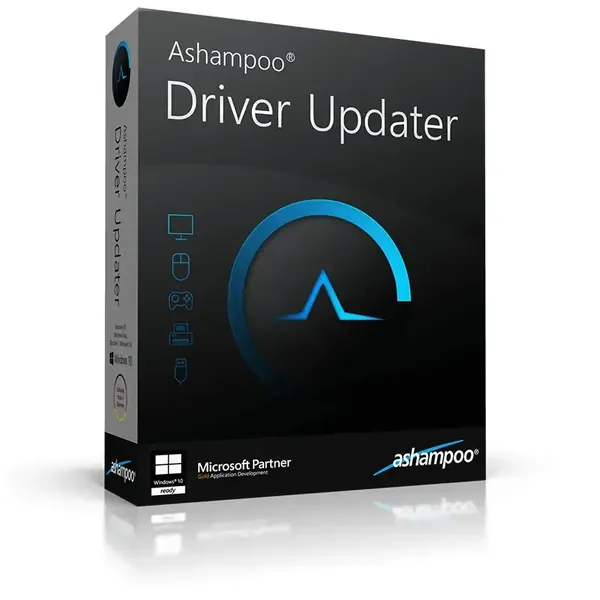
Ashampoo Driver Updater 2.6.2 Multilingual + Portable Fast Links | 12.5/9.8 Mb
Ashampoo Driver Updater is a Windows utility designed to keep hardware drivers current by detecting outdated, missing, or incompatible drivers and installing suitable replacements. It helps improve hardware compatibility, system stability, and overall performance while reducing the effort required to manage driver updates manually.
The software scans installed hardware, compares existing drivers against its extensive online database, and recommends the latest compatible versions for supported devices. Suitable for both home users and professionals, it simplifies routine maintenance and helps ensure that system components continue to operate reliably after hardware changes or Windows updates.
 |
Download |  |
Post Comment [0] |
Category: Apps (SEO/Marketing/Design)
- views: 93
- date: 9 July 2026
- posted by: mitsumi
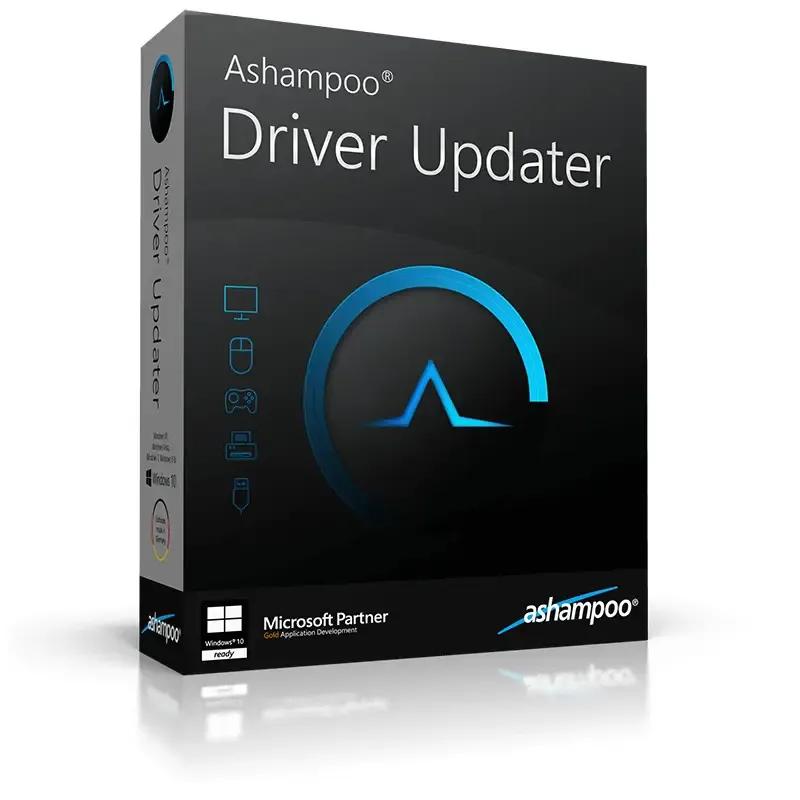
Ashampoo Driver Updater 2.6.2 Multilingual | Size: 16.25 MB
Language: English
|
Download | |
Post Comment [0] |
Category: Tutorials
- views: 313
- date: 9 July 2026
- posted by: 0nelove

Ccmp/Certified Change Management Professional Study Buddy
MP4 | Video: h264, 1280x720 | Audio: AAC, 44.1 KHz
Language: English | Size: 803.85 MB | Duration: 1h 40m
Master Word basics, AI productivity, document formatting, templates, tables, and professional document creation.
What you'll learn
⚡ Learners will be able to
⚡ create professional office documents confidently.
⚡ improve speed and efficiency in document preparation.
⚡ collaborate effectively with colleagues using Word's review tools.
⚡ apply best practices for document management and office productivity.
⚡ use Microsoft Word as a professional tool for administrative, academic, and business tasks.
Requirements
❗ This course is designed to be beginner-friendly, and no advanced experience with Microsoft Word is required. You can take this course even if you have never used Microsoft Word before.
❗ Basic Requirements
❗ 1. A computer (Windows or macOS) with Microsoft Word installed (Word 2016, 2019, 2021, or Microsoft 365 is recommended).
❗ 2. Basic computer skills, such as: * Using a keyboard and mouse. * Opening and saving files. * Navigating folders on your computer.
❗ 3. A willingness to practice the exercises and follow along with the lessons.
❗ Recommended (but not required) * Access to the internet for downloading practice files and updates. * A printer, if you want to practice printing documents (optional). ### Who This Course Is For * Students. * Office workers. * Administrative assistants. * Business owners. * Job seekers. * Anyone who wants to improve their document creation and office productivity skills. No prior experience with Microsoft Word is necessary. Beginners are welcome, and the course starts with the fundamentals before progressing to more advanced productivity features.
|
Download | |
Post Comment [0] |
Category: Tutorials
- views: 302
- date: 9 July 2026
- posted by: 0nelove

Electric Vehicle Diagnostics
MP4 | Video: h264, 1280x720 | Audio: AAC, 44.1 KHz
Language: English | Size: 1.15 GB | Duration: 3h 0m
# Electric Vehicle Diagnostics
**Level:** Beginner to Intermediate
**Duration:** 20–40 Hours (Self-paced)
## Course Overview
Electric Vehicle (EV) Diagnostics focuses on identifying, analyzing, and resolving faults in electric vehicles using diagnostic tools, software, and electrical testing techniques. The course covers high-voltage safety, battery systems, electric motors, charging systems, power electronics, and communication networks.
> **Safety Note:** EVs contain high-voltage systems (often 400–800 volts or higher). Only trained and qualified personnel should perform work on energized high-voltage components. Always follow manufacturer procedures and use appropriate personal protective equipment (PPE).
---
# Learning Objectives
By the end of this course, you will be able to:
* Understand EV architecture and components.
* Follow high-voltage safety procedures.
* Use diagnostic scan tools effectively.
* Read and interpret Diagnostic Trouble Codes (DTCs).
* Diagnose battery, motor, inverter, and charging system faults.
* Analyze CAN bus communication issues.
* Perform basic diagnostic workflows and document findings.
|
Download | |
Post Comment [0] |
Category: Tutorials
- views: 181
- date: 9 July 2026
- posted by: 0nelove
 [/img]
Mastering KYC essentials - Name and Adverse Media Screening
Published 7/2026
Created by FCE Edtech LLP
MP4 | Video: h264, 1920x1080 | Audio: AAC, 44.1 KHz, 2 Ch
Level: All Levels | Genre: eLearning | Language: English | Duration: 26 Lectures ( 1h 26m ) | Size: 1.1 GB
# Mastering KYC Essentials – Name and Adverse Media Screening
**Level:** Beginner to Intermediate
**Duration:** 6–8 Hours (Self-paced)
## Course Overview
This course introduces one of the most important components of **Know Your Customer (KYC)** and **Anti-Money Laundering (AML)** compliance: **Name Screening** and **Adverse Media Screening**. These processes help financial institutions identify potential risks associated with customers, ensuring compliance with regulations and reducing exposure to financial crime.
---
# Learning Objectives
By the end of this course, you will be able to:
* Understand the purpose of KYC and AML.
* Perform customer name screening.
* Understand sanctions, watchlists, and politically exposed persons (PEPs).
* Conduct adverse media screening.
* Evaluate screening results using a risk-based approach.
* Document findings for compliance purposes.
---
# Module 1: Introduction to KYC
### Topics
* What is KYC?
* Why KYC matters
* Customer Due Diligence (CDD)
* Enhanced Due Diligence (EDD)
* Ongoing monitoring
### Learning Outcome
Understand how KYC helps prevent financial crime while supporting regulatory compliance.
|
Download | |
Post Comment [0] |
Category: Tutorials
- views: 346
- date: 9 July 2026
- posted by: mata00

Alec Cattoni – Copy Posse Launch Pad Fast Track 2026 | 17.4 GB
Here’s What You Get:
- The Copy Posse Launch Pad Fast Track Includes…
- 9 x Video Modules with Alex ($2700 Value)
- Step-By-Step Formulas, Guides & Workbooks ($1000 Value)
- AI Prompts & Shortcuts ($500 Value)
- Critique Video Library ($500 Value)
- Q&A Video Vault ($500 Value)
- Lifetime Access.
|
Download | |
Post Comment [0] |
Category: Tutorials
- views: 501
- date: 9 July 2026
- posted by: 0nelove
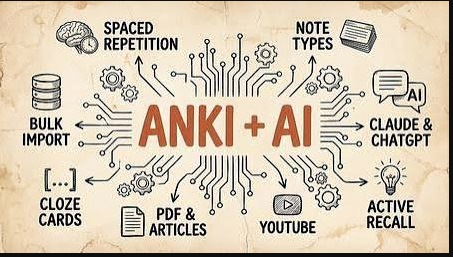
Anki + Claude Code For Learning and Memorization
Released 7/2026
MP4 | Video: h264, 1920x1080 | Audio: AAC, 44.1 KHz, 2 Ch
Genre: eLearning | Language: English | Duration: 18 Lessons ( 2h 3m ) | Size: 708.4 MB
# Anki + Claude Code for Learning and Memorization
**Level:** Beginner to Advanced
**Duration:** Self-paced
## Course Overview
This workflow combines **Anki**, a spaced repetition flashcard application, with **Claude Code**, an AI coding assistant from **Anthropic**, to help you learn technical subjects more efficiently. Claude Code can generate study materials, summarize concepts, create quizzes, and even produce flashcards that you can import into Anki.
> **Note:** Claude Code is primarily designed for software development tasks. While it can be adapted for learning workflows, general-purpose AI assistants can also perform many of these study-related tasks.
---
# Why Combine AI with Anki?
Anki excels at **long-term retention** through spaced repetition.
AI helps you:
* Summarize books and documentation
* Generate high-quality flashcards
* Explain difficult concepts
* Create practice questions
* Produce examples and mnemonics
* Identify gaps in your understanding
Together they reduce the time needed to create effective study material.
---
# Module 1: Learn the Anki Basics
Topics:
* Installing Anki
* Creating decks
* Creating note types
* Card templates
* Tags
* Media
* Synchronization
* Scheduling
Learn:
* Basic cards
* Cloze deletion cards
* Image occlusion (with add-ons if needed)
---
# Module 2: Understanding Spaced Repetition
Topics:
* Forgetting curve
* Active recall
* Ease factor
* Review intervals
* Daily limits
Goal:
Understand why reviewing a small number of cards consistently is more effective than cramming.
---
# Module 3: Setting Up Claude Code
Install Claude Code.
Learn:
* Working with repositories
* Reading documentation
* Prompt engineering
* Using Markdown
* Exporting structured text
---
# Module 4: AI-Assisted Note Taking
Instead of copying documentation, ask AI to produce:
* Concise summaries
* Key concepts
* Definitions
* Comparison tables
* Step-by-step explanations
Example prompt:
> "Summarize this C++ chapter into concise bullet points suitable for flashcards."
---
# Module 5: Generating Flashcards
Good flashcards are:
* Short
* Atomic (one fact per card)
* Clear
* Test understanding rather than recognition
Example:
**Front**
```
What does RAII stand for?
```
**Back**
```
Resource Acquisition Is Initialization
```
---
# Module 6: Cloze Deletion Cards
Example:
```
RAII stands for {{c1::Resource Acquisition Is Initialization}}.
```
These cards help reinforce terminology and definitions.
|
Download | |
Post Comment [0] |
Category: Tutorials
- views: 342
- date: 9 July 2026
- posted by: 0nelove

Dometrain - Mastering: C#
Released 7/2026
By Sergey Teplyakov
MP4 | Video: h264, 1920x1080 | Audio: AAC, 44.1 KHz, 2 Ch
Level: Mastering | Genre: eLearning | Language: English | Duration: 3h 25m | Size: 1.3 GB
# Dometrain – Mastering C#
**Mastering C#** is an advanced C# course from **Dometrain**, designed for developers who already know the basics of C# and want to write high-quality, modern, and maintainable code. It focuses on language features, best practices, performance, and real-world development rather than introductory programming.
## Prerequisites
Before starting, you should be comfortable with:
* Variables and data types
* Control flow (`if`, `switch`, loops)
* Methods
* Classes and objects
* Basic inheritance and interfaces
* Exception handling
* Basic use of the .NET CLI or Visual Studio
---
# Course Outline
## Module 1: Advanced C# Fundamentals
* Value types vs reference types
* Memory management
* Garbage Collection (GC)
* Stack vs Heap
* Nullable reference types
**Skills gained:**
* Understand how C# stores and manages memory.
* Write safer code using nullable reference types.
---
## Module 2: Object-Oriented Programming Deep Dive
* Encapsulation
* Inheritance
* Polymorphism
* Abstraction
* Composition vs inheritance
* SOLID principles
**Project:** Build a modular order processing system.
---
## Module 3: Modern C# Features
* Records
* Init-only properties
* Pattern matching
* Switch expressions
* Target-typed `new`
* Top-level statements
* Required members
* File-scoped namespaces
**Skills gained:**
* Write concise, modern C# code.
* Improve readability and maintainability.
---
## Module 4: Generics
* Generic classes
* Generic methods
* Constraints
* Covariance and contravariance
**Project:** Create a reusable generic repository.
---
## Module 5: LINQ
* Query syntax
* Method syntax
* Filtering
* Projection
* Grouping
* Aggregation
* Joins
* Deferred execution
**Project:** Analyze and report on sales data.
---
## Module 6: Delegates and Events
* Delegates
* Multicast delegates
* Lambda expressions
* Events
* Event handlers
**Project:** Build an event-driven notification system.
---
## Module 7: Asynchronous Programming
|
Download | |
Post Comment [0] |
Category: Tutorials
- views: 169
- date: 9 July 2026
- posted by: 0nelove

Learn Microsoft Word from scratch for Beginners + AI
Published 7/2026
Created by Emmanuel Udoh
MP4 | Video: h264, 1920x1080 | Audio: AAC, 44.1 KHz, 2 Ch
Level: All Levels | Genre: eLearning | Language: English | Duration: 13 Lectures ( 2h 56m ) | Size: 1.4 GB
# Learn Microsoft Word from Scratch for Beginners + AI
**Level:** Beginner
**Duration:** 4–6 Weeks (20–30 Hours)
**Prerequisites:** Basic computer skills
## Course Overview
This course teaches you how to use **Microsoft Word** from the ground up while introducing modern **AI-powered features** that can help you write, edit, summarize, and format documents more efficiently. By the end, you'll be able to create professional documents such as letters, reports, resumes, newsletters, and business proposals.
---
# Module 1: Getting Started with Microsoft Word
### Topics
* What is Microsoft Word?
* Installing Microsoft 365
* Understanding the Word interface
* Ribbon and tabs
* Quick Access Toolbar
* Creating, opening, and saving documents
* AutoSave and OneDrive basics
### Hands-on Exercise
|
Download | |
Post Comment [0] |
Category: Tutorials
- views: 275
- date: 9 July 2026
- posted by: 0nelove

Course 1: Model-In-The-Loop (Mil) For Robotics
MP4 | Video: h264, 1920x1080 | Audio: AAC, 44.1 KHz
Language: English | Size: 1016.20 MB | Duration: 0h 53m
# Course 1: Model-in-the-Loop (MIL) for Robotics
**Level:** Beginner to Intermediate
**Duration:** 4–6 weeks (20–30 hours)
**Prerequisites:**
* Basic robotics concepts
* Basic control systems
* Elementary C++ or Python
* High school mathematics (algebra, trigonometry, basic calculus)
## Course Overview
Model-in-the-Loop (MIL) is the first stage of model-based design. In MIL, both the plant (robot) and the controller are simulated as mathematical models before any code is generated or deployed to hardware. This allows engineers to validate algorithms early, reduce development costs, and identify design issues before testing on physical robots.
---
## Learning Objectives
By the end of this course, you will be able to:
* Explain the Model-Based Design (MBD) workflow.
* Understand the role of MIL in robotics development.
* Build mathematical models of robotic systems.
* Design and tune controllers in simulation.
* Validate controller performance using simulation results.
* Prepare models for later Software-in-the-Loop (SIL) and Hardware-in-the-Loop (HIL) testing.
---
# Module 1: Introduction to Model-Based Design
|
Download | |
Post Comment [0] |
Category: Tutorials
- views: 288
- date: 9 July 2026
- posted by: 0nelove

Third-Party Risk Management: The Partnership Playbook
MP4 | Video: h264, 1920x1080 | Audio: AAC, 44.1 KHz
Language: English | Size: 1.19 GB | Duration: 0h 30m
**Third-Party Risk Management: The Partnership Playbook** is a framework for managing the risks that arise when an organization works with external vendors, suppliers, contractors, cloud providers, consultants, or other business partners. The goal is to build productive partnerships while protecting the organization from financial, operational, legal, cybersecurity, and reputational risks.
## What Is Third-Party Risk Management (TPRM)?
Third-Party Risk Management is the process of identifying, assessing, monitoring, and reducing risks associated with external organizations that provide products or services.
Common third parties include:
* Cloud service providers
* Software vendors
* Payment processors
* Logistics companies
* Manufacturing suppliers
* Marketing agencies
* Professional consultants
* Managed service providers (MSPs)
---
## Why TPRM Matters
Organizations rely heavily on external partners, but those relationships can introduce risks such as:
* Data breaches
* Cyberattacks
* Regulatory non-compliance
* Financial instability of a vendor
* Supply chain disruptions
* Service outages
* Intellectual property theft
* Reputational damage
Effective TPRM helps organizations:
* Improve security
* Meet regulatory requirements
* Strengthen business continuity
* Reduce financial losses
* Build stronger vendor relationships
---
|
Download | |
Post Comment [0] |
Category: Tutorials
- views: 192
- date: 9 July 2026
- posted by: 0nelove

Complete C++ Programming Course
MP4 | Video: h264, 1920x1080 | Audio: AAC, 44.1 KHz
Language: English | Size: 7.89 GB | Duration: 14h 39m
A **Complete C++ Programming Course** should take you from the fundamentals to advanced topics with hands-on projects. Here's a comprehensive roadmap.
## Module 1: Introduction to C++
* What is C++?
* Installing a compiler (GCC, Clang, MSVC)
* Setting up an IDE (Visual Studio, VS Code, CLion)
* Writing your first program
* Compilation process
* Comments and coding style
**Project:** Hello World and Calculator
---
## Module 2: C++ Basics
* Variables and constants
* Data types
* Input and output (`cin`, `cout`)
* Operators
* Type conversion
* Scope and lifetime
**Practice:**
* Temperature converter
* BMI calculator
---
## Module 3: Control Flow
* `if`, `else if`, `else`
* `switch`
* `for`
* `while`
* `do-while`
* `break`
* `continue`
**Project:**
* Number guessing game
---
|
Download | |
Post Comment [0] |
Category: Tutorials
- views: 431
- date: 9 July 2026
- posted by: 0nelove

Confident Conversations That Tackle Conflict With Ease
MP4 | Video: h264, 1920x1080 | Audio: AAC, 44.1 KHz
Language: English | Size: 330.42 MB | Duration: 1h 10m
**Confident Conversations That Tackle Conflict With Ease** is about communicating calmly, clearly, and respectfully when disagreements arise. The goal isn't to "win" an argument—it's to understand the issue, express your perspective, and work toward a constructive solution.
Here are some practical principles:
### 1. Prepare Before the Conversation
* Clarify the specific issue you want to discuss.
* Focus on facts rather than assumptions.
* Decide what outcome you're hoping for.
### 2. Start Positively
Begin with a respectful tone that signals collaboration.
Example:
> "I'd like to talk about something that's been on my mind. I think we can work through it together."
### 3. Use "I" Statements
Describe your experience instead of assigning blame.
Instead of:
> "You never listen to me."
Try:
> "I feel overlooked when I don't have a chance to finish my thoughts."
### 4. Listen Actively
Show you're trying to understand.
* Maintain eye contact (if appropriate).
* Avoid interrupting.
* Summarize what you heard.
Example:
> "So you're saying the deadline felt unrealistic. Is that right?"
### 5. Stay Calm Under Pressure
* Speak slowly.
* Keep your voice steady.
* If emotions become overwhelming, suggest taking a short break and returning to the discus
|
Download | |
Post Comment [0] |
Category: Tutorials
- views: 194
- date: 9 July 2026
- posted by: 0nelove
If you want to build an **AI Chatbot** using **Apple Foundation Models + SwiftUI + SwiftData**, the recommended architecture is:
```text
SwiftUI (UI)
│
▼
ChatViewModel (@Observable)
│
▼
Foundation Models
(LanguageModelSession)
│
▼
SwiftData
(ChatMessage, Conversation)
```
### Tech Stack
* **SwiftUI** – Chat interface
* **Foundation Models Framework** – Apple Intelligence on-device LLM
* **SwiftData** – Store chat history
* **MVVM Architecture**
* **Async/Await**
* **Streaming Responses** (optional)
Apple's Foundation Models framework lets apps access the same on-device language model used by Apple Intelligence. It runs locally, preserving privacy and avoiding API costs, but requires supported hardware and Apple Intelligence to be enabled. ([SwiftyPlace][1])
---
## Project Structure
```
AIChatBot
│
├── Models
│ ├── ChatMessage.swift
│ └── Conversation.swift
│
├── ViewModels
│ └── ChatViewModel.swift
│
├── Views
│ ├── ChatView.swift
│ ├── MessageBubble.swift
│ └── InputBar.swift
│
├── Services
│ └── AIService.swift
│
└── AIChatBotApp.swift
```
---
## SwiftData Model
```swift
import SwiftData
@Model
final class ChatMessage {
var text: String
var isUser: Bool
var createdAt: Date
init(text: String,
isUser: Bool,
createdAt: Date = .now) {
self.text = text
self.isUser = isUser
self.createdAt = createdAt
}
}
```
SwiftData uses `@Model` classes and `ModelContext` to persist data automatically within your app. ([Apple Developer][2])
---
## AI Service
```swift
import FoundationModels
class AIService {
private let session = LanguageModelSession()
func ask(_ prompt: String) async throws -> String {
let response = try await session.respond(to: prompt)
return response.content
}
}
```
---
## ViewModel
```swift
@Observable
class ChatViewModel {
var messages: [ChatMessage] = []
let ai = AIService()
func send(text: String) async {
let user = ChatMessage(
text: text,
isUser: true
)
messages.append(user)
do {
let reply = try await ai.ask(text)
let bot = ChatMessage(
text: reply,
isUser: false
)
messages.append(bot)
} catch {
messages.append(
ChatMessage(
text: error.localizedDescription,
isUser: false
)
)
}
}
}
```
---
## SwiftUI Chat Screen
```swift
ScrollView {
LazyVStack {
ForEach(messages) { message in
MessageBubble(message: message)
}
}
}
InputBar()
```
---
## Store Messages
```swift
@Environment(\.modelContext)
private var context
context.insert(message)
try? context.save()
```
---
## Foundation Models Features
You can also implement:
* ✅ Multi-turn conversation
* ✅ Streaming responses
* ✅ Tool Calling
* ✅ Structured JSON output
* ✅ Custom prompts
* ✅ System instructions
* ✅ Local inference
* ✅ Offline chatbot
The framework supports session-based conversations, guided generation, streaming output, and tool-calling for more advanced assistants. ([Conor Luddy][3])
---
## Suggested Folder Architecture
```
AIChatBot
│
├── App
│
├── Models
│
├── Services
│ AIService.swift
│
├── Database
│ SwiftDataManager.swift
│
├── ViewModels
│ ChatViewModel.swift
│
├── Views
│ ChatView.swift
│ BubbleView.swift
│ InputView.swift
│
├── Components
│
├── Extensions
│
└── Resources
```
## Device Requirements
Apple Foundation Models are available only on devices that support Apple Intelligence. In practice, this means recent Apple Silicon Macs and supported iPhones/iPads (for example, iPhone 15 Pro or newer with the appropriate OS version and Apple Intelligence enabled). ([Conor Luddy][3])
## Learning Resources
If your goal is to build a production-quality chatbot, I can also provide a complete **Xcode project** with:
* SwiftUI chat UI (similar to ChatGPT)
* Apple Foundation Models integration
* SwiftData conversation history
* Streaming AI responses
* Markdown rendering
* Dark/Light mode
* Clean MVVM architecture
* Ready to run in Xcode 26 on iOS 26/macOS Tahoe.
https://rapidgator.net/file/714e1ae813d2aad22148883dbc681026/Ai_Chatbot_With_Apple_Foundation_Models_Swiftui_Swiftdata.part1.rar.html
https://rapidgator.net/file/750988a0bfd0647ecdad74ca709cbf93/Ai_Chatbot_With_Apple_Foundation_Models_Swiftui_Swiftdata.part2.rar.html
https://rapidgator.net/file/072048285b89f1458ca73372ef2171d6/Ai_Chatbot_With_Apple_Foundation_Models_Swiftui_Swiftdata.part3.rar.html
https://www.uploadcloud.pro/vpmrl608y7qd/Ai_Chatbot_With_Apple_Foundation_Models_Swiftui_Swiftdata.part1.rar.html
https://www.uploadcloud.pro/i49wd44722vu/Ai_Chatbot_With_Apple_Foundation_Models_Swiftui_Swiftdata.part2.rar.html
https://www.uploadcloud.pro/h0rya3kbz6wx/Ai_Chatbot_With_Apple_Foundation_Models_Swiftui_Swiftdata.part3.rar.html
https://rapidgator.net/file/750988a0bfd0647ecdad74ca709cbf93/Ai_Chatbot_With_Apple_Foundation_Models_Swiftui_Swiftdata.part2.rar.html
https://rapidgator.net/file/072048285b89f1458ca73372ef2171d6/Ai_Chatbot_With_Apple_Foundation_Models_Swiftui_Swiftdata.part3.rar.html
https://www.uploadcloud.pro/vpmrl608y7qd/Ai_Chatbot_With_Apple_Foundation_Models_Swiftui_Swiftdata.part1.rar.html
https://www.uploadcloud.pro/i49wd44722vu/Ai_Chatbot_With_Apple_Foundation_Models_Swiftui_Swiftdata.part2.rar.html
https://www.uploadcloud.pro/h0rya3kbz6wx/Ai_Chatbot_With_Apple_Foundation_Models_Swiftui_Swiftdata.part3.rar.html
|
Download | |
Post Comment [0] |
Category: Apps (SEO/Marketing/Design)
- views: 244
- date: 8 July 2026
- posted by: DrZero

File size: 9.13 MB
WinSnap is a small enhancement utility for taking and editing screenshots. Standard features include easy capture of non-rectangular windows with customized and transparent backgrounds, simple and automatic canvas transformations, coloring effects, and the addition of eye-candy drop shadows. WinSnap supports a variety of image formats and has advanced auto-save features.
|
Download | |
Post Comment [0] |
Category: Apps (SEO/Marketing/Design)
- views: 277
- date: 8 July 2026
- posted by: DrZero

Windows (x64) | File size: 723 MB
Award-winning video editing software for professional creators. Create. Edit. Share. Video editing, made for everyone. No experience necessary. Do more, faster with customizable templates. Discover and create attention-grabbing video intros alongside our community of creatives.
|
Download | |
Post Comment [0] |
Category: Apps (SEO/Marketing/Design)
- views: 184
- date: 8 July 2026
- posted by: DrZero

File size: 134 MB
Light Image Resizer from Obvious Idea (previously known as VSO Image Resizer) is a free tool that organizes your photos by shrinking their resolution or moving them within your hard drive. It is the perfect tool for those who store their digital pictures and images on their PC and who want to resize, compress, convert, create copies, import or organize photos. Light Image Resizer is integrated into the Windows explorer shell, right click on your pictures and start working on your pictures!
|
Download | |
Post Comment [0] |
Category: Apps (SEO/Marketing/Design)
- views: 242
- date: 8 July 2026
- posted by: DrZero
File size: 52.2 MB
Light Image Resizer from Obvious Idea (previously known as VSO Image Resizer) is a free tool that organizes your photos by shrinking their resolution or moving them within your hard drive. It is the perfect tool for those who store their digital pictures and images on their PC and who want to resize, compress, convert, create copies, import or organize photos. Light Image Resizer is integrated into the Windows explorer shell, right click on your pictures and start working on your pictures!
|
Download | |
Post Comment [0] |
Category: Apps (SEO/Marketing/Design)
- views: 151
- date: 8 July 2026
- posted by: DrZero

Language: Multilingual | File size: 10.3 MB
WinRAR & Unzip & Open any file. RAR Extractor - The Unarchiver is a specialized application program which aims at Rar,Zip,Tar,7-zip,Gzip,Bzip2,XZ,Tar.gz,bz2,iso,pkg,swf,exe,jar,xip,dms. and dozens of other compressed files, you can use it to extract archive files conveniently, double click to decompress, fast and safely.
|
Download | |
Post Comment [0] |
Category: Apps (SEO/Marketing/Design)
- views: 132
- date: 8 July 2026
- posted by: DrZero

Language: Multilingual | File size: 82.3 MB
FotoMagico lets you create professional slideshows from your photos and music with just a few, simple mouse clicks. It sports a very clean and intuitive yet powerful user interface. High image quality, fast performance, and user flexibility were some of the design goals for this application.
|
Download | |
Post Comment [0] |
Category: Apps (SEO/Marketing/Design)
- views: 135
- date: 8 July 2026
- posted by: DrZero

File size: 118 MB
Copy Protect all types of media files like videos, audios, documents and pictures. The program converts your media files into executable files that will only run in the drive you choose using the program. If these executable are copied to another device or drive, they will simply not run.
|
Download | |
Post Comment [0] |
Category: Apps (SEO/Marketing/Design)
- views: 140
- date: 8 July 2026
- posted by: DrZero

File size: 23 MB
Editing video data can be done in numerous ways, and thanks to the latest advancements in software and online services, cutting, trimming, joining or editing video content has become easier than ever. Fast Video Cutter Joiner aims at offering users a simple, clutter-free desktop solution for either cutting individual video files, or, joining multiple together, therefore making resorting to more complex software or online services not required.
|
Download | |
Post Comment [0] |
Category: Apps (SEO/Marketing/Design)
- views: 185
- date: 8 July 2026
- posted by: DrZero

File size: 371 MB
Lansweeper is an automated network discovery and asset management tool which scans all your computers and devices and displays them in an easy accessible web interface. There is no need to install any agents on the computers, all scanning is done by standard build-in functionality.
|
Download | |
Post Comment [0] |
Category: Apps (SEO/Marketing/Design)
- views: 214
- date: 8 July 2026
- posted by: DrZero

Language: Multilingual | File size: 26.3 MB
The Focused Writing App. iA Writer removes distractions, giving you a calm, focused writing space.
|
Download | |
Post Comment [0] |
Category: Apps (SEO/Marketing/Design)
- views: 193
- date: 8 July 2026
- posted by: DrZero

File size: 46.2 MB
Dropshare is a menu bar application for drag & drop upload files, screenshots and even directories to your own server, Amazon S3, Backblaze B2 Cloud Files, Rackspace Cloud Files, Microsoft Azure Blob Storage, Google Drive or Dropbox. Additionally,
|
Download | |
Post Comment [0] |
Category: Apps (SEO/Marketing/Design)
- views: 98
- date: 8 July 2026
- posted by: DrZero

File size: 27.4 MB
How many bookmarks do you have by now? With the ongoing exponential growth of the Internet, many people are finding that the built-in bookmark capabilities of today's browsers are just not good at handling the number of URLs that most people want to maintain. URL Manager Pro solves many of the problems of keeping track of your bookmarks.
|
Download | |
Post Comment [0] |
Category: Apps (SEO/Marketing/Design)
- views: 166
- date: 8 July 2026
- posted by: DrZero

File size: 308 MB
Zoom Player is the most Powerful, Flexible and Customizable Media Player application for the Windows PC platform. Based on our highly-touted Smart Play technology, more media formats play with less hassle, improved stability and greater performance Behind Zoom Player's classic media player look, hides a powerful Media Center application designed with a simple 5-Key (up/down/left/right/select) fullscreen navigation interface.
|
Download | |
Post Comment [0] |
Category: Apps (SEO/Marketing/Design)
- views: 230
- date: 8 July 2026
- posted by: DrZero
File size: 95.5 MB
Zoom Player is the most Powerful, Flexible and Customizable Media Player application for the Windows PC platform. Based on our highly-touted Smart Play technology, more media formats play with less hassle, improved stability and greater performance Behind Zoom Player's classic media player look, hides a powerful Media Center application designed with a simple 5-Key (up/down/left/right/select) fullscreen navigation interface.
|
Download | |
Post Comment [0] |
Category: Tutorials
- views: 478
- date: 8 July 2026
- posted by: mata00

Fractal Flow Pro – Advanced Order Flow Trading | 2.43 GB
Fractal Flow Pro – Advanced Order Flow Trading
Deep dive into several order flow tools and their integrations with advanced price action, market structure and supply and demand
|
Download | |
Post Comment [0] |
Category: Tutorials
- views: 604
- date: 8 July 2026
- posted by: mata00

Limo Oueslati – The Dating Accelerator | 21.5 GB
Limo Oueslati – The Dating Accelerator
The Dating Accelerator is a proven and tested 8-week online implementation program that teaches you exactly how to attract, obtain & retain 3+ high-quality women consistently within the next 56 days.
|
Download | |
Post Comment [0] |