


- 04.11.11: Password Protection fix, version updated to v1.2.3. Please replace ./download.php in order for this fix to take effect.
- 24.08.11: Fatal Error fix, version updated to v1.2.2. Please replace ./upload.php in order for this fix to take effect.
- 17.08.11: Several bug fixes, version updated to v1.2.1. Please replace ./upload.php, ./styles/Indigo/header.php and ./download.php in order for this fix to take effect.
- 26.06.11: $HTTP_POST_FILES has now been replaced with $_FILES, in order for PHP 4.2/4.3+ to work without any problems. Centered image alignment also fixed, and UTF-8 support has now been added. Please replace ./basic.php, ./styles/Indigo/header.php and ./styles/Indigo/image_uploaded.php in order for this fix to take effect.
- 05.06.11: Language Support Added, followed by a few bug fixes. For this update to take effect, please replace all files apart from ./styles/Indigo/style.css, ./styles/Indigo/header.php and ./styles/Indigo/footer.php.
- 07.05.11: User Panel fix. This is a critical update and should be applied asap. Please replace ./pages/userpanel.php in order to apply the patch.
- 04.05.11: Download-Stats fix followed by the removal of tables found in report.php. Please replace ./report.php and ./auswerten.php in order for this fix to take effect.
Daddy's File Host v1.2 now released!
It is easy to set up and does not require a MySQL database!
\\\\\\\\\\\\\\\\\\\\\\\\\\\\\\\\
||||||New Features||||||
\\\\\\\\\\\\\\\\\\\\\\\\\\\\\\\\\
// User-side
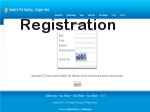
- User Registration (+ captcha).
- User can view his/her files.
- User can delete his/her files.
- User can view his/her images.
- User can delete his/her images.
- Password Recovery (Forgotten Password Form, + captcha).
- Comparison table between a guest and a registered user.
- User can view all images uploaded if allowed by the Admin.
- User is provided with a delete link once an image is uploaded.
// Admin-side
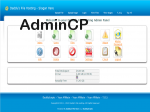
- Admin can use the user's login form to access the AdminCP.
- Admin can view all users.
- Admin can delete users.
- Admin can set E-mail Activation to On or Off.
- Admin can set Max File Size for users.
- Admin can set Max Image Size for users.
- Admin can set DL Limit for users.
- Admin can set Delete After x many of days for users..
- Admin can choose to disable or enable image uploads.
- Admin can disable image listing.
// Script Design
- Improved menu navigator.
\\\\\\\\\\\\\\\\\\\\\\\\\\\\\\
||||Overall Features||||
\\\\\\\\\\\\\\\\\\\\\\\\\\\\\\\
User Features:
- User Registration (+ captcha).
- View his/her files.
- Can delete his/her files.
- Can view his/her images.
- Can delete his/her images.
- Password Recovery (Forgotten Password Form, + captcha).
- Comparison table between a guest and a registered user.
- Can view all images uploaded if allowed by the Admin.
- User is provided with a delete link once an image is uploaded.
- Multiple File and Images Uploads
- Progress bar on both Image and File Uploads
- Upload Files On The Server
- Email link to themselves or a friend (If enabled by admin)
- Get the download and delete link which can be shared
- Report File links that violate terms of service
- Extra Stats Shown at the download page.
- View list of uploaded files (If enabled by admin)
- File Description (If enabled by admin)
- Password Protect (If enabled by admin)
- Catogeries (If enabled by admin)
Admin Features:
- Can use the user's login form to access the AdminCP.
- Can view all users.
- Can delete users.
- Set E-mail Activation to On or Off.
- Set Max File Size for users.
- Set Max Image Size for users.
- Set DL Limit for users.
- Set Delete After x many of days for users..
- Choose to disable or enable image uploads.
- Disable image listing.
- Set Maximum File size for users to upload
- Set and restrict File types and extensions
- Expire files after X amount of days without use
- Add Your Own Ads
- Set timer countdown on download page
- Enable/disable "Files List" viewable by public
- Reported illegal files stand out for deletion
- Ban IP addresses
- Choose style template
Screenshots:
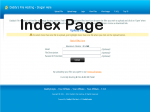

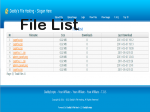
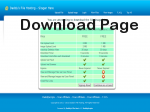
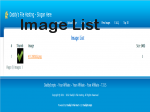

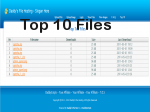
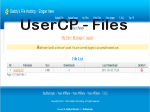
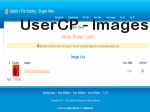
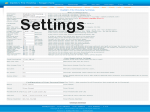
This version of DFH is only available in English. Other languages will work, but all of the new sentences added to v1.2 will remain to be in english.
Default Admin User is "admin" and Password: "password".
