


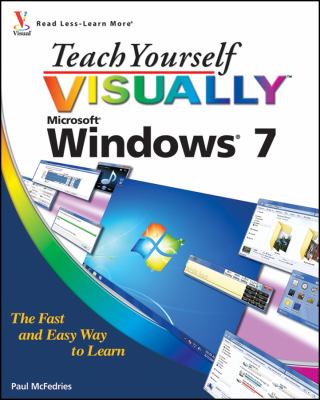
Teach Yourself VISUALLY Windows 7
Category: Education (depraced!)
- views: 2 041
- date: 31 May 2011
- posted by: masterjan
Year: 2009
Author: Paul McFedries
Publisher: Visual
ISBN: 0470503866
Format: PDF
Pages: 352
Author: Paul McFedries
Publisher: Visual
ISBN: 0470503866
Format: PDF
Pages: 352
A practical guide for visual learners who are eager to get started with Windows 7
Windows 7 is Microsoft′s highly anticipated operating system used by millions of people around the world. If you′re a visual learner and are new to Windows 7, then this book is an ideal introduction to the new features of this operating system. Seasoned author Paul McFedries walks you through the basics and beyond of Windows 7 in a straightforward manner.
You′ll discover how to install and repair programs, maintain your system, set up password–protected accounts, load images from a digital camera, play music and other media files, secure Internet and e–mail accounts, and much more. More than 150 tasks are accompanied by full–color screen shots as they guide you to becoming a confident user of Windows 7.
Experienced author Paul McFedries walks you through Microsoft′s eagerly awaited new operating system: Windows 7
Clear and succinct explanations, step–by–step instructions, and full–color screen shots take you through the newest features of Windows 7
More than 150 Windows 7 tasks show you the basics and beyond, including installing and repairing programs, maintaining your system, loading images from a digital camera, and more.
We need your support!
Make a donation to help us stay online

Bitcoin (BTC)
bc1q08g9d22cxkawsjlf8etuek2pc9n2a3hs4cdrld

Bitcoin Cash (BCH)
qqvwexzhvgauxq2apgc4j0ewvcak6hh6lsnzmvtkem

Ethereum (ETH)
0xb55513D2c91A6e3c497621644ec99e206CDaf239

Litecoin (LTC)
ltc1qt6g2trfv9tjs4qj68sqc4uf0ukvc9jpnsyt59u

USDT (ERC20)
0xb55513D2c91A6e3c497621644ec99e206CDaf239

USDT (TRC20)
TYdPNrz7v1P9riWBWZ317oBgJueheGjATm
Information |
|||
 |
Users of GUESTS are not allowed to comment this publication. | ||