


ON1 Effects 2026.5 v20.5.0.19010 Multilingual (x64)
Category: Apps (SEO/Marketing/Design)
- views: 90
- date: 28 July 2026
- posted by: voska89
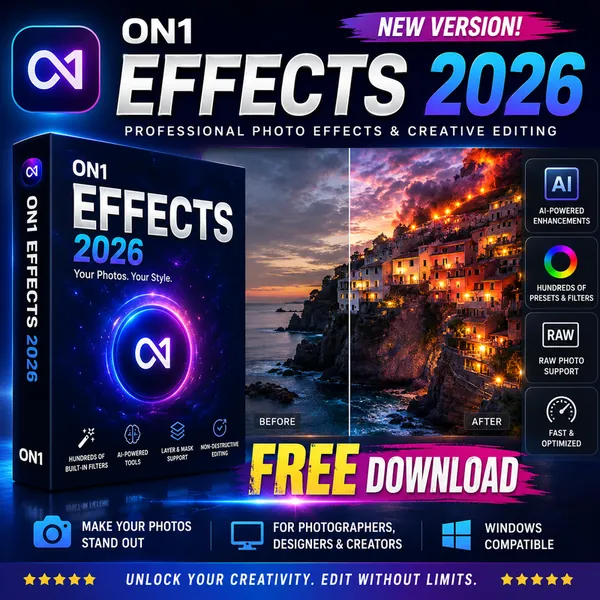
Free Download ON1 Effects 2026.5 v20.5.0.19010 (x64) Multilingual | 326 Mb
ON1 Effects 2026 is a creative photo editing application that provides a collection of filters, presets, LUTs, textures, and borders for enhancing digital images. It allows photographers to quickly apply artistic styles, adjust visual atmosphere, and create customized looks without complicated editing procedures.
The software is designed for photographers who want flexible creative control over their images. It can be used as a standalone application, integrated with ON1 Photo RAW, or installed as a plugin for supported photo editing applications such as Photoshop and Lightroom.
Software Overview
ON1 Effects provides a wide range of creative tools for adding style and visual adjustments to photographs. Users can apply professional filters, customize presets, combine effects, and create unique image styles through an intuitive editing workflow.The application includes AI-assisted features that help simplify selections and effect adjustments. Photographers can enhance portraits, landscapes, and other image types by applying lighting adjustments, textures, color effects, and creative transformations.
ON1 Effects supports individual editing and batch workflows, making it suitable for applying consistent styles across multiple images from a photography session.
Key Features
- Apply professional photo effects using customizable filters and presets.
- Use hundreds of presets, LUTs, textures, and borders for creative editing.
- Customize effects to create personalized image styles.
- Use AI Style Advisor for effect recommendations.
- Apply AI-powered subject and background selections.
- Work as a standalone application or plugin.
- Integrate with ON1 Photo RAW workflows.
- Create creative compositions with double exposure effects.
- Adjust lighting with Depth Lighting tools.
- Add motion effects including panning, zooming, and twisting styles.
- Modify image perspective with Split Field effects.
Why Choose ON1 Effects 2026
ON1 Effects is designed for photographers who want to enhance images with creative adjustments while maintaining control over the editing process. Its collection of customizable effects provides options for portrait enhancement, landscape styling, and artistic photo transformations.The software is suitable for photographers, designers, and creative users who need efficient tools for developing consistent visual styles across their images.
What's New
ON1 Effects 2026 introduces new creative filters, improved AI-assisted masking tools, and additional options for enhancing photographs. New effects include Depth Lighting, Split Field, Double Exposure, and Motion filters for adjusting lighting, perspective, and artistic elements after capturing an image.System Requirements
Windows 10 version 22H2 or later, Windows 11 (current maintenance releases, 64 bit only)8 GB (16 GB if shared with the GPU)
DirectX 12, DirectML, Vulkan 1.1, and OpenGL 4.2 compatible video card with 4GB VRAM, 1920x1080 resolution (at 100% scale factor)
Four-Core Intel or AMD processor with 64-bit support; 2 GHz or faster processor with SSE 4.2 or better or Apple Silicon
ARM processors are not supported
Frequently Asked Questions
What is ON1 Effects used for?
ON1 Effects is used for applying creative filters, presets, LUTs, textures, and visual adjustments to digital photographs.Can ON1 Effects work with Photoshop and Lightroom?
Yes, ON1 Effects can be used as a plugin for supported photo editing applications.Does ON1 Effects include AI features?
Yes, the software includes AI-assisted tools for recommendations and masking workflows.Can ON1 Effects be used without ON1 Photo RAW?
Yes, ON1 Effects can operate as a standalone application.Home Page
https://www.on1.com/products/effects/
Product Information
- Software Name: ON1 Effects
- Version: 2026.5 v20.5.0.19010
- Architecture: x64
- Languages: Multilingual
- License type: Full Version
- File Size: 326 Mb
DOWNLOAD LINK
Links are Interchangeable - No Password - Single Extraction
We need your support!
Make a donation to help us stay online

Bitcoin (BTC)
bc1q08g9d22cxkawsjlf8etuek2pc9n2a3hs4cdrld

Bitcoin Cash (BCH)
qqvwexzhvgauxq2apgc4j0ewvcak6hh6lsnzmvtkem

Ethereum (ETH)
0xb55513D2c91A6e3c497621644ec99e206CDaf239

Litecoin (LTC)
ltc1qt6g2trfv9tjs4qj68sqc4uf0ukvc9jpnsyt59u

USDT (ERC20)
0xb55513D2c91A6e3c497621644ec99e206CDaf239

USDT (TRC20)
TYdPNrz7v1P9riWBWZ317oBgJueheGjATm
Information |
|||
 |
Users of GUESTS are not allowed to comment this publication. | ||