


UPDF 2.5.6 (x64) Multilingual Portable
Category: Apps (SEO/Marketing/Design)
- views: 207
- date: 13 July 2026
- posted by: voska89
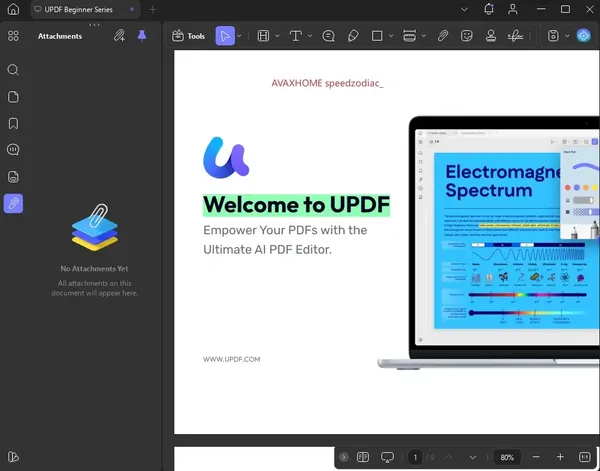
UPDF 2.5.6 (x64) Multilingual Portable Fast Links | 297 Mb
UPDF Portable is a Windows-based PDF editor that provides tools for editing, reviewing, converting, and managing PDF documents without requiring a traditional installation process. The Portable edition allows users to run the application in a more flexible way, making it suitable for use in different working environments.
UPDF Portable includes features for modifying PDF text, images, and links, adding annotations, organizing document content, and preparing files for sharing. The software is designed for professionals, students, and organizations that regularly work with digital documents.
The application also includes AI-assisted PDF features that help users summarize, translate, explain, and interact with document content, along with conversion and collaboration tools for managing PDF workflows.
Key Features:
- Edit PDF text, images, links, backgrounds, watermarks, and page layouts.
- Run the application without a traditional installation process.
- Add annotations such as notes, stickers, stamps, highlights, and underlines.
- Use AI tools to summarize, translate, explain, and analyze PDF documents.
- Review large PDF files with document analysis features.
- Convert PDF files into multiple supported formats.
- Create PDF documents using different creation methods.
- Generate fillable PDF forms for digital workflows.
- Add signatures and prepare documents for collaboration.
- Use flexible reading modes and page display options.
Why Choose UPDF Portable:
UPDF Portable is designed for users who need PDF editing and document management tools in a flexible portable package. It provides essential PDF functions for editing, reviewing, converting, and organizing documents while allowing easier deployment across different systems.
The software is suitable for users who work with PDF files on multiple computers or need a portable environment for document processing tasks.
System Requirements:
Windows 10 and higher
FAQ:
What is UPDF Portable used for?
UPDF Portable is used for editing, annotating, converting, and managing PDF documents in a portable format.
Does UPDF Portable require installation?
The Portable edition can run without a traditional installation process.
Can UPDF Portable edit PDF files?
Yes. It supports editing PDF text, images, links, and document elements.
Does UPDF Portable support PDF conversion?
Yes. The software can convert PDF documents into multiple supported formats.
Home Page
https://updf.com/updf/
Product Information:
- Software Name: UPDF
- Version: 2.5.6
- Architecture: x64
- Languages: Multilingual
- License type: Portable
- File Size: 297 Mb
DOWNLOAD LINK
Rapidgator
shs9m.UPDF.2.5.6.Portable.rar.html
UploadCloud
shs9m.UPDF.2.5.6.Portable.rar.html
DDownload
shs9m.UPDF.2.5.6.Portable.rar
FreeDL
shs9m.UPDF.2.5.6.Portable.rar.html
KatFile
shs9m.UPDF.2.5.6.Portable.rar.html
Links are Interchangeable - No Password - Single Extraction
We need your support!
Make a donation to help us stay online

Bitcoin (BTC)
bc1q08g9d22cxkawsjlf8etuek2pc9n2a3hs4cdrld

Bitcoin Cash (BCH)
qqvwexzhvgauxq2apgc4j0ewvcak6hh6lsnzmvtkem

Ethereum (ETH)
0xb55513D2c91A6e3c497621644ec99e206CDaf239

Litecoin (LTC)
ltc1qt6g2trfv9tjs4qj68sqc4uf0ukvc9jpnsyt59u

USDT (ERC20)
0xb55513D2c91A6e3c497621644ec99e206CDaf239

USDT (TRC20)
TYdPNrz7v1P9riWBWZ317oBgJueheGjATm
Information |
|||
 |
Users of GUESTS are not allowed to comment this publication. | ||