


CoolUtils Total Image Converter 8.2.0.298 Multilingual Portable
Category: Apps (SEO/Marketing/Design)
- views: 155
- date: 11 May 2026
- posted by: oaxino
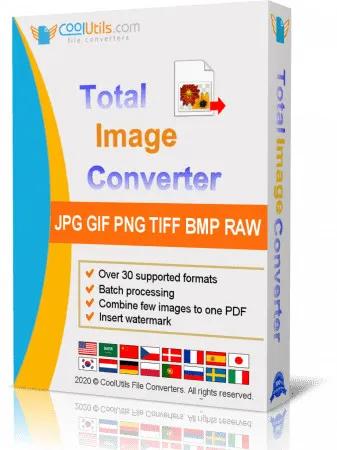
CoolUtils Total Image Converter 8.2.0.298 Multilingual Portable | Size: 45.09 MB
Language: English
Total Image Converter converts images to other formats, crops, resizes and rotates them. Convert large TIFFs into small JPEGs, make photos suitable for the web or recover old photos in unsupported formats - Total Image Converter will do everything you need.
Supports TIFF, JPEG, RAW, PNG, BMP, PSD, TGA, and many other image formats;
Works incredibly fast with new multi-threading feature;
Converts CMYK to RGB;
Handy resize and crop options to make your photos smaller;
Watermarking: add your comment, logo or date.
Features:
Total Image Converter supports TIFF, JPEG, JPEG2000, RAW, PNG, BMP, ICO, PSD, TGA, PCX, PCD and many other rare image file types files complete list).
Along with conversions you can rotate your images! All is done in batch so you save a lot of your valuable time.
With Total Image Converter it's very easy to resize your photos or images.
With Total Image Converter you can specify the color space for your output images.
What to combine images within folders? No problem! Our powerful batch image converter can do that too.
Total Image Converter will also add a frame to your images in batch.
Convert TIFF, JPEG, PSD and many other files in seconds via our clear wizard-mode interface (thumbnails or file lists with details).
The widest list of output file types: PDF, TIFF, BMP, PNG, JPEG, JPEG2000, ICO, GIF, PCX, TGA, PXM, PS, PCL! Besides, it supports many rare formats like PALM, PICT, XPM, FIX, etc.
Total Image Converter supports almost all RAW camera photos (CRW, CR2, NEF, PEF, RAF, X3F, RAW, BAY, ORF, NRW, SRF, MRW).
The built-in Preview panel helps you to view each file full-sized and learn the indo about it.
Add text watermarks to the header or the footer of the output file to prevent unauthorized use.
When you convert images to PDF you can set user permissions, password-protect your files or sign them with your digital signature.
Try the Total Image ConverterX SDK to use it on your server (no GUI).
Total Image Converter can be run via command line (get the ready-to-use command line from GUI settings).
HOMEPAGE:
https://www.coolutils.com/TotalImageConverter
DOWNLOAD LINKS:
We need your support!
Make a donation to help us stay online

Bitcoin (BTC)
bc1q08g9d22cxkawsjlf8etuek2pc9n2a3hs4cdrld

Bitcoin Cash (BCH)
qqvwexzhvgauxq2apgc4j0ewvcak6hh6lsnzmvtkem

Ethereum (ETH)
0xb55513D2c91A6e3c497621644ec99e206CDaf239

Litecoin (LTC)
ltc1qt6g2trfv9tjs4qj68sqc4uf0ukvc9jpnsyt59u

USDT (ERC20)
0xb55513D2c91A6e3c497621644ec99e206CDaf239

USDT (TRC20)
TYdPNrz7v1P9riWBWZ317oBgJueheGjATm
Information |
|||
 |
Users of GUESTS are not allowed to comment this publication. | ||