


Syncovery Premium 11.14.7.188 (x64)
Category: Apps (SEO/Marketing/Design)
- views: 109
- date: 21 April 2026
- posted by: newapp2023
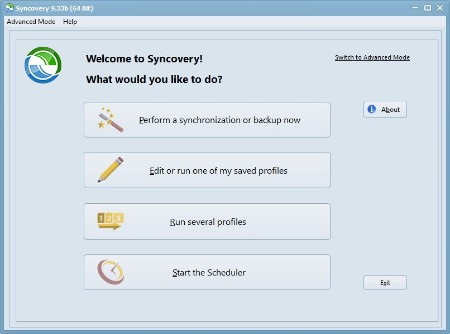
Syncovery Premium 11.14.7.188 (x64) | File size: 69 MB
Syncovery provides you with an intuitive application designed to backup your important files and folders as well as perform synchronization between different devices. With its enhanced speed, real-time sync capabilities and scheduling tools, it can ensure that your data is safe at any time.
Syncovery 11 is our new major release in 2024. It introduces a range of new features and improvements to enhance file synchronization and backup. The interface has been refined for easier navigation and a better overview of profile settings. New features enhance your sync and backup processes with file integrity checks and an improved cloud to cloud copying performance. Whether for personal or business use, Syncovery 11 provides reliable and efficient tools to manage your data across different platforms and environments. Explore the new features and see how Syncovery 11 can meet your file management needs.
Syncovery 11 contains these improvements
Redesigned profile editor dialog
Redesigned Internet Protocol Settings dialog
Redesigned Exact Mirror configuration dialog with new features for high availability server replication
New Account Manager for Cloud/Internet Protocol Accounts (see Internet dialog or File menu)
New File Integrity Scanner (under Verifiations-Integrity in the profile)
Copies cloud to cloud without using local temporary files
New, improved algorithm for detecting moved and renamed folders
Allows specifying separate versioning folders for the left and right sides
Now includes an SFTP Server as part of the Syncovery Remote Service that can be used for peer to peer synchronization
The context menu in the Profile Overview allows you to choose a color for each profile
Notes/comments can be entered on the Information tab sheet in each profile. These will appear as a tooltip hint when hovering over a profile on the Profile Overview.
Contains an updated SecureBlackBox library for improved SSH/SFTP and PGP compatibility.
When using compressed packages with multiple files per archive, Syncovery can now limit the number of packages kept at the destination.
An option was added to automatially rename duplicate files on Google Drive.
Separate login credentials can now be specified for communication with the Syncovery Remote Service, so that the main account used for copying can now be a read-only account.
Miscellaneous visual improvements have been made.
Whats New
https://www.syncovery.com/syncovery11/HomePage:
https://www.syncovery.com/
-:DOWNLOAD FROM LINKS:-
Download From RapidGator
Download From NitroFlare
We need your support!
Make a donation to help us stay online

Bitcoin (BTC)
bc1q08g9d22cxkawsjlf8etuek2pc9n2a3hs4cdrld

Bitcoin Cash (BCH)
qqvwexzhvgauxq2apgc4j0ewvcak6hh6lsnzmvtkem

Ethereum (ETH)
0xb55513D2c91A6e3c497621644ec99e206CDaf239

Litecoin (LTC)
ltc1qt6g2trfv9tjs4qj68sqc4uf0ukvc9jpnsyt59u

USDT (ERC20)
0xb55513D2c91A6e3c497621644ec99e206CDaf239

USDT (TRC20)
TYdPNrz7v1P9riWBWZ317oBgJueheGjATm
Information |
|||
 |
Users of GUESTS are not allowed to comment this publication. | ||