


Runtime RAID Recovery for Windows 4.05
Category: Apps (SEO/Marketing/Design)
- views: 97
- date: 8 April 2026
- posted by: oaxino
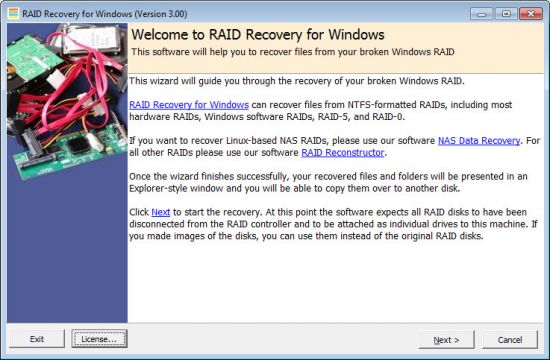
Runtime RAID Recovery for Windows 4.05
File size: 2.1 MB
Recovery for NTFS-formatted Windows RAIDs, includes hardware RAIDs and Windows software RAIDs. Supports RAID-0 and RAID-5 configurations.
Product Highlights
Recover NTFS-formatted Windows RAIDs, including hardware RAID and Windows software RAIDs,, within minutes
Supports RAID-0 and RAID-5 configuration
No other software needed
Finds RAID parameters, such as start sector, stripe size, rotation, and drive order automatically
Easy to use wizard, no user input required, fully automated recovery
Run from the Runtime Live CD or a WinPE boot CD-ROM
Data Recovery Software for Windows RAIDs
RAID Recovery for Windows recovers the entire content of your broken RAID within minutes. You will be able to copy the files and folders over to another disk.
RAID Recovery for Windows works for NTFS-formatted RAID-0 or RAID-5 configurations. It supports both, hardware RAIDs managed by the mother board or a controller card, and software RAIDs managed by Windows (dynamic disk arrays).
Remove the drives from the RAID controller and attach them locally to your machine. Make sure the drives are all recognized by Windows Disk Management. If you are trying to recover a RAID-5, it is Ok to attach one drive less than the total number of drives in that RAID. RAID Recovery for Windows also works with images of your drives.
Install RAID Recovery for Windows to your computer and start the program. In Vista, Windows 7, or Windows 8 you need to right-click the program icon and select "Run as Administrator".
A wizard will guide you through the recovery. A couple of minutes later, an Explorer-like window will show all recoverable files and folders. Now you can copy your files over to another disk. You can also view many file types before copying them, e.g. pictures, documents, etc.
RAID Recovery for Windows is easy to use. It automatically finds all parameters needed for the recovery, such as RAID start sector, stripe size, rotation, and drive order. Everybody is now able to recover his own RAID. No data recovery background required. No need to buy any other software.
Supported RAIDs
NTFS-formatted RAID-0 and RAID-5 controlled by the motherboard or a RAID controller card (hardware RAID)
NTFS-formatted RAID-0 and RAID-5 administered by Windows (Windows software RAID)
RAID Recovery for Windows additional features
A file viewer, which allows you to see the content of almost any file
A search function, which enables you to do extensive search for containing text or files
Run RAID Recovery for Windows from our Runtime Live CD or a BartPE boot CD-ROM
HOMEPAGE
https://www.runtime.org/
DOWNLOAD
We need your support!
Make a donation to help us stay online

Bitcoin (BTC)
bc1q08g9d22cxkawsjlf8etuek2pc9n2a3hs4cdrld

Bitcoin Cash (BCH)
qqvwexzhvgauxq2apgc4j0ewvcak6hh6lsnzmvtkem

Ethereum (ETH)
0xb55513D2c91A6e3c497621644ec99e206CDaf239

Litecoin (LTC)
ltc1qt6g2trfv9tjs4qj68sqc4uf0ukvc9jpnsyt59u

USDT (ERC20)
0xb55513D2c91A6e3c497621644ec99e206CDaf239

USDT (TRC20)
TYdPNrz7v1P9riWBWZ317oBgJueheGjATm
Information |
|||
 |
Users of GUESTS are not allowed to comment this publication. | ||