


Rename Master 4.02
Category: Apps (SEO/Marketing/Design)
- views: 85
- date: 19 February 2026
- posted by: newapp2023
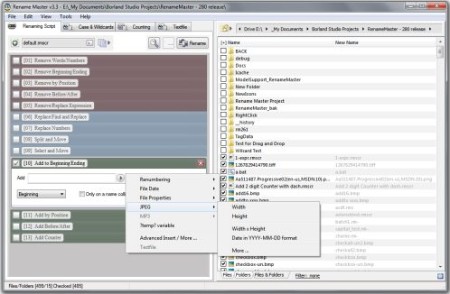
Rename Master 4.02 | File Size : 3.3 Mb
Rename Master is a utility for renaming large groups of files with a few clicks. Anyone that has worked with websites, file archives, or collections of music, videos, or pictures has probably spent way too much time renaming hundreds of files. This utility will add, remove, or replace parts of the filename with ease and also supports renaming via file properties, MP3 tags, JPEG JFIF and EXIF tags. Batch renaming that's simple to use, yet still very powerful.
Features
- Intelligent number sorting
- Full Unicode filename support
- File and folder renaming
- Custom filelist columns
- Auto-Preview
- Subfolder Scanning to rename files in multiple folder
- Renaming Variables for JPEG/MP3/Video tags, file properties, counters, and more
- Scripts to save commonly used renaming options
-
and[?] command prompt style wildcards, or full Regular Expression support
- Optional Explorer integration for right-clicking on files/folders or using "Send To"
- Case Changing and Textfile importing
- Command line options for batch renaming
Whats New
(Main Window)
Fix: multiple issues with visuals when using Dark Mode
(Main Window: File List)
New: Updated right-click menu, added "View Explorer Details"
Fix:[Edit>Highlight Changes Files] menu fixed to ignore unchecked files
(Main Window: File Menu)
Fix: Large Thumbnail View menu missing
(Main Window: Renaming Script)
New: JPEG DateTime's tags updated to include milliseconds when matching SubSecond tag is also present
New: added a new "Change Case" Renaming Script Step
Fix: tab order of jаvascript Step controls corrected
Fix: Duplicate menu item failed for jаvascript step
Fix: Conditional Execute display issue when loading the step count from a file
(Main Window: Status Bar)
Fix: improved updating when running slow
Fix: Cancel button now shown when a slow running process is detected
Fix: Cancel button now shown during Subfolder Scan
(Window: View Tags)
Fix: window was slow to open after opened once
(Window: Advanced Insert/Edit)
New: added "Explorer Details" section
Fix: improve loading time of this window
(Misc)
New: updated rm.ini file to add a way to override Dark Mode in the[Startup]
Fix: filetime-to-datetime routines updated to get rid of 1980 year limitation
Fix: issue where some save on exit settings not saved, unless Configuration window was opened once
Fix: empty SubSec EXIF metavariables now treated as 0
Fix: improved overall JPEG EXIF extracting performance
Fix: File Date Modified/Created are missing milliseconds when formatted with "zzz"
HomePage:
https://www.joejoesoft.com
-:DOWNLOAD FROM LINKS:-
Download From RapidGator
Download From NitroFlare
We need your support!
Make a donation to help us stay online

Bitcoin (BTC)
bc1q08g9d22cxkawsjlf8etuek2pc9n2a3hs4cdrld

Bitcoin Cash (BCH)
qqvwexzhvgauxq2apgc4j0ewvcak6hh6lsnzmvtkem

Ethereum (ETH)
0xb55513D2c91A6e3c497621644ec99e206CDaf239

Litecoin (LTC)
ltc1qt6g2trfv9tjs4qj68sqc4uf0ukvc9jpnsyt59u

USDT (ERC20)
0xb55513D2c91A6e3c497621644ec99e206CDaf239

USDT (TRC20)
TYdPNrz7v1P9riWBWZ317oBgJueheGjATm
Information |
|||
 |
Users of GUESTS are not allowed to comment this publication. | ||