


Adobe Photoshop 2026 v27.1.0.17 by m0nkrus (MULTi/RUS)
Category: Apps (SEO/Marketing/Design)
- views: 372
- date: 22 November 2025
- posted by: oaxino
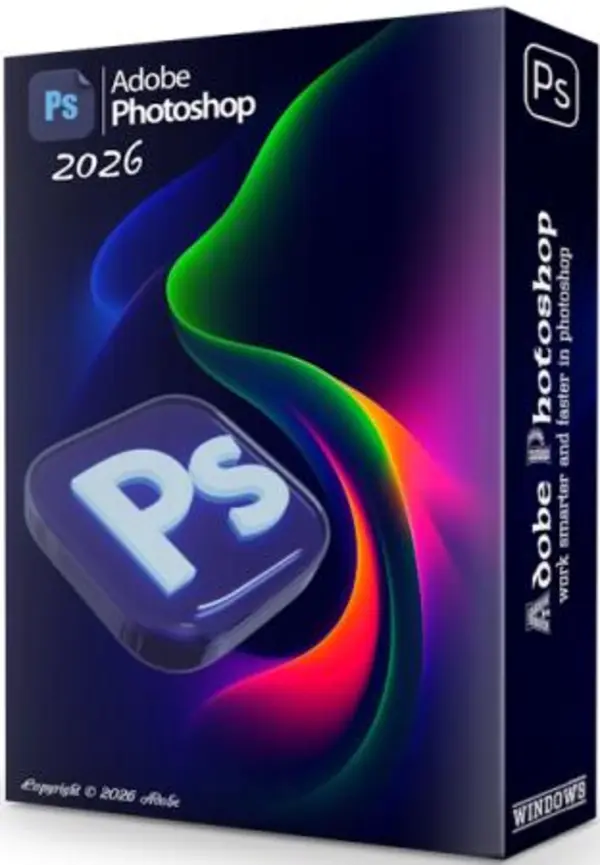
Free Download Adobe Photoshop 2026 v27.1.0.17 by m0nkrus (MULTi/RUS)
Adobe Photoshop 2026 – Professional Image Editing & Creative Design Software
Adobe Photoshop 2026 is the industry's leading software for professional image editing, creative design, digital painting, and 3D graphics. Whether you're enhancing photos, designing UI/UX layouts, or producing digital artwork, Photoshop gives you the tools to bring any creative idea to life.
⭐ Why Adobe Photoshop 2026 Stands Out ?
Create Anything You Imagine
Photoshop empowers designers to build everything from posters, packaging, and social media graphics to website layouts and mobile app interfaces. With beginner-friendly tools and ready-to-use templates, anyone can create visually stunning projects.
Turn Photos Into Visual Stories
Enhance, retouch, crop, remove objects, adjust colors, and restore old images. Photoshop transforms ordinary pictures into captivating artwork through advanced editing tools and intelligent effects.
Boost Creativity – Reduce Manual Work
Draw illustrations, create digital paintings, design textures, or craft 3D elements for animation and printing. New brushes and improved smoothing features make the creative workflow faster and more intuitive.
🎨 Key Features of Adobe Photoshop 2026
• Advanced Brush Management – Organize brushes using drag-and-drop, create folders, view stroke previews, and save presets.
• Optimized Brush Performance – Smoother strokes and less lag, even with large files.
• Brush Smoothing Improvements – Enhanced anti-aliasing produces cleaner lines.
• Lightroom Integration – Access Lightroom cloud photos directly in Photoshop.
• Enhanced Select and Mask – More accurate hair and object selection thanks to improved AI.
• HEIF Support – Import HEIF files with depth data support.
• Content-Aware Enhancements – Better fill, crop, and color blending algorithms.
• Variable Fonts – Customize font width, weight, and slant.
• Paste Without Formatting – Insert clean text without unwanted styles.
• Improved Properties Panel – Bulk-edit fonts and manage Adobe Stock assets easily.
• Copy & Paste Layers Across Projects – Keep layer structure intact across documents.
• Microsoft Dial Support – Quick access to brush and editing controls.
• 360° Panorama Editing – Edit spherical images with preserved metadata.
• 3D Graphics Tools – Build 3D objects for digital artwork and printing.
🤖 AI-Powered Enhancements in Photoshop 2026
AI Model Selection (for Generative Fill and similar tools):
– Adobe Firefly
– Gemini 2.5 (Nano Banana)
– FLUX.1 Kontext [pro]
Harmonize Tool
Automatically adjusts colors, lighting, and shadows of inserted objects to match the scene perfectly.
Generative Upscale
Enhance resolution by 2x or 4x using:
– Firefly Upscaler
– Topaz Gigapixel
– Topaz Bloom
Improved Select Subject & Remove Background
Enhanced hair and edge detection with optional device or cloud processing.
Cloud Collaboration Features
• Projects: Share assets, manage permissions, and collaborate in real time.
• Live Co-Editing: Multiple users can edit the same file simultaneously.
💻 System Requirements
• Windows 10/11 64-bit
• Intel/AMD multi-core processor (SSE4.2 & AVX2 recommended)
• 8 GB RAM (16 GB recommended)
• 10 GB storage (SSD recommended)
• GPU with 1.5 GB VRAM (4 GB for 4K)
• 1280x800 minimum resolution (1920x1080 recommended)
• Internet required for cloud features
📌 What's New in Adobe Photoshop 2026
• Faster launch times and improved performance
• Refined AI tools and more accurate selections
• Enhanced Content-Aware Fill
• Better Face-Aware Liquify
• More responsive brush handling
• Improved UI and smoother workflow
• Higher-quality color processing
• Better 3D and 360° editing support
📂 Program Information
• Release Year: 2025
• Platform: Windows 10/11 (64-bit only)
• Interface: Multilingual
• File Size: 5.47 GB
•Interface language: Multilanguage / Russian / English
•Medicine: Not required / built-in | pre-activated
Rapidgator
We need your support!
Make a donation to help us stay online

Bitcoin (BTC)
bc1q08g9d22cxkawsjlf8etuek2pc9n2a3hs4cdrld

Bitcoin Cash (BCH)
qqvwexzhvgauxq2apgc4j0ewvcak6hh6lsnzmvtkem

Ethereum (ETH)
0xb55513D2c91A6e3c497621644ec99e206CDaf239

Litecoin (LTC)
ltc1qt6g2trfv9tjs4qj68sqc4uf0ukvc9jpnsyt59u

USDT (ERC20)
0xb55513D2c91A6e3c497621644ec99e206CDaf239

USDT (TRC20)
TYdPNrz7v1P9riWBWZ317oBgJueheGjATm
Information |
|||
 |
Users of GUESTS are not allowed to comment this publication. | ||