


OnlyOffice v9.1.0.168 Desktop Editors
Category: Apps (SEO/Marketing/Design)
- views: 118
- date: 18 October 2025
- posted by: mitsumi
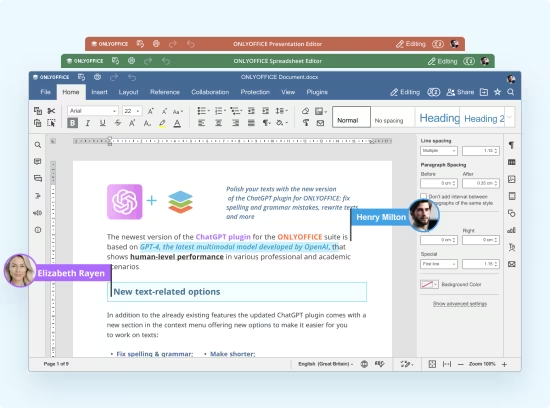
OnlyOffice v9.1.0.168 Desktop Editors
File Size: 288.91 MiB | Languages: English, Deutsch, Español, Italiano, Português, Français
Office suite. Work with documents, spreadsheets, presentations, fillable forms and PDF files (editor, reader and converter) on your computer. Highest compatibility with Microsoft Office formats.
An office suite that opens documents, presentations and spreadsheets in different tabs of the same window, providing compatibility with the most popular file formats.
With a visually-appealing interface and intuitive controls, OnlyOffice enables its users to open documents, spreadsheets and presentations or create new ones from scratch. It comes with support for the most popular file formats, even those native to Microsoft's office suite.
Although OnlyOffice is an alternative to Microsoft Office, it has its own unique style and it comes with many useful features. The software's streamlined design allows you to work with text documents, spreadsheets and slideshow presentations faster and easier and you can also switch between them or share everything with your co-workers without any effort.
The first thing that should be mentioned is the fact that OnlyOffice's components can be accessed directly from the same user interface. Instead of running different executables for text documents, spreadsheets or slideshow presentations, you can create such files instantly, by selecting the corresponding options, on OnlyOffice's home screen, on its user interface. Regardless of what kind of files you create and how many, you will always work on the same window, but on separate tabs.
Each editor works exactly the way you expect. When editing text, you can make all sorts of font and paragraph settings, change headings and so on. Spreadsheets can be created easily and you can also generate various graphs, charts and diagrams. The presentation editor comes with various presets, so you can focus on arranging your ideas, rather than overthinking the general design.
HOMEPAGE
https://www.onlyoffice.com/download-desktop
DOWNLOAD
We need your support!
Make a donation to help us stay online

Bitcoin (BTC)
bc1q08g9d22cxkawsjlf8etuek2pc9n2a3hs4cdrld

Bitcoin Cash (BCH)
qqvwexzhvgauxq2apgc4j0ewvcak6hh6lsnzmvtkem

Ethereum (ETH)
0xb55513D2c91A6e3c497621644ec99e206CDaf239

Litecoin (LTC)
ltc1qt6g2trfv9tjs4qj68sqc4uf0ukvc9jpnsyt59u

USDT (ERC20)
0xb55513D2c91A6e3c497621644ec99e206CDaf239

USDT (TRC20)
TYdPNrz7v1P9riWBWZ317oBgJueheGjATm
Information |
|||
 |
Users of GUESTS are not allowed to comment this publication. | ||