


NTCL Soft Sheet set to or from Excel - Lite 1.1.9
Category: Apps (SEO/Marketing/Design)
- views: 177
- date: 9 October 2025
- posted by: voska89
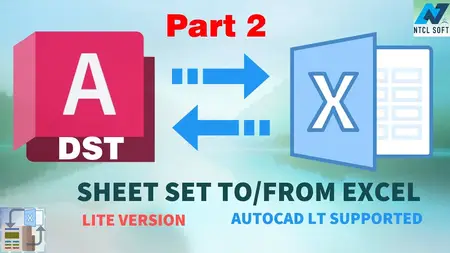
Free Download NTCL Soft Sheet set to or from Excel - Lite 1.1.9 | 21.9 Mb
Asheet set is a powerful tool for creating, managing, and sharing the entire set of drawings from one convenient location.
However, batch editing sheets and Sheet fields is still a difficult task for most users.
This simple App will help users batch edit the 3 most common sheet properties: SHEET FILE PATH, SHEET NUMBER, and SHEET TITLE.
App components
A normal Add-in: This add-in runs in Autodesk® AutoCAD® and AutoCAD-based applications (64-bit version only) and supports both online and offline licenses.
A standalone application: This application runs on Windows (7,8,10,11). An offline license file is required.
Main features of this App:
Export Sheet File Path, Sheet Number, and Sheet Title from an existing Sheet set file to Excel.
Batch Edit File path, Sheet Number, and Sheet Title in Excel, with the help of Autofill.
Import new File paths, Sheet Numbers, and Sheet Titles from Excel to the Sheet set file.
Sheet set content can be in any language.
(*) Feature Notes:
Only the file path and 2 built-in sheet properties, Sheet Number and Sheet Title, are supported. Other sheet sets/ sheet properties are considered to be supported later by this App or an advanced version of this App.
Please note that the app only blindly replaces the File path. Be sure the new File path is valid and the old & new drawing files are similar (at least their layout objects must be the same) for maintaining a valid sheet set file after replacement.
The app interface supports 7 languages. However, progress messages are in the text box, and most message boxes are in English.
Compatible with:
Autodesk AutoCAD
Version: 2026 , 2025 , 2024 , 2023 , 2022 , 2021
Autodesk AutoCAD Electrical
Version: 2026 , 2025 , 2024 , 2023 , 2022 , 2021
Autodesk Advance Steel
Version: 2025 , 2024 , 2023 , 2022 , 2021
Autodesk AutoCAD Mechanical
Version: 2026 , 2025 , 2024 , 2023 , 2022 , 2021
Autodesk AutoCAD Architecture
Version: 2026 , 2025 , 2024 , 2023 , 2022 , 2021
Autodesk AutoCAD MEP
Version: 2026 , 2025 , 2024 , 2023 , 2022 , 2021
Autodesk® Civil 3D®
Version: 2026 , 2025 , 2024 , 2023 , 2022 , 2021
Autodesk AutoCAD Map 3D
Version: 2026 , 2025 , 2024 , 2023 , 2022 , 2021
Autodesk AutoCAD Plant 3D
Version: 2026 , 2025 , 2024 , 2023 , 2022 , 2021
Home Page -
https://apps.autodesk.com/ACD/en/Detail/Index?id=5876198158063484262&appLang=en&os=Win64DOWNLOAD LINK
Links are Interchangeable - No Password - Single Extraction
We need your support!
Make a donation to help us stay online

Bitcoin (BTC)
bc1q08g9d22cxkawsjlf8etuek2pc9n2a3hs4cdrld

Bitcoin Cash (BCH)
qqvwexzhvgauxq2apgc4j0ewvcak6hh6lsnzmvtkem

Ethereum (ETH)
0xb55513D2c91A6e3c497621644ec99e206CDaf239

Litecoin (LTC)
ltc1qt6g2trfv9tjs4qj68sqc4uf0ukvc9jpnsyt59u

USDT (ERC20)
0xb55513D2c91A6e3c497621644ec99e206CDaf239

USDT (TRC20)
TYdPNrz7v1P9riWBWZ317oBgJueheGjATm
Information |
|||
 |
Users of GUESTS are not allowed to comment this publication. | ||