


NTCL Soft Section view Quantity Take-Off tool 1.2.0
Category: Apps (SEO/Marketing/Design)
- views: 100
- date: 9 October 2025
- posted by: voska89
Free Download NTCL Soft Section view Quantity Take-Off tool 1.2.0 | 37.2 Mb
Have you ever spent hours searching for how to report link length in section views, measure length and area from custom Autodesk® AutoCAD® polylines or export detailed section view quantity to Excel ?
This app is designed to add such features for Autodesk® Civil 3D®.
Further more, App now contains some .NET custom subAssemblies to cover some complicated, irregular case in section view design.
Main features:
- Calculate length and area from AutoCAD objects for each section view.
- Calculate length from Civil 3D corridor points, links, and area from corridor shape and between surfaces.
- Create section view material quantity tables from AutoCAD tables, which are editable and exportable to Excel.
- For each quantity item, the user can set a formula with 4 basic math operators: + - x /.
- Quantity table templates including formulas can be saved and reused.
- Custom subassembly Stripping Benching: Create stripping with/without benching, stripping in part-cut part-fill condition, corridor feature lines and corridor surface can be used as target objects
- Custom subassembly Daylight Bench QuarterCone: Create multi bench daylight with variable cut / fill slopes and bench width. Slopes and Bench width may vary linearly from region start station to region end station.
Additional Features:
- Convert polylines in section view to TIN surface or polyline 3D in plan (since V1.2.0)
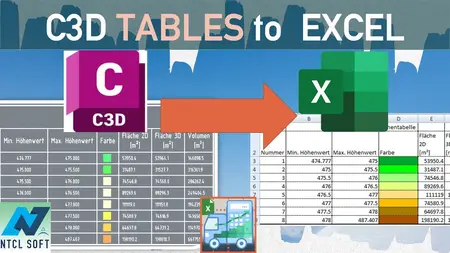
- Export Civil 3D table(s) content directly to Excel (since V1.1.5)
- Non-destructive explode any Civil 3D objects (Section views, profile views, corridors...) to AutoCAD objects while preserving the Civil 3D objects.
- Extract polylines from corridor section's link based on link code
- Extract polylines from corridor section's shape based on shape code
- Label points, links, and shape codes directly onto corridor sections in selected section views.
- Support both Metric and Imperial section views.
- Automatically add sample lines, and station values as corridor additional stations to improve accuracy.
- Data Shortcut alignment is supported.
- App dialog is translated into 7 languages.
Compatible with:
Autodesk® Civil 3D®
Version: 2026 , 2025 , 2024 , 2023 , 2022 , 2021
Home Page -
https://apps.autodesk.com/CIV3D/en/Detail/Index?id=5716316822612917777&appLang=en&os=Win64DOWNLOAD LINK
Links are Interchangeable - No Password - Single Extraction
We need your support!
Make a donation to help us stay online

Bitcoin (BTC)
bc1q08g9d22cxkawsjlf8etuek2pc9n2a3hs4cdrld

Bitcoin Cash (BCH)
qqvwexzhvgauxq2apgc4j0ewvcak6hh6lsnzmvtkem

Ethereum (ETH)
0xb55513D2c91A6e3c497621644ec99e206CDaf239

Litecoin (LTC)
ltc1qt6g2trfv9tjs4qj68sqc4uf0ukvc9jpnsyt59u

USDT (ERC20)
0xb55513D2c91A6e3c497621644ec99e206CDaf239

USDT (TRC20)
TYdPNrz7v1P9riWBWZ317oBgJueheGjATm
Information |
|||
 |
Users of GUESTS are not allowed to comment this publication. | ||