


QuickSurface 2025 v7.0.46 (x64)
Category: Apps (SEO/Marketing/Design)
- views: 93
- date: 25 September 2025
- posted by: DrZero
File Size: 141 MB
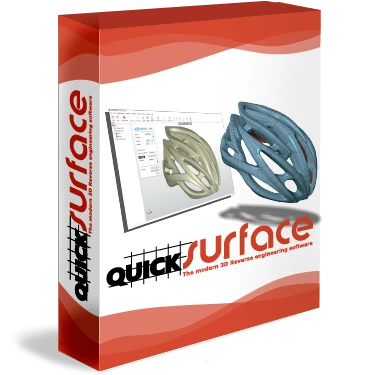
Scan to CAD software for transforming 3D scan meshes from any 3D scanner into CAD models. Equipped with simple yet powerful features you can quickly convert your digitised data into ready to use models.
Scan Data Import
Load data from any scanner using the industry standard STL, OB or PLY mesh files. For long range scanners, the data can be imported using PTX file format. Being a 64 bit application allows the user to load any size mesh. For the purposes of manipulation the build-in polygon reduction function allows the user to create a mesh with suitable number of triangles without compromising the quality of the mesh.
Interactive selection
Simple to use tools to quickly extract areas of interes. Magic wand, brush and free form selection allows the user to identify the areas that represent features or free form surfaces
Primitives extraction
Reconstruct quickly planes, cylinders, cones and spheres. Create relations between them as peprendicularity, parallelism and coincidence.
You can also create a reference geometries like lines and points for use in align mesh to space operation for correctly positioning the object into the world coordinate system
Symmetry Plane
Find a plane of symmetry of the object. Use the analyser to identify the quality of the position of the plane. Fine tune the position with on-screen controls to achieve the best results.
Object align
Position the object into the world coordinate system using the extracted primitives. The interactive definition of the coordinate system allows the user to adjust the correct orientation of the object.
2D Sectioning
Interactive sectioning allows the user to extract rerefence points for 2D Sketching. Align the section plane to extracted primitives, CAD faces and even create section interactively on the screen. For the purposes of lofting - the user can also create multiple sections at once
Screen :

What's New

HOMEPAGE
https://www.quicksurface3d.com/quicksurface_full/
Buy Premium Account From My Download Links & Get Fastest Speed.
We need your support!
Make a donation to help us stay online

Bitcoin (BTC)
bc1q08g9d22cxkawsjlf8etuek2pc9n2a3hs4cdrld

Bitcoin Cash (BCH)
qqvwexzhvgauxq2apgc4j0ewvcak6hh6lsnzmvtkem

Ethereum (ETH)
0xb55513D2c91A6e3c497621644ec99e206CDaf239

Litecoin (LTC)
ltc1qt6g2trfv9tjs4qj68sqc4uf0ukvc9jpnsyt59u

USDT (ERC20)
0xb55513D2c91A6e3c497621644ec99e206CDaf239

USDT (TRC20)
TYdPNrz7v1P9riWBWZ317oBgJueheGjATm
Information |
|||
 |
Users of GUESTS are not allowed to comment this publication. | ||