


Ambiera CopperCube 6.7.2 Multilingual (x64)
Category: Apps (SEO/Marketing/Design)
- views: 144
- date: 7 September 2025
- posted by: voska89
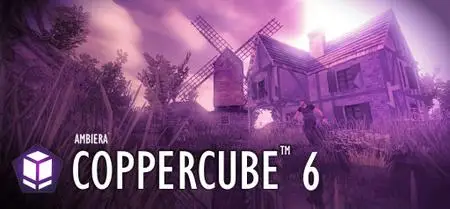
Free Download Ambiera CopperCube 6.7.2 (x64) Multilingual Fast Links | 47.2 Mb
CopperCube is a complete 3D authoring tool which includes all the features you need for creating games for multiple platforms. And it is light-weight: The whole editor including everything just needs about 70 MB, and your finished created games is just one small .exe file. Or a just 200 KB sized .js file in case of WebGL.
Most easy to use 3D engine
There is no easier software for creating 3D games. It is easy for beginners and fun for experienced users. You don't even have to write code in order to use it. Just click everything together.
Windows, MacOS, WebGL and Android
With CopperCube, you can create apps and/or 3D websites - without programming:
WebGL websites (.html)
Windows (.exe) apps
(Mac OSX) (.app) apps
Android (.apk) apps
Of course, apps created with CopperCube can freely be sold.
Fast Single Click Web or App Deployment
Want to create an application from your 3D scene?
Import your 3D files into CopperCube
Edit your scene in the editor
Select the platform like 'WebGL' or 'Windows .exe'
Click 'Publish' and wait about one second. Done!
CopperCube is incredible easy and fast.
Terrain editor
CopperCube includes a terrain editor. Terrain can be drawn with height painting tools directly in the editor, textures can be painted quickly with automatic texture blending into the terrain. There are also tools for placing grass and bushes, and for distributing meshes automatically over the terrain.
Realtime Shadows and Static Lighting
CopperCube supports realtime shadows AND static light/shadow calculations. They can even be mixed, if you like. Add a nice atmosphere to your game by just clicking a checkbox to enable realtime shadows, or calculate static lighting by clicking the "calculate!" button (see below). This works even very fast on the WebGL target.
Wind Moved Vegetation
CopperCube supports automatic movement of vegetation, no matter if it was generated inside CopperCube or imported from external 3D models. There is no performance impact, everything is computed on the GPU. Wind parameters are easily adjustable.
Operating System:Windows 7, 8/8.1, 10, 11
Home Page-
https://www.ambiera.com/DOWNLOAD LINK
Links are Interchangeable - No Password - Single Extraction
We need your support!
Make a donation to help us stay online

Bitcoin (BTC)
bc1q08g9d22cxkawsjlf8etuek2pc9n2a3hs4cdrld

Bitcoin Cash (BCH)
qqvwexzhvgauxq2apgc4j0ewvcak6hh6lsnzmvtkem

Ethereum (ETH)
0xb55513D2c91A6e3c497621644ec99e206CDaf239

Litecoin (LTC)
ltc1qt6g2trfv9tjs4qj68sqc4uf0ukvc9jpnsyt59u

USDT (ERC20)
0xb55513D2c91A6e3c497621644ec99e206CDaf239

USDT (TRC20)
TYdPNrz7v1P9riWBWZ317oBgJueheGjATm
Information |
|||
 |
Users of GUESTS are not allowed to comment this publication. | ||