


HDRsoft Photomatix Pro 7.1.4 Beta 2
Category: Apps (SEO/Marketing/Design)
- views: 176
- date: 17 June 2025
- posted by: voska89
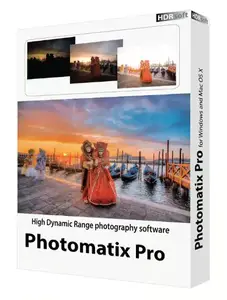
Free Download HDRsoft Photomatix Pro 7.1.4 Beta 2 | 46 Mb
Photomatix Pro processes multiple photographs of a high contrast scene into a single image with details in both highlights and shadows. Photomatix offers two types of processes to increase the dynamic range. One process is called HDR Tone Mapping, the other Exposure Blending. Both processes are designed to produce an image with an increased apparent dynamic range, but their results are different. You should try both and then choose the result that works best with your images.
The first section of this manual provides tips for taking photographs intended for High Dynamic Range (HDR) processing in Photomatix Pro. The second section describes how to create HDR images and process them through Tone Mapping. The third section deals with the Exposure Blending functions, and the fourth section with the Batch Processing tool. Finally, section five provides a few tips and techniques.
Features:
- Generation of HDR (High Dynamic Range) images from differently exposed images
- Conversion of single RAW file into pseudo-HDR image
- Tone Mapping tool for revealing highlights and shadows details in HDR image
- HDR Viewer shows local HDR image data at the appropriate exposure
- Display of HDR Histogram (logarithmic)
- Ability to batch tone map single HDR images
- Function to tone map large HDR image files while benefiting from a preview
- Read and Write support for Radiance RGBE (.hdr), OpenEXR (.exr) and Floating Point TIFF
- Color managed HDR workflow: passing trough of ICC color profiles from the source to the tone mapped images, and color managed display
- Four algorithms for Exposure Blending
- Automatic alignment option for hand-held images with two alignment methods available
- Preview and Loupe available for all Exposure Blending methods
- Ability to select the images for method 'H&S - 2 images'
- Automatic Batch Processing
- Support JPEG, TIFF, Radiance RGBE, OpenEXR, PNG, PSD, RAW files from several camera models
Operating System:Windows 11 / 10 / 8 / 7
Home Page -
https://www.hdrsoft.com/DOWNLOAD LINK
Links are Interchangeable - No Password - Single Extraction
We need your support!
Make a donation to help us stay online

Bitcoin (BTC)
bc1q08g9d22cxkawsjlf8etuek2pc9n2a3hs4cdrld

Bitcoin Cash (BCH)
qqvwexzhvgauxq2apgc4j0ewvcak6hh6lsnzmvtkem

Ethereum (ETH)
0xb55513D2c91A6e3c497621644ec99e206CDaf239

Litecoin (LTC)
ltc1qt6g2trfv9tjs4qj68sqc4uf0ukvc9jpnsyt59u

USDT (ERC20)
0xb55513D2c91A6e3c497621644ec99e206CDaf239

USDT (TRC20)
TYdPNrz7v1P9riWBWZ317oBgJueheGjATm
Information |
|||
 |
Users of GUESTS are not allowed to comment this publication. | ||