


TestDisk & PhotoRec 7.3 Beta
Category: Apps (SEO/Marketing/Design)
- views: 86
- date: 24 April 2025
- posted by: mitsumi
TestDisk & PhotoRec 7.3 Beta
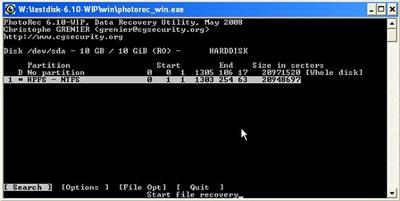
File Size : 56.2 Mb
Data recovery and partition repairing are tasks that involve the usage of some specialized utilities that can work in sensitive areas of the system. When it comes to restoring lost data and rebuilding boot sectors, one of the tools that are created just for these purposes is TestDisk.
Runnable via command-line, the software checks disks and scans for errors, then allows you to choose the action you want it to carry out. With TestDisk you can analyze the partition structure and check if any lost partitions are to be found on the selected drive.
The program is also able to change the disk geometry and write to the first sector of the disk the MBR code. You can use the application for completely wiping all data from a partition and restoring non-bootable disks to their bootable form.
Insofar as the data recovery (undeletion) is concerned, TestDisk comes with support for several file systems, including some that are not common to Windows users. Thus, you will be able to restore files from FAT, NTFS, ext2 and exFAT file systems.
For systems with damaged or empty partition tables, the software offers the possibility to repair the issues. Furthermore, TestDisk can find missing partitions and creating a new table or rewriting a completely new MBR is also feasible.
Designed to be accessible for both advanced and less-experienced users alike, this utility has logging and debugging capabilities that can be easily used from the command-line. This means that TestDisk will gather all available information regarding the state of a drive and the information can then be used for analyzing and fixing the problems.
All in all, for anyone who needs to restore files or entire partitions, write partition tables for specific drives and other such tasks, TestDisk is definitely one of the best choices, especially since it is not hard to operate it.
TestDisk can
Fix partition table, recover deleted partition
Recover FAT32 boot sector from its backup
Rebuild FAT12/FAT16/FAT32 boot sector
Fix FAT tables
Rebuild NTFS boot sector
Recover NTFS boot sector from its backup
Fix MFT using MFT mirror
Locate ext2/ext3/ext4 Backup SuperBlock
Undelete files from FAT, exFAT, NTFS and ext2 filesystem
Copy files from deleted FAT, exFAT, NTFS and ext2/ext3/ext4 partitions.
TestDisk has features for both novices and experts. For those who know little or nothing about data recovery techniques, TestDisk can be used to collect detailed information about a non-booting drive which can then be sent to a tech for further analysis. Those more familiar with such procedures should find TestDisk a handy tool in performing onsite recovery.
https://www.cgsecurity.org/mw/index.php?title=TestDisk_7.3_Release&action=edit&redlink=1Homepage:
https://www.cgsecurity.org/Download link
rapidgator.net:
nitroflare.com:
We need your support!
Make a donation to help us stay online

Bitcoin (BTC)
bc1q08g9d22cxkawsjlf8etuek2pc9n2a3hs4cdrld

Bitcoin Cash (BCH)
qqvwexzhvgauxq2apgc4j0ewvcak6hh6lsnzmvtkem

Ethereum (ETH)
0xb55513D2c91A6e3c497621644ec99e206CDaf239

Litecoin (LTC)
ltc1qt6g2trfv9tjs4qj68sqc4uf0ukvc9jpnsyt59u

USDT (ERC20)
0xb55513D2c91A6e3c497621644ec99e206CDaf239

USDT (TRC20)
TYdPNrz7v1P9riWBWZ317oBgJueheGjATm
Information |
|||
 |
Users of GUESTS are not allowed to comment this publication. | ||