


Light Image Resizer 7.1.1.61 Multilingual
Category: Apps (SEO/Marketing/Design)
- views: 98
- date: 20 November 2024
- posted by: DrZero

File size: 50.1 MB
Light Image Resizer from Obvious Idea (previously known as VSO Image Resizer) is a free tool that organizes your photos by shrinking their resolution or moving them within your hard drive. It is the perfect tool for those who store their digital pictures and images on their PC and who want to resize, compress, convert, create copies, import or organize photos. Light Image Resizer is integrated into the Windows explorer shell, right click on your pictures and start working on your pictures!
With this free resize image software, you can create e-mail friendly versions of your images, load them faster, move them easily from folder to folder, change their format, edit large numbers of image files/batch image resize and thus save space on your hard drive. Using high resolution 1600x1200 for creating wallpaper or file-sharing you can save your memory. Light Image Resizer can also change file names using a template and you can add your own watermark with transparency support. Light Image Resizer is integrated into the Windows explorer shell, right click on your pictures and start working on your pictures!
Resize and convert
- Resize pictures or convert them into different formats easily. Select your output resolution, create a copy, resize the original, move and/or rename files, or compress them and choose a specific destination for your processed images. Work on individual photos or edit large numbers of images by doing a batch resize in just one click.
Extra settings
- Add your own watermark to protect your work or add a copyright to photos with html-like text formatting and transparency support. Customize pictures by converting them to sepia or add a border. Use the live preview to see what the final result will look like before actually processing the image. Image Resizer works on files, folders and subfolders, and supports RAW formats. With multi-core support integrated, convert images even faster. Launch the application easily from Windows shell explorer with a right click on the image or folder.
Output and export
- Photos can be added directly as attachments, individually or in a ZIP file, to email by using the publish function, without exceeding the maximum size permitted by email servers. Create PDF files from your images, like jpg to PDF; do this for individual or multiple images. Edit, create, export, backup new profiles with your favorite settings. The most popular profiles are already pre-defined, such as FULL HD resolution wallpaper images, Ipod, NTSC, 640 x 480. Access to profiles in 1 click with the shell integration.
Digital frame
- Transfer photos and optimize space on digital frames with the Digital Picture Frame Wizard. Resize pictures to the frame's supported resolution, and add even more photos for viewing!
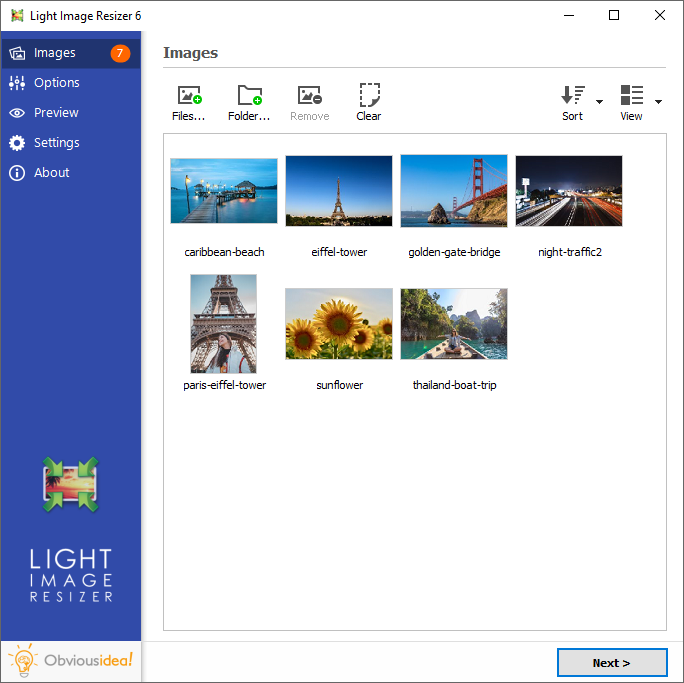
Screen :
What's New

HOMEPAGE
http://www.obviousidea.com
Buy Premium Account From My Download Links & Get Fastest Speed.
We need your support!
Make a donation to help us stay online

Bitcoin (BTC)
bc1q08g9d22cxkawsjlf8etuek2pc9n2a3hs4cdrld

Bitcoin Cash (BCH)
qqvwexzhvgauxq2apgc4j0ewvcak6hh6lsnzmvtkem

Ethereum (ETH)
0xb55513D2c91A6e3c497621644ec99e206CDaf239

Litecoin (LTC)
ltc1qt6g2trfv9tjs4qj68sqc4uf0ukvc9jpnsyt59u

USDT (ERC20)
0xb55513D2c91A6e3c497621644ec99e206CDaf239

USDT (TRC20)
TYdPNrz7v1P9riWBWZ317oBgJueheGjATm
Information |
|||
 |
Users of GUESTS are not allowed to comment this publication. | ||