


Abyssmedia i-Sound Recorder for Windows 7.9.5.3
Category: Apps (SEO/Marketing/Design)
- views: 50
- date: 11 September 2024
- posted by: oaxino
Abyssmedia i-Sound Recorder for Windows 7.9.5.3
File size: 6.7 MB
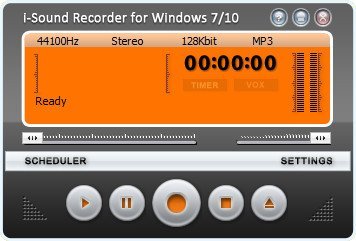
i-Sound 7 is a next generation sound recorder for Windows. The newest version unleashes the power of Windows 10 and is ready to record streaming audio out-of-box. i-Sound 7 includes all the features of its predecessor, but main feature is an ability to record audio from output device directly without using "Stereo Mix" input. Yes, it's true! "Stereo Mix" is no longer required. You do not need to spend a time searching right audio driver. You do not need to enable "hidden" or "disabled" audio devices via Control Panel.
Direct Audio Recording
After installation i-Sound will use your default playback device (Speakers) for recording. You will get the digital copy of all sound going through the speakers with perfect quality.
Real time audio compression
i-Sound save free space on hard drive using real-time audio compression to the most popular audio formats like MP3, OGG and WMA or lossless audio formats like WAV, APE and FLAC.
Advanced Scheduler
i-Sound can start recording at predefined time, date, day of week and open URL of streaming audio. Browser window will be closed automatically after recording. You can specify up to one hundred recording tasks.
Voice activated recording
VOX is a smart system that can skip silent pauses in audio, but ignore short snaps and background noise. It works just like a portable digital recorder.
Automatic Gain Control
AGC used to keep the audio at a consistent volume by gradually increasing or decreasing the gain in response to the changes in signal level. You can also configure it manually using the VU Meter.
Easily edit recordings
If you wish to edit audio file after recording then you can use free sound editor add-on. Just open recording browser, select your recording and click "Edit file in sound editor" button. First time it will download and install add-on, next time it will load audio file to editor automatically.
Manage your Recordings
Recording browser lets you manage to listen to recordings, delete, rename, and edit your recordings without leaving the program.
https://www.abyssmedia.com/isound7/history.shtmlHomepage:
http://www.abyssmedia.comDownload link
Say "Thank You"
rapidgator.net:
nitroflare.com:
https://nitroflare.com/view/449C42E44E2B0AD/oltal.Abyssmedia.iSound.Recorder.for.Windows.7.9.5.3.rar
We need your support!
Make a donation to help us stay online

Bitcoin (BTC)
bc1q08g9d22cxkawsjlf8etuek2pc9n2a3hs4cdrld

Bitcoin Cash (BCH)
qqvwexzhvgauxq2apgc4j0ewvcak6hh6lsnzmvtkem

Ethereum (ETH)
0xb55513D2c91A6e3c497621644ec99e206CDaf239

Litecoin (LTC)
ltc1qt6g2trfv9tjs4qj68sqc4uf0ukvc9jpnsyt59u

USDT (ERC20)
0xb55513D2c91A6e3c497621644ec99e206CDaf239

USDT (TRC20)
TYdPNrz7v1P9riWBWZ317oBgJueheGjATm
Information |
|||
 |
Users of GUESTS are not allowed to comment this publication. | ||