


Autodesk Grading Optimization for Civil 3D 2023.1 Win x64
Category: Apps (SEO/Marketing/Design)
- views: 222
- date: 9 August 2023
- posted by: voska89
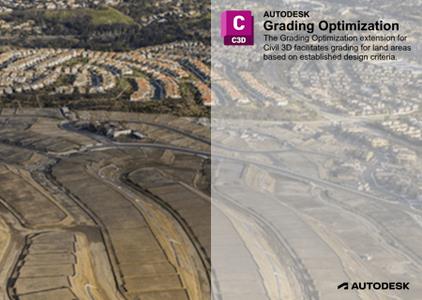
Free Download Autodesk Grading Optimization for Civil 3D 2023.1 | 501.6 mb
Owner:Autodesk
Product Name:Grading Optimization for Civil 3D
Version:2023.1
Supported Architectures:x64
Website Home Page :www.autodesk.com
Languages Supported:english
System Requirements:Windows *
Software Prerequisites:pre-installed Autodesk Civil 3D 2023 and above
Size:501.6 mb
Autodesk has released Grading Optimization for Civil 3D 2023.1. This update includes improvedf and ixes to various user-reported issues from the previous release, providing an overall more stable experience.
Fixed Issues in Autodesk Grading Optimization 2023.1
The bellow lists product fixes included in Autodesk Grading Optimization for Civil 3D 2023.1 (Product Version 2.1.7.5).
User Interface: Civil 3D
- Fixed an issue in which Civil 3D did not report the Command Line history completely when multiple grading objects were changed at once. The history now reports how many of each grading object type was removed and how many of a particular object type was added.
- Improved the workflow if a Civil 3D drawing is attempted to be optimized without any having any grading objects. A dialog now displays offering options to continue.
User Interface: Grading Optimization
- Improved the Grading Limit property tooltip that displays for Zone objects.
- Improved the grading design workflow by only displaying the Optimization Progress Meter after the Optimize button is clicked and processing is underway.
- Fixed an issue in which moving objects in the Grading Object Browser would display their associated properties panel.
- Improved the pond images in the Pond Properties Panel to more accurately represent their wet/dry properties.
- Added the ability to unpin the Help Center panel and move it out of the Visualization Display.
- Updated the warning dialog that displays when trying to optimize a drawing opened from a read-only folder.
- Added warning messaging in the Notification Center for instances when optimization cannot occur due to errors detected in the precheck stage.
Civil 3Dsoftware from Autodesk addresses the needs of civil engineering companies involved in standalone and BIM (building information modelling) Civil engineering projects. Built on a familiar AutoCAD platform Civil 3D has been specifically geared to address the challenging needs of civil engineers around the world involved in complex and demanding civil engineering projects such as land development, transportation and even water based engineering projects.
TheGrading Optimization extension for Civil 3Dfacilitates grading for land areas based on established design criteria. The extension uses optimization algorithms to establish surface smoothness while adhering to user-established constraints such as grading and drainage elements. Visualization tools allow you to watch the optimization process in real-time. Using several visualization themes for the surface (violation, cut-fill, or elevation), or by watching the trends of the convergence Descriptions, you can stop and change designs or let it run until a desired grading solution is found. If a solution is not possible, a best approximation is provided within your constraint requirements
Autodesk Civil 3d 2023 GRADING OPTIMIZATION (PATHWAYS)
Te explicamos como usar la herramientas "PATHWAYS", que ayuda a realizar nivelación de vialidades en Grading optimization 2023.1. Pathways are new objects that represent sidewalks, driveways, and other ingress and egress paths.
Autodeskhelps people imagine, design and create a better world. Everyone-from design professionals, engineers and architects to digital artists, students and hobbyists-uses Autodesk software to unlock their creativity and solve important challenges.
DOWNLOAD LINK
Rapidgator-->Click Link PeepLink Below Here Contains Rapidgator
http://peeplink.in/56cb6cb30fcc
Uploadgig
4e7jy.Autodesk.Grading.Optimization.for.Civil.3D.2023.1.rar
NitroFlare
4e7jy.Autodesk.Grading.Optimization.for.Civil.3D.2023.1.rar
Links are Interchangeable - No Password - Single Extraction
We need your support!
Make a donation to help us stay online

Bitcoin (BTC)
bc1q08g9d22cxkawsjlf8etuek2pc9n2a3hs4cdrld

Bitcoin Cash (BCH)
qqvwexzhvgauxq2apgc4j0ewvcak6hh6lsnzmvtkem

Ethereum (ETH)
0xb55513D2c91A6e3c497621644ec99e206CDaf239

Litecoin (LTC)
ltc1qt6g2trfv9tjs4qj68sqc4uf0ukvc9jpnsyt59u

USDT (ERC20)
0xb55513D2c91A6e3c497621644ec99e206CDaf239

USDT (TRC20)
TYdPNrz7v1P9riWBWZ317oBgJueheGjATm
Information |
|||
 |
Users of GUESTS are not allowed to comment this publication. | ||