


USB Drive Letter Manager (USBDLM) 5.5.8
Category: Apps (SEO/Marketing/Design)
- views: 83
- date: 22 May 2023
- posted by: mitsumi
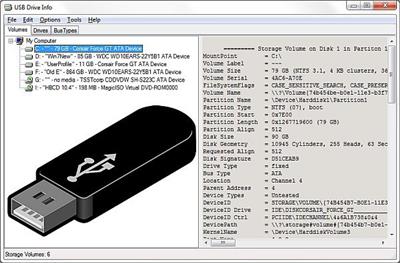
USB Drive Letter Manager (USBDLM) 5.5.8
File Size : 2.2 Mb
File Size : 2.2 Mb
USBDLM gives you the freedom to assign a custom drive letter to the USB devices that are connected to your computer. It runs as a Windows service, which means that the logged on user does not require administrative rights in order to modify the drive letters.
By default, your system allocates a newly connected removable device to the first available drive. Letter assignments can also be changed manually via the Control Panel, but this application helps you save time and gives you less headaches.
The running service is capable of identifying the connected drives and instantly verify whether the letter that is assigned to the device is used by network drives for the currently logged in user.
Configuring the application behavior is done by editing the USBDLM. INI file. For your convenience, the package comes with a sample configuration file that can be used as an example.
You can set new drive letters that should be allocated to connected USB storage devices, retain certain letters that cannot be distributed to local drives, hide or remove certain drives, set the program to display a popup window containing the assigned drive letter or manage special situations that require you to assign letters to a drive provided specific conditions are met (for instance, a minimum size is exceeded).
One advantage of USBDLM is related to card readers, which are normally assigned a drive letter for each slot. With the help of this application, you can instruct the computer to create a new drive letter until a card is detected.
While configuring it might take a while and beginners might find this operation quite difficult, USBDLM can prove to be a useful tool for controlling the way Windows allocates letters to connected drives.
FEATURES
• check if the letter is used by a network share of the currently logged on user and assign the next letter that is really available
• reserve letters, so they are not used for local drives
• assign a letter from a list of new default letters, also dependend on many different criteria as the active user, drive type, connection (USB, FireWire), USB port, volume label, size and others
• assign letters for a specific USB drive by putting an INI file on the drive
• remove the drive letters of card readers until a card is inserted
• show a balloon tip with the assigned drive letter(s)
• define autorun events depending on many different criteria
• many other things, see help file, available online as HTML version too
https://www.uwe-sieber.de/usbdlm_e.html#newsHomepage:
https://www.uwe-sieber.de/usbdlm_e.htmlDownload link
rapidgator.net:
uploadgig.com:
https://uploadgig.com/file/download/849d7ba7b43a6b7e/lsqvp.USB.Drive.Letter.Manager.USBDLM.5.5.8.rar
nitroflare.com:
1dl.net:
We need your support!
Make a donation to help us stay online

Bitcoin (BTC)
bc1q08g9d22cxkawsjlf8etuek2pc9n2a3hs4cdrld

Bitcoin Cash (BCH)
qqvwexzhvgauxq2apgc4j0ewvcak6hh6lsnzmvtkem

Ethereum (ETH)
0xb55513D2c91A6e3c497621644ec99e206CDaf239

Litecoin (LTC)
ltc1qt6g2trfv9tjs4qj68sqc4uf0ukvc9jpnsyt59u

USDT (ERC20)
0xb55513D2c91A6e3c497621644ec99e206CDaf239

USDT (TRC20)
TYdPNrz7v1P9riWBWZ317oBgJueheGjATm
Information |
|||
 |
Users of GUESTS are not allowed to comment this publication. | ||